

Alternatives to Shrinkpad
Shrinkpad is a native Mac app that batch compresses images and videos locally for faster, integrated workflows.
Explore 20 alternatives to Shrinkpad. Compare features, pricing, and find the best fit for your needs.

RestoreOldPhoto
Restore old photos with RestoreOldPhoto.ai: repair scratches, creases and fading, sharpen faces and details, and optionally colorize family memories.

ImageAgent
Create and edit AI images through conversation, using text or reference images and refining results in chat.
AiAgeFilter
Free AI age filter: upload an adult portrait, add 10-40 years, meet your older self. No app needed.

AppIconGenerator
Generate iOS and Android app icons from any image and export all platform sizes for free.

FreeCreate
Create AI images from text or reference photos and turn prompts or still images into short videos with FreeCreate. Start free—no account needed.

CADCraft
Free open-source 2D CAD built in Rust. AutoCAD-style CLI drafting, layers, dimensions, DWG/DXF support, and AI-agent automation via MCP.

Nano AI
Create and edit AI images, generate videos, and compare models in one creative workbench.

RemoveObjectFromPhoto
Remove unwanted objects, people, and text from photos with AI for clean, natural-looking results in seconds.

ImageGenerator
Create and edit AI images online with multiple models, text-to-image, image-to-image, background removal, and upscaling.
SightRadar
Face recognition API, a drop-in replacement for AWS Rekognition. Index, search, compare and detect faces, billed per photo with no subscription.
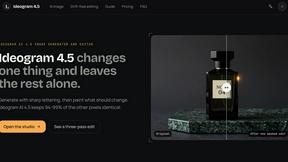
ideogram-45
AI image generation and editing with sharp typography, native 2K output, and localized edits.
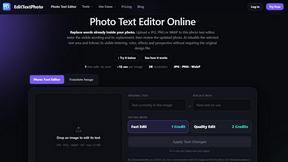
EditTextPhoto
AI-powered image text editor to edit, replace, fix, or translate text in images while preserving the original font, color, size, and style.
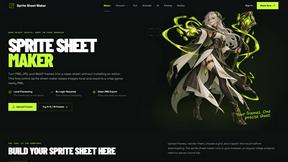
Sprite Sheet Maker
A free browser-based toolkit for creating, cutting, converting, and previewing sprite sheet animations.

FaceCoda
Free AI attractiveness test and face analysis with private, on-device photo processing.

Product Launch Checklist
A free launch checklist for SaaS, apps, AI tools and more. Every step says why it matters and when you can skip it.
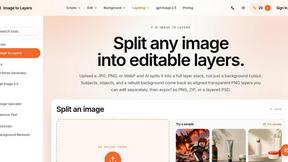
WatermarkPilot
Private browser-based watermark tools for photos and PDFs, with eleven free workflows and local media processing.

Qwen Image Edit
Prompt-based image editing and generation for backgrounds, objects, text, products, posters, outpainting, styles, and Qwen Image workflows.
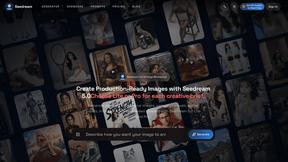
Seedream 5.0
Generate and edit production-ready images with Seedream 5.0 Pro and Lite for ecommerce, marketing, social media, infographics, and branded content.

Lockimate - AI Live Wallpapers
Turn any photo into a real Apple Live Photo that animates when you wake your iPhone. Restyle it and choose the motion - customizable.
About Shrinkpad Alternatives
Shrinkpad is a native macOS application for local batch compression of images and videos, falling squarely into the media optimization and productivity software category. Users often seek alternatives for various reasons, including budget constraints, the need for cross-platform compatibility on Windows or Linux, or specific feature requirements not covered by a single tool. When evaluating alternatives, key technical considerations include the processing engine's architecture—whether it's a native app, a cross-platform framework, or a web service—and its impact on performance and privacy. Integration capabilities with your existing tech stack, such as CLI support for CI/CD pipelines or compatibility with specific file formats like AVIF or ProRes, are also critical. The ideal solution should align with your workflow's scale, security requirements, and quality benchmarks. Ultimately, the choice hinges on balancing processing power, platform support, and data sovereignty. A tool that compresses locally using hardware-accelerated frameworks offers a different value proposition than a cloud-based API or a multi-platform utility built on Electron.
FAQs about Shrinkpad Alternatives
What is Shrinkpad?
Shrinkpad is a native macOS application that batch compresses images and videos locally on your machine using Apple's native frameworks, ensuring data never leaves your device.
Who is Shrinkpad for?
It's built for a tech-savvy audience including software developers, web designers, photographers, and content creators who need fast, private, batch media optimization.
Is Shrinkpad free?
The provided content does not specify pricing; it is a commercial native macOS application focused on performance and privacy.
Why choose Shrinkpad?
Choose Shrinkpad for its deep macOS integration, local-only processing for maximum privacy, and intelligent batch compression that can reduce file sizes by up to 90%.