

Vailo
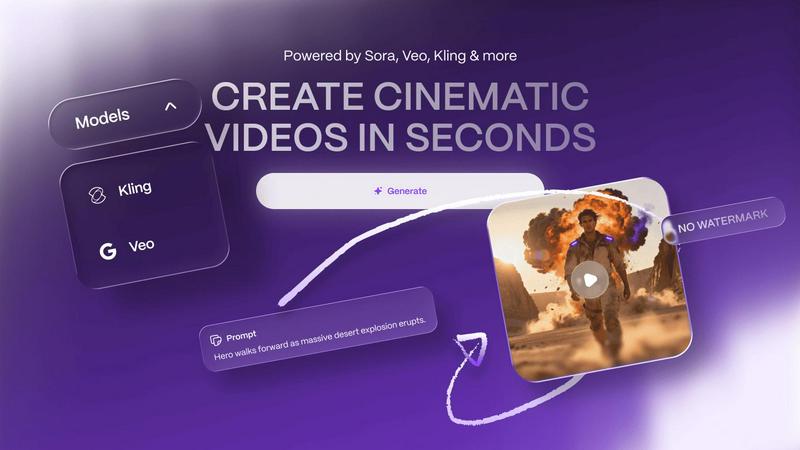
Vailo is a multi-model creative studio for AI images, video, motion, and 3D, using a shared credit balance.
Pricing
About Vailo
Vailo consolidates a range of creative AI models and utilities in a single studio. Its listed workflows cover image creation, video generation, motion, and 3D, with editing tools for removing backgrounds or objects, relighting, and enlarging images. For image creation, users can write a prompt or start from a photo, select a shape, add up to four references, and request up to four versions. For video, they can animate a still or describe a shot.
This breadth is the main reason to consider it: users can move between formats while drawing from one balance. The corresponding planning trade-off is that model costs differ. Vailo's generation estimates are approximate, so they are a starting point for budgeting rather than a fixed output promise. It is worth checking the price displayed for a video generation and estimating image volume against the selected plan.
Features
- Models for image and video generation, plus motion and 3D tools
- Up to four image references and four generated versions
- Video creation from an image or text description
- Image editing, background removal, and enhancement tools
Use cases
- Explore visual concepts across several image models
- Create a video from a still image
- Prepare product visuals with background and lighting edits
- Switch between still and moving content during a campaign
Pricing
The official page lists free access with 40 credits, monthly Pro and Creator plans, and purchasable credit packs.
Frequently asked questions
How many reference images can I use?
Vailo says image generation supports up to four references.
Does Vailo include editing after generation?
Yes. The site lists image editing tools including object removal, background changing, relighting, and upscaling.
Are all plans billed in credits?
The listed plans include credit allowances, and Vailo also offers credit packs. The exact cost depends on the selected model and generation.
Similar products
Compare alternatives
FoxyLab
FoxyLab makes product videos and banner sets from chat prompts, with website context and API access.

Text Photo AI
Edit text in JPG and PNG images with AI, or add captions for free in your browser and download a PNG.
Layerling
Layerling is a browser-based CAD tool for designing 3D printed enclosures and custom parts, with editable dimensions and STL or 3MF export.

Goshortsai
Goshortsai creates AI video from text and images, with motion control, preset effects, and tools for refining short clips.

AI Photo Editor
Make photo edits with written prompts, using dedicated tools for common fixes and a Studio with several AI models.

Remora
Remora adds persistent, typed memory to AI agents through PostgreSQL and pgvector, with asynchronous ingestion and ranked context retrieval.

Flux3Max.io
Flux3Max.io makes short videos with sound from a scene prompt, a photo, or up to 10 timed keyframes.

Clean Audio
Clean Audio reduces background noise in voice recordings and videos locally in your browser, with controls to compare and adjust the result.