

Alternatives to DocuExtractor

DeckCraft
Free, open-source presentation editor for browser and desktop, with PowerPoint support, themes, layouts, charts, images, notes, and animations.

My Tools Suite Pro
Discover the best free online tools with ToolSuite Pro. Explore AI, productivity, marketing, SEO, writing, business, and software tools in one place.

CyberScore Labs
Free outside-in security check for small businesses: email spoofing, website settings, known flaws and exposed services, with plain-English fixes.

Kivloo
Workplace and food safety software for daily checks on phones, with photo evidence and inspection records across every site.
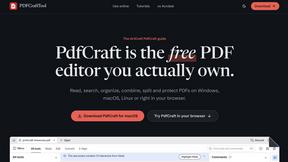
PDFCraft
Free, open-source PDF editor for desktop and browsers. Organize, annotate, fill, sign, protect, and redact PDFs locally—no account or cloud uploads.

Bolts
AI employees with a brain and their own cloud computer. They think, remember your business and work 24/7.


GigUp
GigUp helps freelancers discover relevant Upwork jobs through AI matching, automated monitoring, and instant alerts.

Greatooly
Greatooly is a curated directory of small, useful apps — discover focused tools for art, learning, money, health, travel and everyday life.

Safe Outreach
AI-powered platform that evaluates the safety of LinkedIn automation tools and helps reduce the risk of account restrictions.
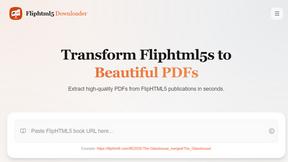
FlipHTML5 Downloader
Convert any FlipHTML5 flipbook into a high-quality PDF online - free, open source, no signup.

Cardify
Paste Markdown, pick one of 30+ themes, export PNG/SVG/PDF. One long note becomes a whole card post in minutes, no layout work.

How Long How Many Tool
Timers and hourly checks to figure how out long until a certain time or how many days away.

TinyFines
A habit tracker your friends can see. Skip a day and you owe a friend a tiny fine: half a pizza, a coffee, €2. Money never goes through the app.


ButterShare
Realtime peer-to-peer file transfer in the browser. Send files directly between devices, no account and no upload to a server.
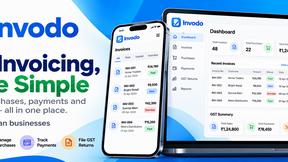
Invodo
Simple Invoicing & GST Compliance for Indian Businesses. Create GST-compliant invoices, manage purchases, track payments, and file returns.

Emailyy
Free email tools for signatures, subject lines, HTML previews, word counts, and email headers. Browser-based, simple to use, and no signup required.

Todowing
Chrome extension for Todoist that nests sub-tasks under their parents in Today, Upcoming, Filter and Label views.
About these alternatives
DocuExtractor is an AI-powered document conversion platform in the productivity and management category. It automates the extraction of structured financial data from receipts, invoices, and PDFs into CSV or Excel, using a sophisticated tech stack of OCR, Deep Learning, and LLMs for high accuracy. Users often explore alternatives for various reasons, including specific budget constraints, the need for different feature sets like custom API integrations, or compatibility with particular operating systems and existing software ecosystems. The search for a tool that aligns perfectly with an organization's workflow and technical requirements is common. When evaluating alternatives, key considerations should include the underlying AI and OCR technology's accuracy, the platform's ability to handle batch processing and multiple file formats, and its security protocols. Integration capabilities with current financial software and the overall scalability of the solution are also critical technical factors for long-term viability.
Frequently asked questions
What is DocuExtractor?
DocuExtractor is an AI-powered platform that converts unstructured financial documents like receipts and invoices into structured CSV or Excel data using OCR, Deep Learning, and LLM technologies.
Who is DocuExtractor for?
It is designed for accountants, bookkeepers, finance professionals, and enterprises that need to automate data extraction from financial documents to save time and reduce manual entry errors.
What are the main features of DocuExtractor?
Key features include an advanced AI extraction engine for high accuracy, support for multiple input formats (PDF, JPG, PNG, etc.), batch processing, and secure export to CSV or Excel.
Is DocuExtractor secure?
Yes, it offers enterprise-grade security with automatic data deletion post-processing, ensuring sensitive financial information is handled responsibly.