
Avif2Png vs RemoveTexts
Side-by-side comparison to help you choose the right product.

Avif2Png
Bridge the compatibility gap by converting AVIF to universally supported PNG format with high-fidelity batch processing.
Last updated: March 1, 2026

RemoveTexts
RemoveTexts is an AI tool that quickly removes text and unwanted elements from images, delivering professional results without any design skills.
Last updated: March 11, 2026
Visual Comparison
Avif2Png
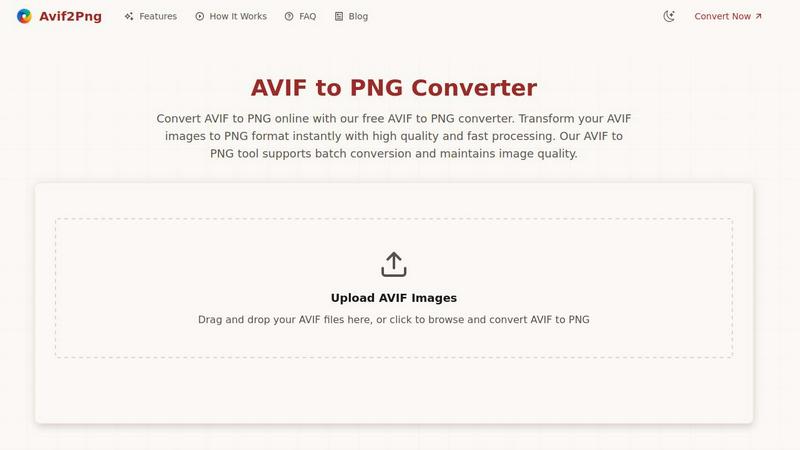
RemoveTexts

Feature Comparison
Avif2Png
Lossless Batch Conversion
The tool's core engine supports processing multiple AVIF files simultaneously in a batch operation, converting them to PNG without any degradation in visual quality. This is crucial for maintaining the integrity of graphics, logos, and images with text during high-volume workflows, ensuring pixel-perfect results across all converted assets while saving significant manual processing time.
Zero-Configuration Web Integration
Avif2Png operates entirely client-side for upload/download with secure server-side processing, requiring no registration, API keys, or software installation. This makes it instantly compatible with any development environment or browser stack, allowing for seamless integration into ad-hoc workflows without disrupting existing toolchains or requiring complex setup procedures.
Secure, Ephemeral Processing
All file processing is conducted in a secure, isolated environment with a strict data hygiene policy. Uploaded AVIF files and the resulting PNG conversions are automatically purged from servers after a short period, ensuring that sensitive design assets or proprietary content are not retained, which aligns with enterprise-grade security and privacy standards for online tools.
Broad Format Fidelity & Compatibility
The conversion algorithm is specifically tuned to handle the AVIF codec's advanced features, correctly mapping its color profiles and transparency layers (alpha channels) to the PNG specification. This guarantees that the output files are fully compatible with all versions of image editing software (like Adobe Photoshop, GIMP), CMS platforms, and web browsers, eliminating rendering inconsistencies.
RemoveTexts
Paint to Remove
This feature allows users to brush over specific text areas for precise control. Simply select the area you want to edit, and the AI will intelligently erase only the painted sections, ensuring that no other part of the image is affected.
Auto Remove All
With this powerful functionality, users can take advantage of the AI's ability to automatically detect and remove every text element in the image with just one click. This feature is ideal for those looking to clean up images quickly without manual selection.
Edit & Replace Text
RemoveTexts offers an advanced text editing capability that allows users to replace existing text within an image while maintaining the original style. This feature is particularly useful for marketing materials or social media posts where brand consistency is crucial.
Remove Objects
In addition to text removal, this feature enables users to erase unwanted objects, logos, or visual elements from their images. This capability expands the editing potential, providing users with more control over their visuals and enhancing overall image quality.
Use Cases
Avif2Png
Cross-Browser Web Asset Deployment
Front-end developers and webmasters use Avif2Png to convert AVIF-optimized images to PNG for fallback support in older browsers like Internet Explorer or specific versions of Safari that lack AVIF support. This ensures consistent visual presentation across all user agents without maintaining two separate modern image format libraries, simplifying the asset pipeline.
Graphic Design & Software Interoperability
Graphic designers working in applications with nascent or unstable AVIF support (such as certain versions of CorelDRAW or legacy design suites) can use Avif2Png to convert assets into a universally readable PNG format. This facilitates smooth collaboration and asset sharing across teams using different software stacks, preserving transparency and layer effects.
Content Management System (CMS) Integration
Content managers uploading to platforms like WordPress, Joomla, or custom-built CMS that may not yet have native AVIF processing modules can pre-convert their images. Using Avif2Png ensures immediate upload compatibility, prevents CMS errors, and maintains image quality for publication without waiting for platform updates to support newer formats.
Print and Publication Workflow Preparation
When preparing digital assets for print media or publishing platforms that require specific, lossless formats for high-resolution output, converting AVIF to PNG via Avif2Png is a critical step. It ensures the print service bureau's software can correctly interpret the file, maintaining color accuracy and sharp detail required for professional printing.
RemoveTexts
E-commerce Product Photography
E-commerce sellers can utilize RemoveTexts to clean up product photos by removing watermarks or unwanted text overlays, ensuring that the focus remains on the product itself and enhancing its appeal to potential buyers.
Legal Document Redaction
Legal professionals can leverage RemoveTexts to redact sensitive information from documents or images, ensuring compliance with privacy regulations while maintaining the integrity of the original visual content.
Meme and Social Media Content Creation
Creators and marketers can use RemoveTexts to effortlessly edit memes or social media graphics by removing unnecessary text elements or replacing them with new, engaging content that resonates with their audience.
Graphic Design and Branding
Graphic designers can rely on RemoveTexts to prepare images for branding purposes, ensuring that logos, watermarks, or any distracting text are removed to create a clean, professional look that aligns with their clients' branding guidelines.
Overview
About Avif2Png
Avif2Png is a specialized, web-based conversion engine designed to bridge the critical compatibility gap between the modern AVIF (AV1 Image File Format) and the universally supported PNG (Portable Network Graphics) format. This tool is engineered for developers, designers, and content managers who operate within diverse tech stacks and require reliable, high-fidelity format translation. Its core value proposition lies in executing a seamless, lossless conversion pipeline that preserves alpha channels and image integrity, ensuring assets are ready for deployment across any platform or legacy system. By leveraging efficient server-side processing, Avif2Png solves a key integration pain point: utilizing AVIF's superior compression for internal workflows while guaranteeing PNG's ubiquitous browser and software compatibility for final output. It is an essential utility for modern web development and digital content pipelines where format interoperability is non-negotiable.
About RemoveTexts
RemoveTexts is an innovative AI-powered online tool designed to simplify the process of removing unwanted text from images. It caters to a diverse audience, including designers, marketers, and everyday users who need quick and effective image editing solutions. The primary value proposition of RemoveTexts lies in its ability to deliver clean results in seconds without requiring any design skills. Users can easily upload their images and utilize advanced AI technology to remove watermarks, text overlays, or any other unwanted elements seamlessly. The tool supports multiple languages and is built on sophisticated deep learning inpainting techniques, ensuring that the background is reconstructed flawlessly, making the edits virtually undetectable. With its user-friendly interface and powerful capabilities, RemoveTexts empowers over 100,000 creators and professionals worldwide to enhance their visuals effortlessly.
Frequently Asked Questions
Avif2Png FAQ
Is the AVIF to PNG conversion truly lossless?
Yes, the conversion process is designed to be lossless. Avif2Png decodes the AVIF file and re-encodes it into the PNG format using lossless compression algorithms. This means that for graphics, text, and images with flat colors, there is no loss in quality. The pixel data from the original AVIF is preserved exactly in the resulting PNG file.
Do you support batch conversion of multiple AVIF files?
Absolutely. Avif2Png features a robust batch processing system. You can drag and drop or select multiple AVIF files simultaneously. The tool will queue and convert each file individually, maintaining original quality, and then provide a bundled download or individual downloads for all the converted PNG images, streamlining bulk operations.
How do you handle the security and privacy of my uploaded images?
Security is a primary concern. All file transfers use secure encryption (HTTPS). The conversion process runs on isolated servers, and we operate on a strict ephemeral data policy. Both your original AVIF files and the converted PNGs are automatically and permanently deleted from our servers shortly after the conversion process is complete, leaving no residual data.
What are the main technical advantages of PNG over AVIF for compatibility?
While AVIF offers superior compression, PNG's advantages lie in its universal integration. PNG has decades of support across every web browser, all major and minor image editing applications, operating system native viewers, and document processors. It reliably supports lossless compression with alpha transparency, making it a dependable, lowest-common-denominator format for guaranteed compatibility.
RemoveTexts FAQ
How does RemoveTexts work?
RemoveTexts employs advanced AI and deep learning inpainting techniques to analyze the surrounding pixels of the text you wish to remove. It reconstructs the background seamlessly, ensuring that the edited area blends perfectly with the original image.
What types of files does RemoveTexts support?
RemoveTexts supports a variety of image formats, including JPG, PNG, and WebP. Users can upload images up to 10 MB in size, making it versatile for various use cases.
Is there a limit to how much text I can remove?
There are no strict limits on the amount of text you can remove, but the effectiveness may vary based on the complexity of the background and the amount of text in the image. For extensive edits, using the Auto Remove All feature can expedite the process.
Do I need any design skills to use RemoveTexts?
No, RemoveTexts is designed for users of all skill levels. The intuitive interface and one-click solutions make it easy for anyone to achieve professional-grade results without any prior design experience.
Alternatives
Avif2Png Alternatives
Avif2Png is a specialized online utility within the image conversion and optimization tech stack. It focuses on the specific task of transcoding AVIF files, a modern, high-efficiency format, into the universally compatible PNG format. This addresses a key compatibility gap for developers and designers integrating next-gen assets into legacy systems or broad-distribution workflows. Users often seek alternatives for various technical and operational reasons. These can include the need for different integration methods like command-line tools or APIs, requirements for additional output formats beyond PNG, or preferences for offline desktop applications versus cloud-based services. Platform-specific needs, such as native integration into a particular development environment or content management system, also drive the search for other solutions. When evaluating an alternative converter, key technical criteria include the supported input and output codecs, the quality of the transcoding engine, and processing speed. Operational factors are equally important: assess the deployment model (SaaS, CLI, library), available batch processing capabilities, and the tool's security and privacy policies regarding uploaded data. The ideal choice seamlessly fits into your existing development pipeline and toolchain.
RemoveTexts Alternatives
RemoveTexts is an AI-powered image editing tool designed to quickly remove unwanted text from images without the need for advanced design skills or software like Photoshop. This innovative tool falls under the category of image and photo editing solutions, making it appealing to a wide range of users, from creators and marketers to casual users looking to enhance their images effortlessly. Users often seek alternatives to RemoveTexts for various reasons, such as pricing structures, specific feature requirements, or compatibility with different platforms. When searching for an alternative, it's essential to consider factors like the ease of use, the quality of output, available features, and whether the tool supports the languages you need. Additionally, evaluating customer support and community feedback can help ensure that the chosen alternative meets your specific image editing needs.