
Remora
Remora adds persistent, typed memory to AI agents through PostgreSQL and pgvector, with asynchronous ingestion and ranked context retrieval.

63 listings
Remora adds persistent, typed memory to AI agents through PostgreSQL and pgvector, with asynchronous ingestion and ranked context retrieval.

Search Hacker News video recommendations by topic, creator, or title, and explore technical talks, courses, and tutorials with discussion context.

GigUp watches Upwork searches and alerts freelancers when new jobs match their public profile, with explanations and proposal drafts they control.

LaunchIntel is a local toolkit that lets browser agents follow tested directory guides and helps teams track software launch submissions.


CloneWebsite captures and edits web pages locally in Chrome, with ZIP, Figma, and optional React or Vue export workflows.
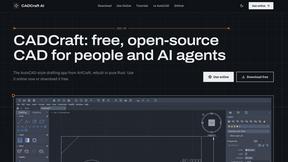
CADCraft is free, open-source 2D CAD software with an AutoCAD-style workflow and command, JSON, and MCP controls for automation.

Mainspring lets Mac users change 90+ hidden macOS settings with reversible one-click tweaks, grouped recipes, and context-aware scenes.

Crumb is a macOS storage cleaner that explains disk usage and removes only the files you approve after a read-only scan.

Create editable social preview images from a URL, with AI that reads the page and picks up its branding for Open Graph and social sharing.

Remove unwanted objects from JPG, PNG, and WebP photos in a browser, with a preview of the AI-reconstructed area before download.
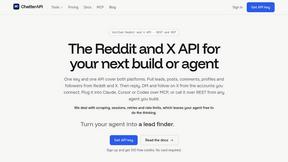
ChatterAPI brings Reddit and X search, account research and selected actions into one REST API and hosted MCP service.


Ecommerce Data API gives developers and sellers REST and agent access to e-commerce research data, including Amazon product and keyword insights.

Use JevModel to evaluate text or JSON as typed decisions, then inspect results in batches or connect decision flows to an application API.
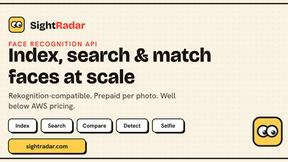
SightRadar helps photo platforms index and search faces, compare identities, and detect faces through a Rekognition-compatible API billed per photo.
Egmatic is a visual no-code editor for 2D games that requires no backend setup and offers one-click publishing across platforms.



Pack animation images into a sprite sheet with frame reordering, grid and spacing controls, browser preview, and downloadable PNG output.

Forms Plugin connects Framer forms to CRMs and email tools while supporting AI creation, advanced fields, and conditional workflows.
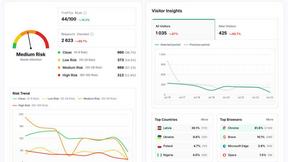
ShieldLabs identifies risky traffic and account activity for SaaS, fintech, marketplaces, and other web products.
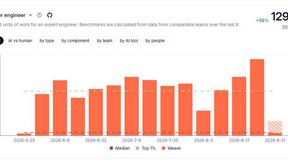

Light Cloud hosts apps built with popular runtimes and frameworks, pairing GitHub deployments with managed PostgreSQL and per-branch previews.

Firma.dev is a developer-focused e-signature API that advertises a €0.049 charge per envelope and quick integration.
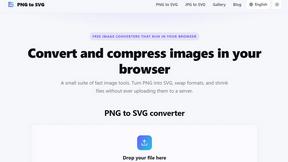
Turn PNG artwork into SVG with local browser processing, choosing vector paths or an embedded raster image.

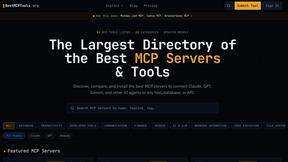
Best MCP Tools helps developers explore and compare MCP servers by category, capability, and listed AI client compatibility.
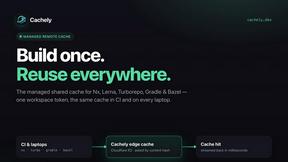
Cachely shares remote build outputs across developer machines, AI agent worktrees, and CI for teams using Nx, Turborepo, Gradle, or Bazel.

AIQualityHQ gives AI builders prompt linting, injection scanning, automated refactoring, and token analysis in one toolkit.


Blur selected faces locally in your browser, correct detection with a lasso, adjust strength, and export a clean PNG.

WordPalette turns a brand idea or image into a local browser workflow for palette creation, moodboards, logo prompts and brandbook exports.

JustLaunched helps SaaS founders publish launch pages and lets visitors discover new software through daily, category, and traction-based browsing.
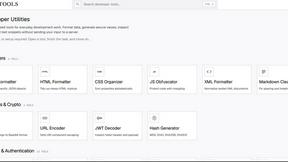
JSTools.Space provides local browser utilities for developers, including formatters, text tools, converters, and generators for everyday tasks.


Push My App helps app teams prepare App Store and Google Play releases with metadata drafting, screenshot resizing and preflight review.
Dev Tools provide developers with the software, platforms, and utilities needed to write, test, debug, deploy, and monitor code more efficiently. This category includes code editors, development environments, debugging tools, CI/CD platforms, API testing tools, version control interfaces, and developer productivity enhancers.
Whether you are writing code, managing deployments, testing APIs, monitoring application performance, or automating development workflows, these tools provide the infrastructure that modern software development demands.
Compare dev tools by their language support, integration ecosystem, performance, collaboration features, and pricing to find the right development tools for your stack and team.
This category includes code editors and IDEs, terminal and CLI tools, API testing platforms, CI/CD solutions, debugging tools, performance monitoring, version control interfaces, code review platforms, and developer productivity extensions.
Yes. Some tools specialize in specific languages or ecosystems like JavaScript, Python, Go, or Rust, while others provide multi-language support. Check individual listings for language-specific features and compatibility.
Dev tools improve productivity through code completion, automated testing, streamlined deployments, collaborative debugging, shared development environments, code review workflows, and integration with project management systems.
Yes. Many modern dev tools offer cloud-based development environments, remote container support, cloud debugging, and browser-based IDEs that allow developers to work from any device without local setup.
Yes. Many essential dev tools are open source or offer generous free tiers for individual developers and small teams. Paid plans typically add team management, enterprise security, and advanced scaling features.
Consider your tech stack, team size, deployment targets, collaboration needs, and budget. Prioritize tools that integrate well with your existing workflow and offer the specific features your development process requires.