
Get Rid of AI Overview
Hide supported Google AI summaries and AI Mode on desktop Chrome, with optional Pro filters for a more tailored results page.

19 listings
Hide supported Google AI summaries and AI Mode on desktop Chrome, with optional Pro filters for a more tailored results page.

Safe Outreach helps LinkedIn users inspect extension detection signals and session-data handling before choosing browser-based outreach tools.

CloneWebsite captures and edits web pages locally in Chrome, with ZIP, Figma, and optional React or Vue export workflows.
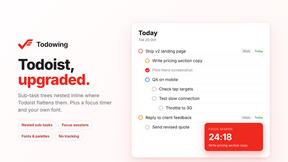
Todowing adds task focus sessions, time estimates, notes and subtasks to Todoist's Today view in Chrome, with optional calendar events.

Capture web text, screenshots, and selected elements, then save individual clips or batches to Notion, Feishu, Obsidian, or local files.
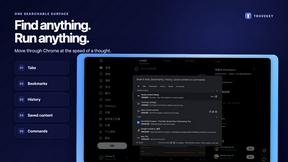
TroveKey brings keyboard-driven tab, bookmark and history search together with browser actions and a private local content library.
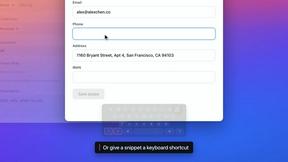
TypeFire combines Mac text expansion, clipboard history, and Markdown notes, with browser access and a free tier for unlimited snippets.

Vladislav Kovnerov builds websites, dashboards, Telegram bots, and AI automations for small businesses and marketplace sellers.
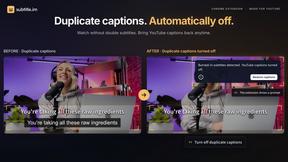
Manage YouTube caption preferences, search transcripts, and handle duplicate subtitles with a Chrome extension.
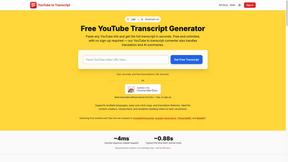
Get YouTube transcript text in seconds, with caption downloads and optional AI study tools for videos and Shorts.
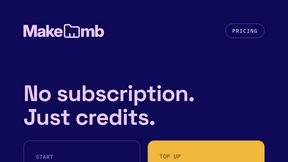
MakeMB compresses and splits PDFs in the browser, keeping document contents on the device while charging one credit per processed file.
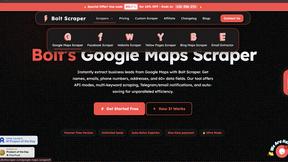
Bolt Scraper extracts business listing data and review details through cloud scrapers, APIs and local Chrome extensions.

SlabCalc helps DIYers and contractors estimate concrete volume, bag counts, and weight across common pour shapes.

XreplyAI turns company context into social posts for 10 platforms, giving small B2B teams a managed publishing workflow with founder review.


Explore subreddit conversations and Reddit search results with AI summaries that reveal recurring opinions across comment threads.
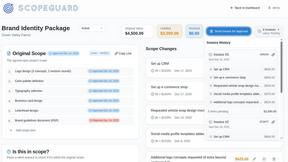
ScopeGuard's AI instantly detects scope creep to ensure freelancers get paid for all work.

ScreenDemos creates browser-based product videos with cursor and zoom effects for walkthroughs, tutorials, and visual bug reports.
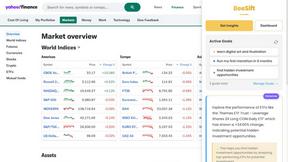
BeeSift turns webpages into goal-aligned insights, helping learners and professionals find useful information without reading every detail.
Chrome Extensions are browser-based tools that add functionality directly to your web browsing experience without requiring separate applications. This category includes productivity extensions, ad blockers, developer tools, SEO analyzers, screenshot utilities, password managers, and AI-powered browser assistants that enhance how you work on the web.
Whether you are a developer debugging web applications, a marketer analyzing competitor websites, a researcher collecting information, or a professional looking to boost daily productivity, Chrome extensions provide instant access to powerful tools right where you work.
Compare Chrome extensions by their functionality, permissions required, user ratings, update frequency, and pricing to find browser tools that enhance your workflow without compromising security or performance.
This category includes productivity boosters, developer tools, SEO and marketing extensions, AI assistants, screenshot and recording tools, tab managers, ad blockers, password managers, reading and accessibility tools, and workflow automation extensions.
Extensions from the Chrome Web Store go through a review process, but always check the permissions requested, user reviews, developer reputation, and update history. Avoid extensions that request unnecessary permissions or have limited review history.
Poorly built extensions can impact browser performance. Use lightweight extensions, disable those you do not use regularly, and monitor browser performance. Quality extensions are optimized to minimize their impact on browsing speed and memory usage.
Many Chrome extensions also work on Chromium-based browsers like Edge, Brave, and Opera. Some developers publish separate versions for Firefox and Safari. Check individual listings for cross-browser compatibility.
Yes. Many Chrome extensions are completely free, while others offer freemium models with basic features free and premium capabilities behind a subscription. Some are one-time purchases with lifetime access.
Access chrome://extensions in your browser to view, enable, disable, or remove extensions. Pin frequently used extensions to your toolbar and regularly review installed extensions to remove those you no longer need.