
claude ide vs LLMWise
Side-by-side comparison to help you choose the right product.

claude ide
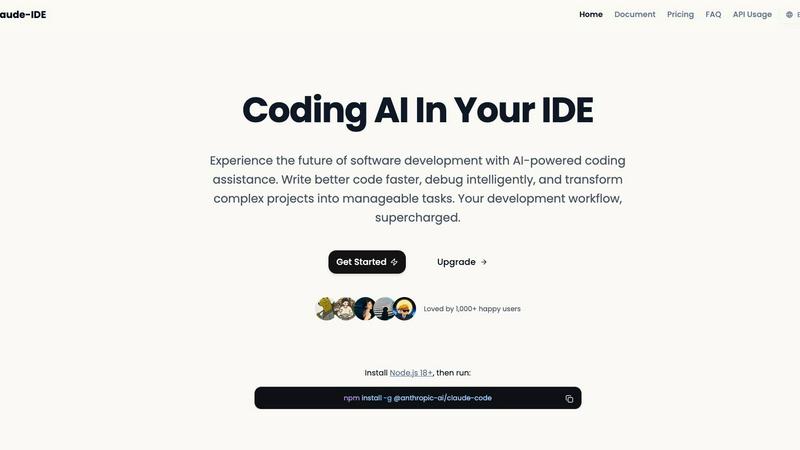
Claude IDE is an AI coding assistant that enhances your terminal and VS Code for smarter, context-aware development.
Last updated: February 28, 2026

LLMWise
LLMWise offers a single API to seamlessly access and compare multiple AI models, charging only for what you use.
Last updated: February 27, 2026
Visual Comparison
claude ide
LLMWise

Feature Comparison
claude ide
Intelligent Code Understanding
Claude IDE possesses the ability to analyze and comprehend your entire codebase rather than just isolated code snippets. This allows it to suggest coordinated changes across multiple files and provide recommendations that are specifically tailored to fit your project's architecture and requirements.
Seamless Integration
With Claude IDE, developers can enjoy uninterrupted coding experiences as it lives directly within their terminal and IDE environments. Its deep integration with popular tools like VS Code and JetBrains ensures that users do not have to switch contexts, allowing for a more fluid and efficient development process.
Quick Code Familiarization
Claude IDE can rapidly analyze and explain complete codebases in mere seconds. It employs intelligent search capabilities to grasp project architecture and dependencies automatically, without the need for manual context file selection, making onboarding to new projects quicker and more intuitive.
Powerful Multi-file Edits
The AI-powered assistant can execute powerful multi-file edits with a deep understanding of your codebase and its dependencies. This feature ensures that changes are both accurate and functional, reducing the likelihood of introducing errors during complex refactorings or updates.
LLMWise
Smart Routing
LLMWise's smart routing feature automatically directs prompts to the most appropriate LLM based on the task at hand. For instance, code-related queries are sent to GPT, while creative writing prompts might go to Claude. This intelligent selection ensures optimal performance and accuracy for every request, allowing developers to focus on building rather than managing multiple APIs.
Compare & Blend
The compare and blend functionalities enable users to execute prompts across various models simultaneously. By comparing different outputs side-by-side, developers can easily identify which model performs best for their specific needs. The blend feature synthesizes the strongest responses from multiple models into a cohesive answer, significantly improving the overall quality of results.
Resilient Architecture
LLMWise is designed with resilience in mind, featuring a circuit-breaker failover mechanism that reroutes requests to backup models if a primary provider experiences downtime. This ensures that applications remain operational and reliable, minimizing disruptions and enhancing user experience even during outages.
Testing & Optimization
The platform provides robust testing and optimization tools, including benchmark suites and automated regression checks. Developers can conduct batch tests to evaluate performance in terms of speed, cost, and reliability, allowing for continuous improvement of their applications. This focus on optimization helps teams ensure they are leveraging resources efficiently while maintaining high-quality outputs.
Use Cases
claude ide
Accelerated Onboarding
New developers can leverage Claude IDE to familiarize themselves with unfamiliar codebases swiftly. By providing high-level overviews and detailed analyses, it significantly shortens the learning curve associated with onboarding to new projects.
Efficient Debugging
Claude IDE enhances the debugging process by offering intelligent insights and suggestions tailored to the specific context of the code. This helps developers identify and resolve issues more effectively, reducing time spent on troubleshooting.
Streamlined Workflow Management
By integrating with platforms like GitHub and GitLab, Claude IDE allows developers to manage their entire workflow within their terminal. Users can read issues, write code, execute tests, and submit pull requests without switching tools, leading to a more cohesive development experience.
Enhanced Collaboration
Claude IDE supports collaborative development by enabling teams to work together more effectively. Its understanding of the codebase allows it to assist multiple developers on the same project, ensuring that everyone is aligned and working with the same context.
LLMWise
Software Development
Developers can utilize LLMWise to streamline coding tasks by routing prompts directly to the most competent model for code generation. This not only saves time but also reduces the complexity of managing multiple API keys, making the development process smoother and more efficient.
Creative Writing
Writers can leverage the blend feature of LLMWise to generate more compelling narratives. By combining the strengths of different models, writers can enhance their creative outputs, producing high-quality content that resonates with their audience while benefiting from diverse perspectives.
Language Translation
LLMWise simplifies the translation process by utilizing the best models for language tasks. Developers can send translation prompts to models specifically trained for linguistic accuracy, ensuring that the translations are not only quick but also contextually and culturally appropriate.
AI Research and Development
Researchers can take advantage of the testing and optimization features to benchmark various models against specific criteria. This allows them to evaluate the effectiveness of different AI solutions, fostering innovation and helping to identify the most suitable models for their research projects.
Overview
About claude ide
Claude IDE is an advanced AI-powered coding assistant that seamlessly integrates into your terminal and popular IDEs like VS Code and JetBrains products. It utilizes Anthropic's Claude Sonnet 4.5 model to deliver intelligent, context-aware coding assistance throughout the software development lifecycle. Unlike traditional tools that focus on isolated snippets, Claude IDE comprehensively understands your entire codebase, enabling it to provide coordinated suggestions and execute complex multi-file edits with remarkable precision. This makes it an invaluable resource for developers of all levels—from seasoned professionals and students to hobbyists—who aspire to enhance their coding efficiency, debug intelligently, and streamline project management. The primary value proposition of Claude IDE lies in its ability to deliver high-grade AI coding capabilities through seamless integration into existing workflows. This eliminates disruptive context switching and offers advanced functionality at an accessible price point starting from just $9.90, making it a go-to tool for developers seeking to elevate their coding practices.
About LLMWise
LLMWise is an innovative platform that streamlines access to numerous large language models (LLMs) through a single API. By integrating models from industry leaders such as OpenAI, Anthropic, Google, Meta, xAI, and DeepSeek, LLMWise offers developers a simplified way to leverage the best AI for any task without the hassle of managing multiple providers. Its intelligent routing system ensures that each prompt is matched to the most suitable model, whether it involves coding, creative writing, or translation tasks. With features like side-by-side comparison and output blending, users can enhance the quality of their results. Ideal for developers seeking to optimize their AI workflows, LLMWise eliminates complexity while providing powerful tools to enhance application performance.
Frequently Asked Questions
claude ide FAQ
What platforms does Claude IDE support?
Claude IDE supports integration with popular terminal environments and Integrated Development Environments (IDEs) such as VS Code and JetBrains products, allowing for a versatile coding experience.
How does Claude IDE improve coding efficiency?
By providing context-aware suggestions and automating complex edits across files, Claude IDE minimizes manual coding efforts, reducing time spent on repetitive tasks and enhancing overall productivity.
Is Claude IDE suitable for beginners?
Yes, Claude IDE is designed for developers of all levels, including beginners. Its intuitive interface and intelligent code understanding make it an excellent tool for those who are new to software development.
What is the pricing model for Claude IDE?
Claude IDE offers competitive pricing starting from an accessible $9.90, making advanced AI coding assistance affordable for developers without compromising on functionality or features.
LLMWise FAQ
How does LLMWise ensure optimal model selection?
LLMWise employs an intelligent routing system that analyzes each prompt and directs it to the best-performing model based on task type, ensuring optimal results for different applications.
Can I use my existing API keys with LLMWise?
Yes, LLMWise supports bring your own key (BYOK) functionality, allowing users to integrate their existing API keys from various providers, which helps in managing costs effectively.
What happens if a model fails during a request?
In the event of a model failure, LLMWise's resilient architecture features a circuit-breaker failover mechanism that reroutes requests to backup models, ensuring uninterrupted service and reliability.
Are there any hidden fees with LLMWise?
LLMWise operates on a pay-per-use model with no subscription fees. Users pay only for the credits they consume, and there are no hidden costs associated with using the platform.
Alternatives
claude ide Alternatives
Claude IDE is an advanced AI-powered coding assistant that seamlessly integrates into popular development environments such as VS Code and JetBrains. As a tool designed for developers at all levels, it provides intelligent, context-aware coding assistance, allowing users to enhance their coding efficiency and accuracy. However, users often seek alternatives for various reasons, including pricing concerns, feature sets that may better align with their specific needs, or compatibility with different platforms or workflows. When exploring alternatives, it is essential to consider several factors. Look for tools that offer deep integration with your preferred IDEs and terminals to minimize context switching and maximize productivity. Additionally, evaluate the depth of AI assistance provided, especially in understanding complex codebases, as well as the pricing structure to ensure it fits within your budget.
LLMWise Alternatives
LLMWise is an innovative API platform that consolidates access to multiple large language models (LLMs) such as GPT, Claude, and Gemini, among others. It simplifies the AI integration process by providing intelligent routing that ensures users can leverage the best model for every specific task, whether it’s for creative writing, coding, or translation. As a solution designed for developers, LLMWise falls under the AI Assistants category, streamlining the complexities of managing different AI providers. Users often seek alternatives to LLMWise for various reasons, including pricing structures, feature sets, or specific platform requirements that may not be addressed by a single provider. When exploring alternatives, it is essential to consider factors such as ease of integration, model performance, pricing flexibility, and the ability to test and optimize outputs. Evaluating these aspects will help ensure that the chosen solution aligns with the specific needs of your project and enhances overall productivity.