
CleanPaste.org vs Practical AI (Practical AI for SMB)
Side-by-side comparison to help you choose the right product.

CleanPaste.org
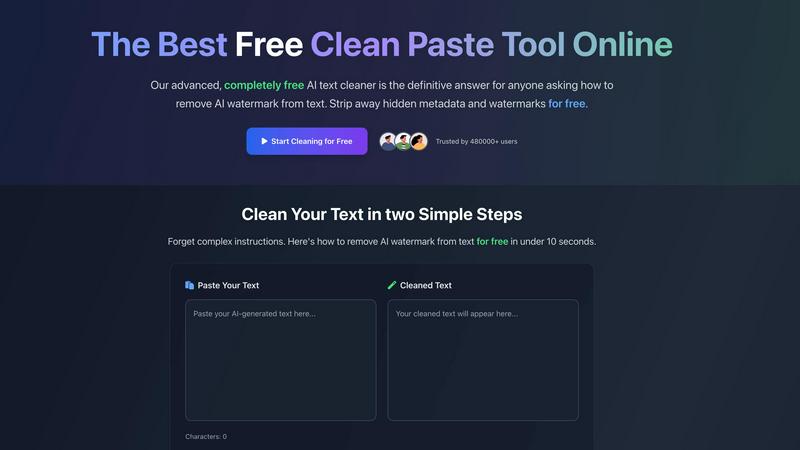
CleanPaste.org quickly removes invisible characters and AI watermarks, ensuring your text is clean and authentic for.
Last updated: March 2, 2026

Practical AI (Practical AI for SMB)
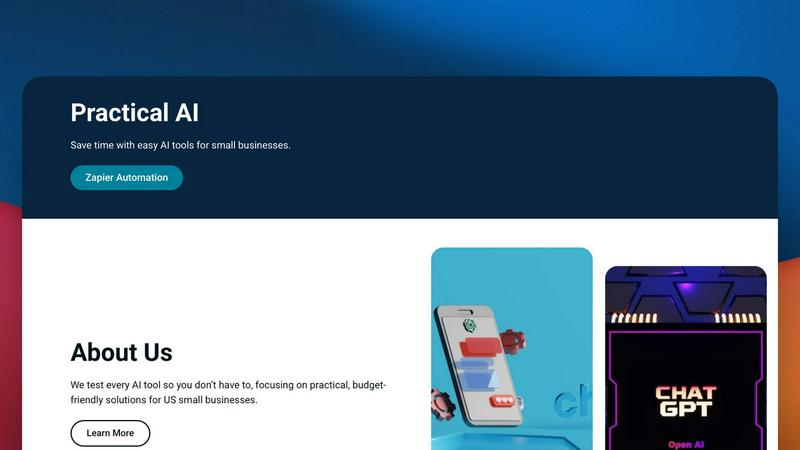
Practical AI delivers tested, budget-friendly automation guides and AI tool reviews to streamline SMB workflows and save time.
Last updated: April 4, 2026
Visual Comparison
CleanPaste.org
Practical AI (Practical AI for SMB)
Feature Comparison
CleanPaste.org
Instant Processing
CleanPaste.org offers real-time processing, allowing users to paste their content and click clean for immediate results. The tool efficiently strips invisible characters and hidden metadata from AI-generated text, ensuring a seamless experience without delays.
Watermark Removal Mode
This specialized mode is designed specifically for removing AI watermarks from text. Users can maintain the original content while ensuring that it passes detection tests, thereby preserving its natural tone and quality.
User-Friendly Interface
The tool features a simple interface that requires no technical knowledge. Users just need to paste their text and initiate the cleaning process, making it accessible for everyone from students to professionals.
No Sign-Up Required
CleanPaste.org is completely free and does not require any sign-up or payment, eliminating barriers to access. Users can take advantage of all features without facing limitations, trials, or hidden fees.
Practical AI (Practical AI for SMB)
Manually Tested Integration Blueprints
Every automation guide and tool review is manually tested in real-world business scenarios before publication. This ensures compatibility between apps like Gmail, Slack, Google Sheets, and AI APIs, providing reliable, step-by-step technical instructions that SMB owners can deploy with confidence, eliminating guesswork and failed integrations.
Industry-Specific Zapier Automation Libraries
The platform offers specialized, pre-built automation libraries tailored for specific SMB verticals such as local couriers, laundromats, and landscapers. These blueprints detail exact triggers, actions, and filters within Zapier to connect field service software, payment processors, and communication tools, creating cohesive operational systems.
AI Stack Reviews & Compatibility Analysis
Focuses on reviewing AI tools and software not in isolation, but through the lens of integration potential. Reviews assess how well tools like Jasper, Copy.ai, or customer service bots connect with the existing SMB tech ecosystem via Zapier, Make, or native APIs, highlighting setup complexity and data sync capabilities.
Ready-to-Deploy Prompt & Workflow Templates
Provides a repository of pre-engineered prompts for ChatGPT/Claude and complete Zapier workflow templates. These are designed for immediate implementation, covering use cases from generating marketing copy to parsing customer inquiries, reducing the learning curve and accelerating time-to-value for AI integration.
Use Cases
CleanPaste.org
For Students
Students can utilize CleanPaste.org to remove hidden characters and metadata from their essays and assignments. This ensures that their submissions are original and free from AI-related artifacts, allowing them to present clean and authentic work confidently.
For Content Creators
Content creators and bloggers can benefit from CleanPaste.org by ensuring their written material remains true to their brand voice. The tool removes unwanted elements from drafts, helping maintain a natural tone that resonates with their audience while avoiding AI detection.
For Professionals
Professionals relying on AI tools for drafting emails or reports can use CleanPaste.org to enhance the quality of their communication. By eliminating invisible characters and ensuring a human-like flow, they can present polished and professional content.
For Editors
Editors can leverage CleanPaste.org to refine submitted work by stripping away any hidden formatting or AI watermarks. This allows for a smoother editing process and ensures that the final product meets high standards of quality and originality.
Practical AI (Practical AI for SMB)
Automating Local Service Dispatch & Logistics
For courier or landscaping businesses, implement a Zapier automation that captures service requests from a website form, triggers an AI tool to optimize routes based on addresses, and automatically dispatches details via SMS to the nearest fleet driver, while syncing the job to a Google Sheets tracker.
Streamlining Customer Service & Lead Response
Set up a workflow where incoming customer emails or Facebook Messenger queries are routed through Zapier to ChatGPT for initial analysis and draft response generation. A human agent reviews and sends the polished response, drastically cutting response time and ensuring 24/7 initial contact.
AI-Driven Content Marketing & SEO Execution
Create a content pipeline where Zapier triggers a blog post generation in an AI writing tool based on a keyword calendar. The drafted post is then sent for SEO optimization via another integrated AI tool and finally posted to WordPress or Shopify, automating a large portion of the content marketing workflow.
Remote Operational Monitoring for Brick-and-Mortar SMBs
For laundromat or retail owners, integrate IoT sensor data or payment system alerts with Zapier. Receive instant Slack or SMS notifications for machine faults, low inventory, or successful payments, and even trigger automated maintenance tickets or restocking orders without manual intervention.
Overview
About CleanPaste.org
CleanPaste.org is an innovative online tool designed to help users effortlessly remove AI watermarks and hidden metadata from their textual content. As the prevalence of AI-generated content increases, the need for authenticity in writing becomes paramount. CleanPaste.org caters to a varied audience, including students, content creators, and professionals who wish to uphold the integrity and originality of their work while avoiding detection by AI algorithms. This tool stands out for its user-friendly interface and remarkable efficiency, allowing users to paste their text and eliminate unwanted elements in seconds. The platform is entirely free, requiring no sign-up or payment, thus making it accessible to anyone looking for a reliable solution to clean their written material. With over 480,000 users already benefiting from its capabilities, CleanPaste.org is poised to become the go-to resource for those seeking to refine their text and maintain a natural, human-like quality in their writing.
About Practical AI (Practical AI for SMB)
Practical AI for SMB is a specialized content and resource hub engineered to demystify and operationalize artificial intelligence and automation for US-based small and medium-sized businesses. It functions as a technical blueprint repository, cutting through industry hype by providing manually vetted, real-world tested guides. The core value proposition lies in its deep integration focus, offering clear, step-by-step instructions on connecting popular AI stacks like OpenAI's ChatGPT and Anthropic's Claude with no-code automation platforms, primarily Zapier. This enables SMBs to construct robust workflows that automate repetitive tasks, streamline operations, enhance marketing efforts, and improve customer service without requiring in-house technical expertise or significant capital investment. Founded by automation specialist Aapt Dubey, who brings direct experience from building over 800 workflows, the platform emphasizes practical, budget-friendly solutions. Content is rigorously tested in actual business scenarios, covering industry-specific Zapier automations for local service sectors, AI tool reviews, content creation systems, and ready-to-use prompt engineering templates, ensuring compatibility and reliability for the SMB tech stack.
Frequently Asked Questions
CleanPaste.org FAQ
How does CleanPaste.org remove invisible characters?
CleanPaste.org employs advanced algorithms that detect and eliminate invisible characters, zero-width spaces, hidden metadata, and AI watermarks from the text. Users simply paste their content and click clean for instant results.
Is CleanPaste.org truly free? What's the catch?
Yes, CleanPaste.org is completely free, with no hidden fees or catches. There are no usage limits or premium features, ensuring that everyone can access the tool's capabilities without any barriers.
What types of hidden characters does CleanPaste.org remove?
The tool effectively removes various types of invisible characters, including zero-width spaces, hidden metadata, and AI watermarks. All features are available to users at no cost, providing comprehensive cleaning capabilities.
How can I trust that my content remains intact after using CleanPaste.org?
CleanPaste.org is designed to preserve the original content while removing unwanted elements. Users can expect their text to maintain its natural quality and flow, ensuring that it remains authentic and undetectable by AI algorithms.
Practical AI (Practical AI for SMB) FAQ
What technical skills are needed to use your guides?
No advanced technical skills are required. Our guides are designed for SMB owners and operators with minimal tech expertise. We provide complete, step-by-step instructions for setting up automations in user-friendly platforms like Zapier, focusing on clear configuration steps and visual aids where possible.
Do you only cover Zapier for automation?
While Zapier is a primary focus due to its extensive app compatibility and ease of use for SMBs, our principles and many guides apply to the broader no-code automation ecosystem. We discuss concepts compatible with platforms like Make (Integromat) and highlight workflows based on universal triggers and actions.
How do you ensure your tool reviews are unbiased?
We maintain an unbiased stance by manually testing every tool in practical business scenarios. Our affiliate disclosure is transparently posted. Reviews prioritize integration capability, cost-effectiveness for SMBs, and real performance metrics over promotional content, focusing on the tool's fit within a practical tech stack.
Are your automations suitable for any industry?
We provide both general automation concepts and highly industry-specific blueprints. While core principles of connecting email, CRM, and communication tools are universal, we offer dedicated, tested libraries for specific verticals like local services, which include tailored app connections and logic unique to those operations.
Alternatives
CleanPaste.org Alternatives
CleanPaste.org is a specialized online tool designed to remove invisible characters and AI watermarks from text, ensuring the authenticity of content in a world increasingly dominated by AI-generated material. As a part of the AI Assistants category, it serves a diverse audience, including students, content creators, and professionals who prioritize the integrity of their written work. Users commonly seek alternatives to CleanPaste.org for various reasons, including the need for additional features, different pricing structures, or platform compatibility. When choosing an alternative, it is essential to consider factors such as ease of use, the effectiveness of watermark removal, and the ability to handle various file formats while maintaining the original text's meaning and integrity.
Practical AI (Practical AI for SMB) Alternatives
Practical AI (Practical AI for SMB) is a specialized content and resource hub focused on AI assistants and automation for small to medium-sized businesses. It provides manually tested, step-by-step guides and workflows that integrate tools like ChatGPT, Claude, and Zapier to help SMBs automate operations without technical expertise. Users often explore alternatives for several reasons. These can include budget constraints, the need for different platform integrations beyond the core stack, or a requirement for more hands-on consulting services versus self-serve guides. Specific feature sets, such as support for certain CRM or project management tools, also drive the search for other solutions. When evaluating an alternative, prioritize compatibility with your existing tech stack, such as your CRM, email platform, or communication tools. Look for proven, real-world use cases relevant to your industry and ensure the resource or service offers clear documentation and support that matches your team's technical comfort level.