
Doodle Duel vs SVG to 3D
Side-by-side comparison to help you choose the right product.

Doodle Duel
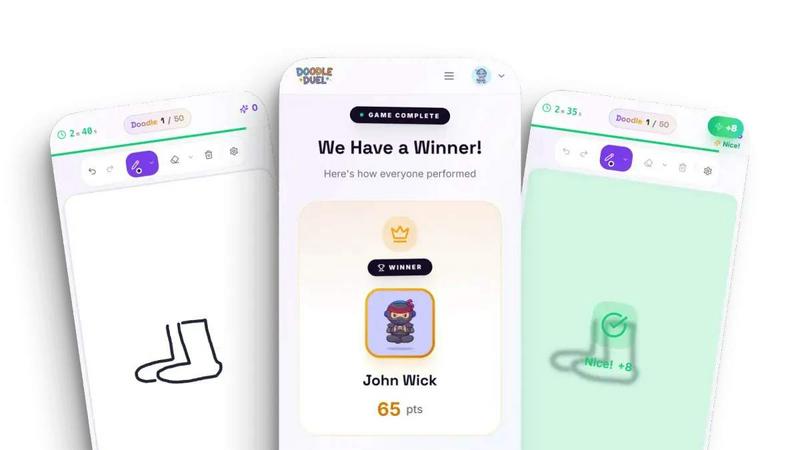
Doodle Duel is a real-time multiplayer game where you sketch prompts and an AI judges creativity to crown a winner.
Last updated: February 28, 2026
SVG to 3D
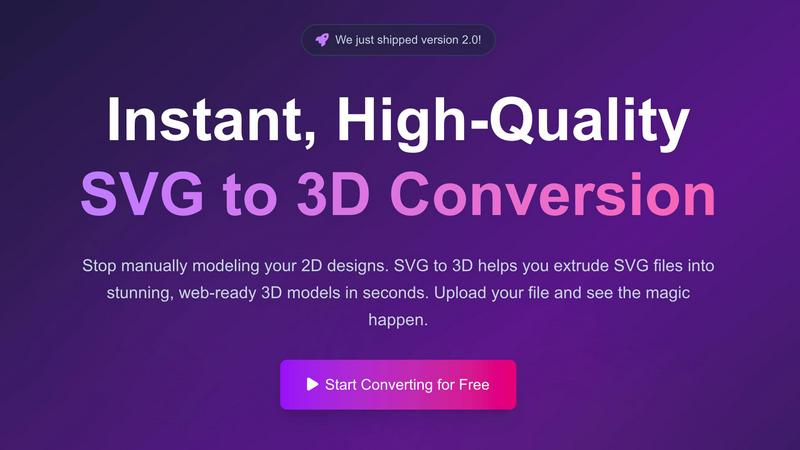
Effortlessly convert SVG files into high-quality, web-ready 3D models with advanced controls and fast processing.
Last updated: February 27, 2026
Visual Comparison
Doodle Duel
SVG to 3D
Feature Comparison
Doodle Duel
Real-Time Multiplayer Engine
Doodle Duel is built on a robust real-time synchronization engine that allows up to 30 players to connect and compete simultaneously. Utilizing WebSocket protocols, the platform ensures that prompts, timers, and submissions are perfectly synced across all devices. This architecture supports instant room creation via shareable codes, enabling friends to join a session in seconds without account creation, downloads, or complex lobby systems, making it a frictionless social gaming experience.
AI-Powered Judging Integration
The game's standout feature is its integration with leading AI vision models from Google Gemini and OpenAI. This system acts as an impartial judge, analyzing every submitted doodle against the given prompt. It evaluates on multiple vectors including accuracy to the theme, creative interpretation, and stylistic elements, generating a score and often witty feedback. This removes subjective bias and adds a layer of consistent, tech-driven fairness to each duel.
Cross-Platform Browser Compatibility
Doodle Duel is developed as a Progressive Web Application (PWA) with full cross-browser compatibility. It requires no native app installation and is accessible on any device with a modern web browser (Chrome, Safari, Firefox, Edge). The drawing interface is optimized for both touchscreen and mouse input, ensuring a smooth and responsive sketching experience whether on a smartphone, tablet, or desktop computer.
Dual Game Mode Architecture
The platform features a flexible dual-mode architecture. The Solo Arcade mode is a single-player experience with 50 progressive levels, local score tracking, and global leaderboard integration, built for skill development. The Multiplayer Duel mode is a separate, scalable real-time system for group play. This modular design caters to different user intents, from focused practice to chaotic social competition, all within the same application ecosystem.
SVG to 3D
One-Click GLB Export
SVG to 3D allows users to export 3D models as GLB files with just one click. This feature is tailored for web developers, making it easy to integrate the 3D models into websites using Three.js or React Three Fiber, adding a dynamic visual element to any project.
3D-Print Ready STL Files
The tool supports clean STL exports, which are essential for 3D printing. Users can directly take their 3D models from SVG to STL, ensuring a hassle-free transition from digital design to physical object, ideal for fabrication and prototyping.
Real-Time 3D Preview and Adjustments
Users can fine-tune every aspect of their 3D models with real-time previews. This feature allows for adjustments to thickness, bevels, and the application of PBR materials, helping to ensure the final output is polished and professional.
Privacy and Security First
SVG to 3D prioritizes user privacy by processing files locally in the browser whenever possible. This means that sensitive designs remain secure, with no need for uploads to external servers, giving users peace of mind while working on their projects.
Use Cases
Doodle Duel
Virtual Team Building & Social Events
Ideal for remote teams or online friend groups, Doodle Duel serves as a powerful virtual icebreaker and team-building tool. The simple room-code system integrates seamlessly into video call meetings or social chats. The AI-judged format encourages participation regardless of artistic skill, fostering laughter, creativity, and lighthearted competition that helps break down barriers and build camaraderie in distributed groups.
Casual Party & Family Game Night
For in-person gatherings, Doodle Duel transforms into a dynamic party game. Players can quickly connect their own devices to a shared room via a code displayed on a central screen. The 60-second rounds and live AI commentary create a fast-paced, engaging spectacle perfect for parties or family game nights, where the focus is on fun and spontaneous creativity rather than high-stakes competition.
Creative Skill Warm-Up & Practice
Artists, designers, and students can use the Solo Arcade mode as a low-pressure creative exercise. The timed prompts challenge users to think and sketch quickly, improving ideation speed and conceptual communication. The AI feedback, while humorous, provides an alternative perspective on how a machine interprets visual concepts, which can be a unique tool for refining one's ability to convey ideas clearly and creatively.
Educational Engagement Tool
Educators can leverage Doodle Duel in classroom settings to make learning interactive. By crafting custom prompts related to curriculum topics (e.g., "draw a photosynthesis diagram," "sketch a historical event"), teachers can create an engaging review activity. The game format promotes active recall and allows students to demonstrate understanding in a creative, non-traditional format, with the AI providing a neutral scoring mechanism.
SVG to 3D
Web Development Enhancement
Web developers can utilize SVG to 3D to convert flat SVG icons into interactive 3D models. This capability enhances user engagement on websites, allowing for visually striking interfaces that capture users' attention.
3D Printing Prototyping
Designers and engineers can convert their 2D designs into 3D models that are ready for 3D printing. This use case is crucial for those looking to fabricate prototypes or custom parts without the need for complex CAD software.
UI/UX Design Mockups
UI/UX designers can leverage the tool to present depth in their design mockups. By creating 3D representations of UI elements, they can impress clients and stakeholders with more realistic and engaging presentations of their concepts.
Creative Artwork and Logo Design
Artists and graphic designers can transform their 2D artwork and logos into 3D models, allowing for new creative expressions and applications. This feature opens up possibilities for unique branding, merchandise, and digital art installations.
Overview
About Doodle Duel
Doodle Duel is a cloud-native, real-time drawing game that leverages modern web technologies to deliver instant, accessible gameplay without any client-side installation. The platform is engineered for seamless integration into any social gathering, connecting up to 30 participants through a simple room code system. At its core, Doodle Duel utilizes a sophisticated AI judging stack, powered by integrations with Google Gemini and OpenAI models, to provide objective, real-time analysis of user-submitted sketches. This architecture ensures fair, consistent, and often humorous evaluations based on prompt accuracy, creativity, and artistic style. Designed for universal compatibility, the game runs directly in any modern web browser on desktop or mobile devices, removing friction and enabling immediate play. Its primary value proposition lies in merging competitive social interaction with advanced, accessible AI, creating a unique entertainment layer that is both technologically impressive and effortlessly fun for artists and novices alike.
About SVG to 3D
SVG to 3D is a powerful online tool designed to transform 2D SVG vector graphics into high-quality 3D models. It caters to web developers, designers, and 3D printing enthusiasts who seek a fast, efficient, and user-friendly solution for converting their designs. With SVG to 3D, you can quickly extrude logos, icons, and artwork without the need for heavyweight software like Blender or Cinema 4D. The tool is optimized for seamless integration into web projects, allowing for the generation of lightweight GLB files ideal for use in Three.js and React Three Fiber. By providing advanced controls for fine-tuning your models, SVG to 3D empowers users to create stunning, professional-grade 3D assets in mere seconds, enhancing efficiency in design workflows.
Frequently Asked Questions
Doodle Duel FAQ
What technology does the AI judge use?
Doodle Duel's AI judging system is powered by integrations with advanced multimodal AI models, specifically Google Gemini and OpenAI's vision-capable APIs. These models analyze the submitted image against the text prompt, evaluating it for conceptual accuracy, creative interpretation, and stylistic elements. The scores and feedback are generated in real-time, providing a consistent and objective assessment for every duel.
Do I need to download an app or create an account?
No. Doodle Duel is a web-based application built for maximum accessibility and zero friction. It runs directly in your device's web browser without any downloads or installations. Furthermore, no account registration is required to play. You can instantly create a multiplayer room or start a solo arcade session, with progress tracked locally via your browser session.
How many people can play in one room?
The multiplayer system supports different tiers. The free version allows rooms of up to 4 players simultaneously. By upgrading to Doodle Duel Pro, you can unlock larger rooms that support up to 30 concurrent players, enabling massive, chaotic drawing battles perfect for large virtual events, classrooms, or big friend groups.
Is my drawing data stored or used for AI training?
According to the provided Privacy Policy, user privacy is a priority. While your drawing is processed in real-time by the AI judge to generate a score, Doodle Duel states that it does not permanently store individual drawings or use them to train its own AI models. The system is designed for transient gameplay, with data handling focused on session functionality like room codes and temporary scores.
SVG to 3D FAQ
How do I start converting my SVG files to 3D?
To get started, simply upload your SVG file using the drag-and-drop interface or by clicking to browse your files. The process is quick and user-friendly.
What file formats can I export my 3D models in?
SVG to 3D offers multiple export formats, including GLB, GLTF, OBJ, and STL. This versatility ensures your models are compatible with various applications and platforms.
Is there a limit to the size of SVG files I can upload?
Yes, there is a maximum file size limit of 5 MB for SVG uploads. This ensures fast processing and efficient conversions.
Is my data secure when using SVG to 3D?
Absolutely. The tool processes files locally in your browser, minimizing risk and ensuring that your data remains private and secure without external uploads.
Alternatives
Doodle Duel Alternatives
Doodle Duel is a real-time multiplayer drawing game that leverages AI for judging, placing it within the broader category of AI-assisted creative and social gaming platforms. It emphasizes instant, account-free play and integrates with leading AI models like Google Gemini and OpenAI to provide a unique competitive experience. Users often explore alternatives to find solutions that better align with their specific technical or social requirements. Common drivers include the need for different pricing models, such as subscription tiers or one-time purchases, a desire for more advanced drawing tools or integration capabilities, or the necessity for support on specific platforms or devices not covered by the original application. When evaluating an alternative, consider the core technology stack and its API compatibility, especially if you require integration with other creative or communication tools. Assess the multiplayer infrastructure for stability and scale, the flexibility of the AI judging engine, and whether the platform supports your preferred deployment method, such as web-based, native mobile apps, or cross-platform frameworks.
SVG to 3D Alternatives
SVG to 3D is a specialized tool designed to transform 2D SVG vector graphics into high-quality 3D models. It falls under the category of AI Assistants, specifically tailored for web developers, designers, and 3D printing enthusiasts seeking an efficient way to create 3D assets from flat designs. Users often explore alternatives to SVG to 3D due to various factors such as pricing, available features, or compatibility with their specific platforms and workflows. When selecting an alternative, it is essential to consider factors like ease of use, export options, and the software’s ability to integrate seamlessly with existing projects. Look for tools that offer real-time previews, diverse export formats, and user-friendly interfaces, ensuring that you can effectively meet your project requirements without unnecessary complexity.