
Free Youtube Transcript Generator vs Seedance 2.0
Side-by-side comparison to help you choose the right product.

Generate, copy, and translate accurate YouTube transcripts with seamless API integration.

Seedance 2.0 generates stunning 2K videos from text, images, or audio with consistent characters and seamless audio.
Last updated: February 27, 2026
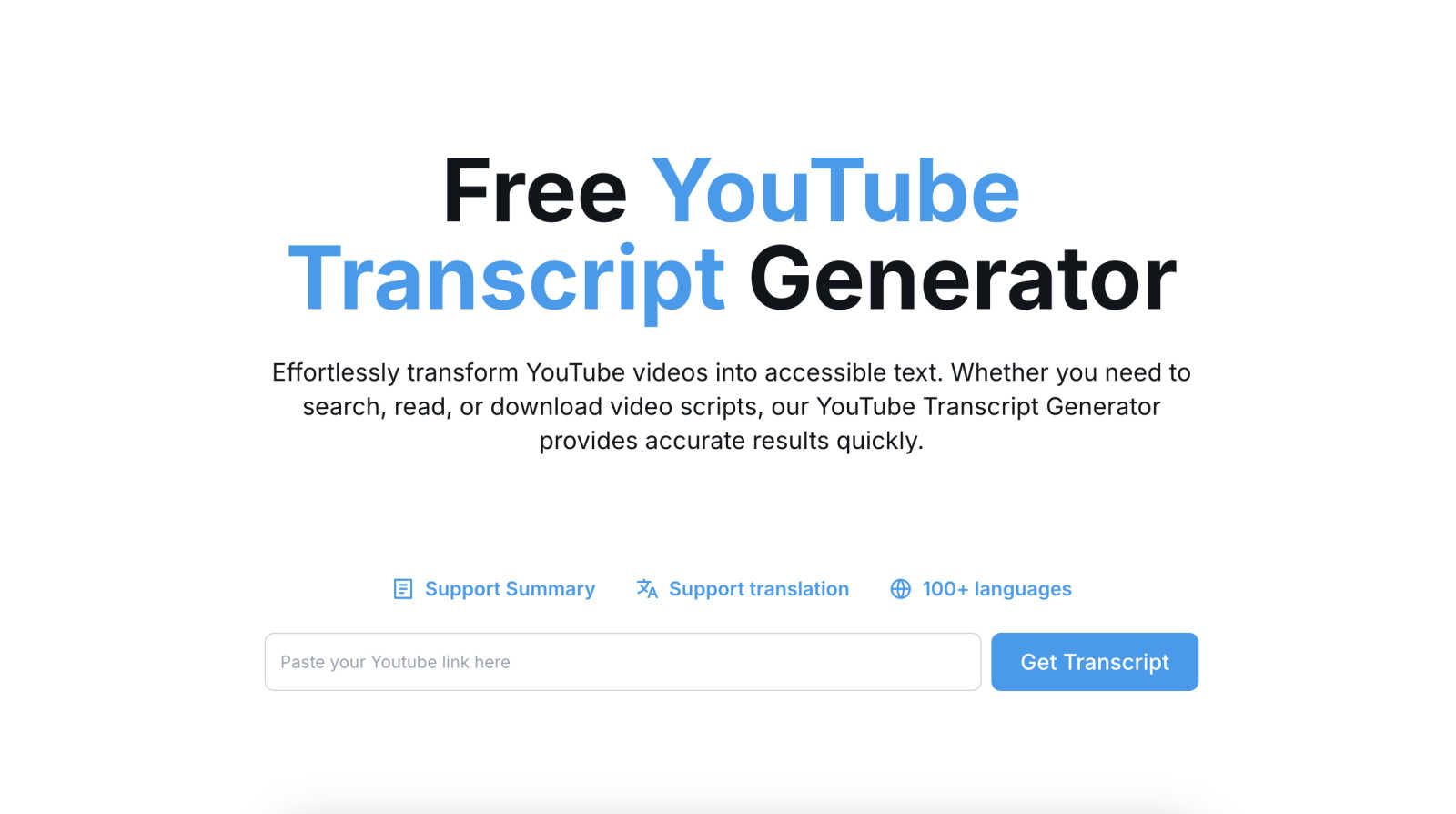
Visual Comparison
Free Youtube Transcript Generator
Seedance 2.0

Feature Comparison
Free Youtube Transcript Generator
Instant API-Driven Transcription
The core engine utilizes a optimized, serverless architecture to process YouTube video IDs. Upon submission, it interfaces with YouTube's data streams, employing a dedicated speech recognition model to generate a transcript with minimal latency. This feature is designed for high-throughput environments, ensuring developers and analysts can embed this functionality into their own applications or data pipelines without managing complex audio processing infrastructure, delivering results typically in under 10 seconds.
Multi-Format Export & Data Portability
Beyond simple text display, the tool provides native export functionality to TXT, DOCX, PDF, and Excel (XLSX) formats. Each format is structured for specific downstream integrations: TXT for plain-text parsing, DOCX for direct editing in word processors, PDF for archival and sharing, and Excel for data analysis with timestamps in separate columns. This ensures maximum compatibility with existing tech stacks, from document management systems to data visualization platforms like Power BI or Tableau.
Integrated Translation API for 100+ Languages
This feature incorporates a machine translation API layer, supporting over 100 languages for real-time transcript localization. It allows users to generate a transcript and immediately request a translated version within the same session. This is critical for global content teams managing multilingual SEO, subtitling workflows, or international market research, effectively turning a single video asset into a multilingual content repository without switching between disparate translation services.
Batch Processing & Summarization Capabilities
While primarily a single-url tool, its design supports sequential processing for batch operations. Furthermore, it includes an NLP-powered summarization module that condenses lengthy transcripts into concise abstracts. This feature is invaluable for researchers conducting literature reviews or content creators needing quick insights from long-form videos, automating the initial analysis phase and extracting key thematic elements programmatically.
Seedance 2.0
Text-to-Video Generation
Seedance 2.0 allows users to create videos up to 12 seconds long at 2K resolution from natural language prompts. By describing scenes, characters, and camera movements, users can render cinematic clips that exhibit realistic physics and smooth motion, making video creation accessible to everyone.
Character Consistency Across Shots
The multi-shot storytelling engine ensures that characters maintain visual consistency throughout different camera angles and shots. This feature is crucial for creating episodic content, films, or campaigns where characters must appear identical, enhancing storytelling cohesion.
Image-to-Video Conversion
With the image-to-video feature, users can upload product photos, concept art, or design mockups, and Seedance 2.0 will animate them with natural motion. This capability preserves the original composition and details of the image while adding cinematic animation, making it ideal for marketing and promotional content.
Native Audio & Lip-Sync Generation
Seedance 2.0 generates synchronized audio alongside video in a single pass, creating Foley effects, ambient sounds, and phoneme-level lip-sync in over eight languages. This functionality eliminates the need for separate audio editing, providing a complete cinematic mix that enhances the viewer's experience.
Use Cases
Free Youtube Transcript Generator
Content Repurposing & SEO Enhancement
Content teams can automate the extraction of video dialogue to create blog posts, social media snippets, and newsletter content. The structured text output is perfect for feeding into SEO analysis tools to identify keyword density and optimize meta descriptions. This transforms video content into indexable, search-engine-friendly text, dramatically expanding organic reach and allowing for the creation of comprehensive content clusters from a single video asset.
Academic Research & Qualitative Analysis
Researchers and students can swiftly generate accurate transcripts of lectures, interviews, or documentary footage for qualitative data analysis. The export to Excel format is particularly useful for coding and thematic analysis in software like NVivo or SPSS, enabling efficient citation, annotation, and evidence gathering without the need for manual, error-prone transcription, thereby accelerating the research lifecycle.
Accessibility Compliance & Subtitle Generation
Developers and content managers can use this tool to quickly generate base transcripts for creating closed captions (SRT/VTT files) to meet WCAG and other accessibility standards. The instant translation feature further aids in providing subtitles in multiple languages, making video content accessible to a global audience, including non-native speakers and the deaf or hard-of-hearing community.
Developer Integration & Data Pipeline Automation
Developers can integrate the tool's core functionality via its straightforward web API into custom applications. Use cases include automating the creation of show notes for podcasters, feeding video content into custom AI models for training or analysis, or building internal dashboards that display transcript analytics alongside video metrics, all within a unified, automated data pipeline.
Seedance 2.0
Marketing Campaigns
Marketers can leverage Seedance 2.0 to create engaging promotional videos that showcase products or services. The ability to maintain character consistency and integrate audio effectively allows for dynamic storytelling that captivates audiences and drives conversions.
Film Production
Filmmakers can utilize Seedance 2.0 to streamline their video production process. With tools for generating scripts, controlling camera angles, and ensuring character consistency, filmmakers can focus on creativity while the AI handles technical details.
Educational Content Creation
Educators and content creators can use Seedance 2.0 to produce instructional videos that engage students. By converting complex concepts into visually appealing animations, educators can enhance understanding and retention in an entertaining format.
Social Media Content Generation
Content creators on platforms like Instagram, TikTok, and YouTube can harness Seedance 2.0 to generate high-quality videos quickly. The rapid generation capabilities and native audio features make it easy to produce content tailored for social media audiences, boosting engagement and reach.
Overview
About Free Youtube Transcript Generator
The Free Youtube Transcript Generator is a specialized, API-driven tool engineered to seamlessly integrate into content creation and research workflows. It functions as a high-efficiency pipeline for converting YouTube video URLs into structured, machine-readable text data. By leveraging advanced speech-to-text and natural language processing (NLP) stacks, it bypasses the need for manual transcription, delivering accurate, time-stamped transcripts in seconds. This tool is architected for developers, content marketers, academic researchers, and accessibility specialists who require programmatic access to video content for analysis, repurposing, or compliance. Its core value proposition lies in its robust compatibility, offering raw text output in multiple standard formats (TXT, DOCX, PDF, Excel) that integrate directly into CMS platforms, data analysis tools, and translation services. The generator's headless operation—requiring only a video ID—makes it ideal for automation scripts and batch processing, establishing it as a critical utility in any tech stack focused on video content intelligence and localization.
About Seedance 2.0
Seedance 2.0 is a cutting-edge AI video generator designed to transform text, images, and audio into high-quality cinematic videos. With its advanced V2 motion synthesis technology, Seedance 2.0 can create stunning 2K videos that seamlessly integrate character consistency and audio synchronization. It caters to a diverse range of users, including content creators, filmmakers, marketers, and businesses looking to enhance their visual storytelling capabilities. The main value proposition of Seedance 2.0 lies in its ability to generate captivating videos that maintain visual integrity across multiple shots while offering native audio generation. This comprehensive tool not only streamlines the video production process but also elevates the quality of output, making it an essential asset for anyone in the creative field.
Frequently Asked Questions
Free Youtube Transcript Generator FAQ
What is the accuracy rate of the generated transcripts?
The accuracy is highly dependent on the source video's audio quality, speaker clarity, accent, and background noise. The tool employs state-of-the-art speech-to-text models that typically achieve high accuracy for clear, well-paced speech. For technical or niche terminology, a manual review of the generated text is recommended. The system is continuously updated to improve its language models and noise-handling capabilities.
Can I process private or unlisted YouTube videos?
No, the tool is designed to work with publicly available YouTube videos. It requires access to the video's public data stream to extract the audio for transcription. Private, unlisted, or members-only videos cannot be processed due to YouTube API restrictions and the necessary authentication protocols that are not implemented in this open-access tool.
Are there any limits on video length or daily usage?
As a free tool, it may implement reasonable usage limits to ensure service stability for all users, such as a maximum video duration per request or a cap on the number of transcripts generated per day. These limits are subject to the platform's fair use policy and server capacity. For details on current limits, please refer to the tool's website or documentation.
How does the translation feature work, and is it editable?
The translation feature uses an integrated machine translation API (such as Google Translate or a comparable service) to convert the entire transcript into the target language. While fast and covering 100+ languages, it is an automated process and may lack the nuance of human translation. The translated text is provided in an editable format (like DOCX), allowing users to refine and correct any inaccuracies post-generation for perfect fidelity.
Seedance 2.0 FAQ
What types of media can I use to generate videos with Seedance 2.0?
Seedance 2.0 supports text, images, and audio as inputs for video generation. You can create videos from natural language prompts, upload images, or provide audio for synchronization.
How does the multi-shot storytelling engine work?
The multi-shot storytelling engine locks in character features across different shots, ensuring visual consistency. This allows users to create series or films where characters appear identical, regardless of the camera angle.
Can I use my own audio files in the videos?
Yes, Seedance 2.0 allows users to upload their own voiceovers, which can be synchronized with the generated video. This feature provides flexibility for personalized content creation.
What is the maximum video length Seedance 2.0 can generate?
Seedance 2.0 can generate videos up to 12 seconds long at 2K resolution, making it suitable for short cinematic clips and engaging promotional content.