
Giga AI vs OGimagen
Side-by-side comparison to help you choose the right product.
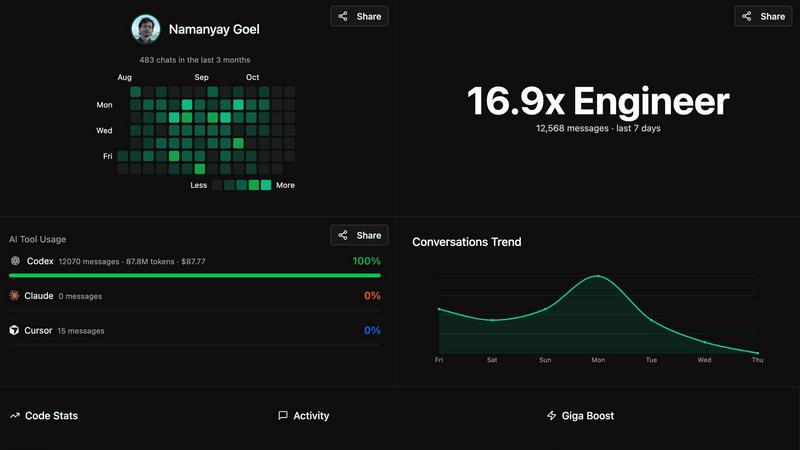
Giga AI streamlines app development by enhancing context management, reducing errors, and accelerating code generation.
Last updated: February 28, 2026

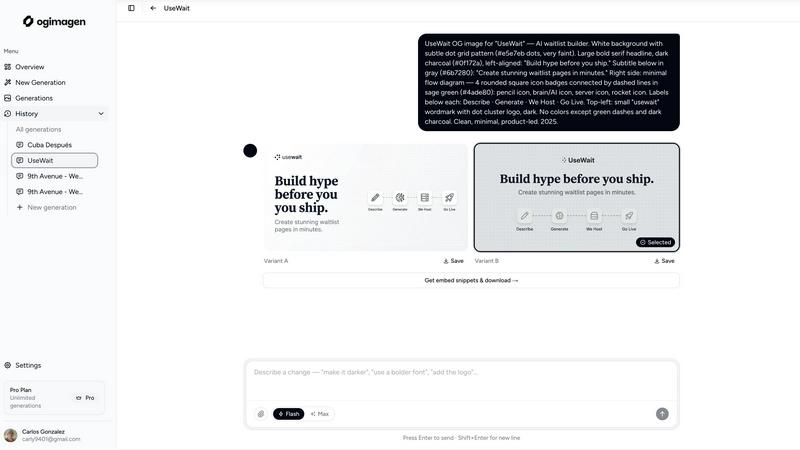
OGImagen instantly generates and delivers optimized Open Graph images with ready-to-paste meta tags for your framework.
Last updated: March 11, 2026
Visual Comparison
Giga AI
OGimagen
Feature Comparison
Giga AI
Context Engineering
Giga AI employs sophisticated context engineering techniques that enhance the quality and understanding of your AI interactions. This feature minimizes errors and ensures that your AI-generated code aligns perfectly with your project goals, allowing for faster and more reliable app development.
Seamless Integration
Giga AI integrates effortlessly with widely-used coding tools like Cursor, VSCode, and more. This compatibility allows for quick installation and one-click analysis, enabling developers to incorporate Giga AI into their existing workflows without disruption.
Automatic Code Analysis
As you write code, Giga AI automatically generates multiple 'rules' files that analyze your codebase from various perspectives. This feature ensures that your AI remains informed about your project structure, eliminating confusion and improving code generation.
Reduced Debugging Time
With Giga AI, builders experience a remarkable reduction in bugs and errors—up to 72%. This feature allows developers to spend less time debugging and more time focusing on building, significantly enhancing overall productivity.
About OGimagen
AI-Powered Multi-Platform Generation
OGimagen uses artificial intelligence to create two unique visual variants (A & B) for your content based on a simple title and description input. The AI automatically tailors the output to meet the exact pixel dimensions and aspect ratios required by major social platforms. This means a single generation yields three optimized images: a standard Open Graph image for Facebook and messaging apps, a Twitter Card, and a LinkedIn Card, ensuring perfect display everywhere without manual resizing or cropping.
Framework-Specific Meta Tag Snippets
After generation, OGimagen provides ready-to-paste code snippets tailored to your project's stack. Free users receive standard HTML meta tags, while Pro users unlock specialized snippets for modern frameworks including Next.js (App Router and Pages Router), Astro, SvelteKit, and Remix. This feature eliminates the guesswork in implementing openGraph and twitter: metadata objects, ensuring correct integration and faster shipping.
MCP (Model Context Protocol) Integration
A flagship feature for Pro users, MCP integration allows developers to generate and manage OG images without leaving their code editor. By connecting OGimagen to MCP-compatible tools like Claude Code, Cursor, or Windsurf, you can trigger image creation, list previous generations, and fetch embed snippets directly from your IDE, streamlining the development workflow and maintaining focus.
Global CDN Hosting & Asset Management
All generated images are automatically uploaded and served via Cloudflare's global CDN, ensuring fast, reliable delivery worldwide. Pro plans include permanent hosting, while one-time packs offer 45 or 90-day hosting. This managed infrastructure removes the burden of storing, optimizing, and serving image assets from your own servers, simplifying deployment and improving page performance.
Use Cases
Giga AI
Solo Entrepreneurs
Solo entrepreneurs can leverage Giga AI to build complex applications without needing extensive technical knowledge. The platform simplifies the app development process, enabling them to transform their ideas into functional solutions swiftly.
Team Collaboration
For development teams, Giga AI fosters collaboration by providing a shared understanding of project requirements. This ensures that all team members are aligned, reducing miscommunication and accelerating the development timeline.
Fast Prototyping
Giga AI is ideal for quick prototyping, allowing builders to rapidly create and iterate on app designs. This feature is particularly valuable for startups looking to test their concepts in the market without extensive resource investment.
Client Projects
Freelancers and agencies can use Giga AI to manage client projects more effectively. The tool’s ability to streamline code generation and reduce errors enables them to meet tight deadlines while maintaining high-quality outputs.
OGimagen
Rapid Prototyping for Development Teams
Development teams and solo developers can instantly generate professional social previews for new features, landing pages, or blog posts during the build phase. By using the MCP integration or the web tool, they can iterate on designs and immediately copy-paste the correct meta tags into their components, significantly speeding up the development and staging process without needing a designer.
Content Marketing & Blog Management
Content creators and marketing teams can ensure every new blog post, article, or news update shared on social media has a unique, engaging preview image. By simply entering the post's title and description, they can generate on-brand visuals that improve click-through rates, all without relying on graphic design software or waiting for a designer's availability.
SaaS Product Launch & Documentation
SaaS companies launching new products or updating documentation can use OGimagen to create consistent, polished link previews for every feature announcement, changelog, or help article shared in communities like Twitter, LinkedIn, or Discord. This maintains a professional brand image and drives engagement from shared links in release notes and community updates.
Agency Workflow for Client Projects
Digital agencies managing multiple client websites can standardize their OG image creation process. OGimagen allows them to quickly generate client-specific images by adjusting brand colors and styles, then seamlessly implement them across different frameworks (Next.js, Astro, etc.) used for various client projects, ensuring quality and saving billable hours.
Overview
About Giga AI
Giga AI is a cutting-edge app-building tool that revolutionizes the way entrepreneurs, developers, and non-technical users create applications. This innovative platform leverages advanced AI capabilities to streamline the development process, allowing users to focus on their app vision without the complexities of traditional coding. Giga AI's main value proposition lies in its unique ability to remember user preferences and manage context across various integrations, ensuring a seamless development experience. With over 10,000 satisfied builders, Giga AI has proven itself as a reliable partner for individuals and teams across diverse industries. By integrating with popular coding tools like Cursor and VSCode, Giga AI not only enhances productivity but also significantly reduces errors, making it an essential asset for anyone looking to bring their app ideas to life efficiently.
About OGimagen
OGimagen is an AI-powered developer tool engineered to generate production-ready Open Graph (OG) images and social cards in seconds. It solves a critical yet often tedious front-end task: creating visually compelling and technically correct preview images for shared links. The platform is built for developers, content teams, and indie makers who need to ensure their web pages, blog posts, or applications look professional when shared on platforms like Facebook, X (Twitter), LinkedIn, Discord, and Slack. Its core value proposition lies in automating the entire workflow—from AI image generation to framework-specific meta tag delivery—within a developer-centric ecosystem. By integrating directly into modern coding workflows via MCP (Model Context Protocol) for editors like Cursor and Claude Code, OGimagen eliminates context switching. It ensures pixel-perfect compliance with each platform's unique specifications (1200x630 for OG, 1200x600 for Twitter, 1200x627 for LinkedIn) and delivers globally cached images via Cloudflare's CDN for instant load times. This tool is not just an image generator; it's an infrastructure layer for your site's social identity, designed to boost click-through rates by ensuring every shared link is backed by a high-quality, on-brand preview.
Frequently Asked Questions
Giga AI FAQ
How does Giga AI improve app development?
Giga AI enhances app development by utilizing context engineering, which minimizes errors and aligns AI-generated code with your specific project requirements. This leads to faster, more reliable app creation.
What coding tools does Giga AI integrate with?
Giga AI seamlessly integrates with popular coding tools such as Cursor and VSCode, allowing for quick setup and effortless incorporation into existing workflows.
Can non-technical users benefit from Giga AI?
Absolutely. Giga AI is designed for both technical and non-technical users, empowering those with limited coding experience to build complex applications with ease.
Is my code stored or used for training?
No, Giga AI does not store or use your code for training purposes. This ensures that your intellectual property remains secure while you utilize the platform to enhance your app development process.
OGimagen FAQ
What is the difference between Starter, Growth, and Pro plans?
The Starter plan is a one-time purchase of 10 generations with 45-day CDN hosting. The Growth plan is also one-time, offering 25 generations and 90-day hosting. The Pro plan is a monthly subscription providing 50 generations per month, permanent CDN hosting, and exclusive access to MCP integration for editor workflows. All plans include both AI image variants and framework snippets, with Pro offering priority queue access.
What happens when my CDN hosting expires on a one-time plan?
When the CDN hosting period (45 or 90 days) expires on a Starter or Growth pack, the generated images will no longer be served from the OGimagen CDN. The image URLs will return an error, which will cause social platforms to show a broken or default image preview. To maintain the links, you must regenerate new images or upgrade to a Pro plan for permanent hosting before the expiry date.
What is MCP integration and which tools support it?
MCP (Model Context Protocol) integration allows OGimagen to connect directly to your code editor, enabling you to generate images and fetch code snippets via the editor's AI assistant. This is supported in any MCP-compatible tool, including Claude Code, Cursor, Windsurf, and others. It lets you manage OG images entirely within your development environment.
Which frameworks are supported for meta tag snippets?
OGimagen provides ready-to-paste meta tag snippets for a wide range of modern frameworks. This includes Next.js (for both the App Router and Pages Router), Astro, SvelteKit, and Remix. A plain HTML fallback snippet is always included for all users, ensuring compatibility with any web project.
Alternatives
Giga AI Alternatives
Giga AI is a cutting-edge app-building tool designed to streamline the development process for a wide range of users, including entrepreneurs, developers, and those without technical backgrounds. This innovative platform combines AI capabilities with smart context management to enhance the app creation experience, allowing users to focus on their ideas rather than the complexities of coding. Users may seek alternatives to Giga AI for various reasons, such as pricing, specific features, or compatibility with their existing tools and workflows. When searching for a suitable alternative, it’s essential to consider factors like integration capabilities, ease of use, and the availability of support resources to ensure a seamless transition and continued productivity in app development.
OGimagen Alternatives
OGimagen is an AI-powered developer tool designed to automate the creation of Open Graph images. It falls into the category of dev tools focused on social media integration and front-end asset generation. By producing production-ready social cards, it helps ensure shared links from websites and applications have professional, engaging previews. Developers often seek alternatives to such tools for various reasons. These can include budget constraints, specific feature requirements like custom API access or advanced template control, and the need for compatibility with particular tech stacks or hosting environments. The search is driven by finding the right balance between automation, customization, and seamless workflow integration. When evaluating an alternative, key considerations should be its API design and documentation quality, the level of customization available for branding, and how well it integrates with your existing framework or static site generator. Security and data handling policies are also crucial, as is the overall developer experience and the tool's ability to scale with your project's needs.