
MindMap AI vs Receipt Generator
Side-by-side comparison to help you choose the right product.

MindMap AI
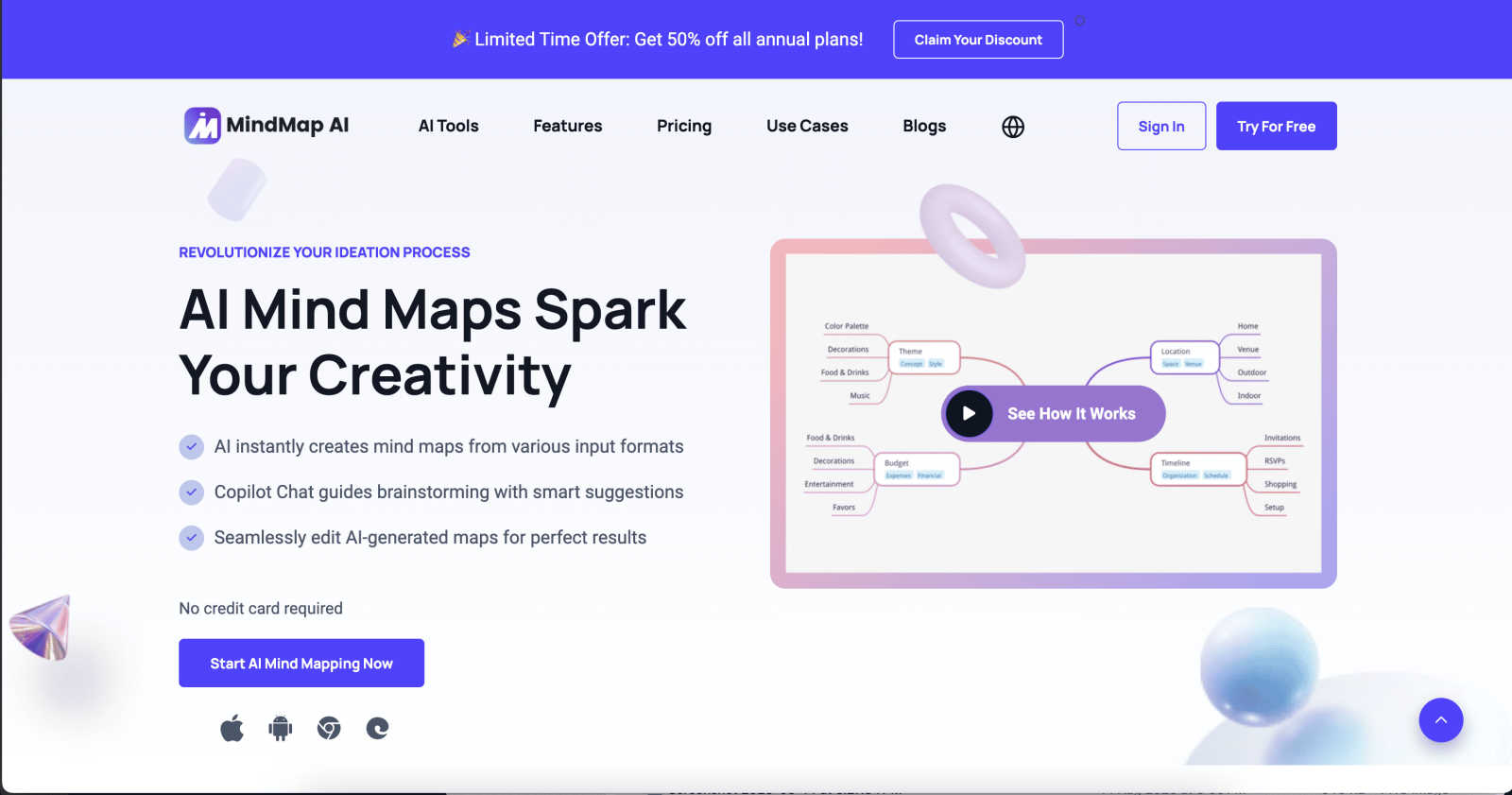
MindMap AI transforms documents and ideas into structured, editable mind maps with reliable AI co-editing support.
Last updated: March 1, 2026

Receipt Generator
Create and customize realistic receipts in seconds with 400+ templates for business, creative, and personal use, all for free.
Last updated: April 4, 2026
Visual Comparison
MindMap AI
Receipt Generator

Feature Comparison
MindMap AI
AI Thinking Mode for Accuracy
MindMap AI employs a step-by-step reasoning engine that comprehensively understands context, hierarchy, and relationships before generating mind maps. This ensures that every mind map is structured, meaningful, and accurate from the first attempt, eliminating random branches and enhancing clarity.
File-to-Map Conversion
MindMap AI allows users to transform various content types—including text, PDFs, images, audio, video, Markdown, and CSV—into well-organized mind maps instantly. This feature saves time and effort, enabling users to focus on thinking and planning rather than manual formatting.
Multi-Language Support
With support for over 25 languages, MindMap AI enables users to create and edit mind maps with consistent accuracy and structure, regardless of the language. This ensures effective collaboration and communication across diverse teams and regions without compromising layout or meaning.
Continuous Editing
The platform features a reliable AI co-editing function that allows users to build their mind maps either manually or with AI assistance. Users can expand, summarize, add arrows, reorganize, and style elements quickly while retaining full manual control to ensure the final product meets their specific needs.
Receipt Generator
Extensive Template Library
Receipt Generator offers an extensive library of over 400 professionally designed receipt templates. Users can choose from a variety of categories including retail, food services, and pharmacies, ensuring they find the perfect fit for their needs.
AI "Place in Scene" Feature
This innovative feature allows users to generate photorealistic images of their receipts on any surface without needing to print them. Ideal for content creators and inventory documentation, this capability enhances the visual appeal of receipts.
Full Customization Options
Users have complete control over their receipts. They can customize every detail, from line items and prices to payment methods and store information, ensuring the receipts reflect their unique requirements.
Instant Download Capabilities
Receipt Generator prioritizes user experience with instant download options. Users can export their finished receipts as high-resolution PNG or PDF files in just one click, eliminating the need for email signups or waiting time.
Use Cases
MindMap AI
Project Planning
MindMap AI is perfect for project managers needing to visualize complex plans and tasks. Users can convert project outlines and documentation into mind maps, making it easier to track progress and collaborate with team members.
Research Analysis
Academics and researchers can utilize MindMap AI to synthesize large amounts of information from various sources. The platform's ability to convert documents and media into mind maps aids in organizing insights and drawing connections between different findings.
Curriculum Development
Educators can harness MindMap AI to map out curriculum frameworks, ensuring that all educational objectives are met. By visualizing course structures, teachers can create comprehensive lesson plans that are easy to navigate and adjust as needed.
Brainstorming Sessions
Teams can leverage MindMap AI during brainstorming sessions to capture and organize ideas in real time. By visualizing thoughts collaboratively, teams can refine concepts and prioritize tasks more effectively, leading to improved outcomes.
Receipt Generator
Small Business Transactions
Small business owners can use Receipt Generator to create professional receipts for their transactions, helping them maintain accurate records and provide customers with detailed documentation of their purchases.
Expense Reporting
Freelancers and content creators can utilize the tool to generate receipts for business expenses. This simplifies the process of tracking expenses and preparing for tax season, ensuring all necessary documentation is readily available.
Visual Content Creation
Content creators can leverage the AI "Place in Scene" feature to produce visually appealing mockups of receipts. This is particularly useful for social media posts, blogs, and portfolio presentations, enhancing the overall aesthetic of their work.
Inventory Management
Resellers and retailers can use Receipt Generator to document inventory purchases with detailed receipts. This aids in keeping accurate stock records and provides a professional touch to inventory management processes.
Overview
About MindMap AI
MindMap AI is a cutting-edge, AI-native mind mapping platform designed for modern professionals and teams that require precision, speed, and seamless workflow integration. Unlike traditional mind mapping tools, MindMap AI serves as a dynamic thinking and knowledge synthesis engine that efficiently organizes unstructured data from various sources like PDFs, documents, presentations, images, audio recordings, videos, and raw text into coherent and editable visual maps. This transformation enables users to convert chaotic information into actionable intelligence, facilitating better decision-making. With a robust tech-stack oriented architecture, it is compatible across web browsers, mobile applications, and browser extensions, ensuring a fluid user experience. Its multi-format export capabilities (Word, PPTX, PDF, PNG, Markdown) make it an essential tool for planning, strategy alignment, research analysis, and project initiation. MindMap AI is designed to help organizations move from fragmented ideas to structured execution with unmatched efficiency.
About Receipt Generator
Receipt Generator is a powerful online tool designed for creating realistic receipts in seconds. With over 400 store-specific templates, including popular retailers like Walmart, Target, and Starbucks, users can easily customize every detail of their receipts. This includes items, prices, dates, and payment methods, allowing for a tailored fit for various business needs. The platform is particularly useful for small business owners, freelancers, content creators, and resellers worldwide, making it accessible for anyone in need of professional-looking receipts without the hassle of printing. One of the standout features of Receipt Generator is the AI "Place in Scene" functionality, which allows users to generate photorealistic images of their receipts on any surface, enhancing visual projects and inventory documentation. With no account required to start and lightning-fast performance for instant downloads, Receipt Generator is the go-to solution for anyone looking to create high-quality receipts efficiently.
Frequently Asked Questions
MindMap AI FAQ
What types of content can I convert into mind maps?
MindMap AI allows for the conversion of various content types, including PDFs, documents, images, audio, video, Markdown files, and CSV data, into structured mind maps.
Is there support for multiple languages?
Yes, MindMap AI supports over 25 languages, enabling users to create and edit mind maps with accuracy and consistency across different languages.
Can I collaborate with others using MindMap AI?
Absolutely. MindMap AI features co-editing capabilities, allowing multiple users to work on mind maps simultaneously, enhancing collaboration and productivity.
What makes MindMap AI different from traditional mind mapping tools?
Unlike traditional tools, MindMap AI utilizes advanced AI algorithms to ensure that mind maps are created with context, hierarchy, and relationships in mind, resulting in structured and meaningful outputs right from the start.
Receipt Generator FAQ
How does Receipt Generator ensure receipt authenticity?
Receipt Generator uses thermal-style fonts and authentic layouts that mimic real receipts, ensuring that the generated documents look genuine and professional.
Is there a limit on how many receipts I can create?
With the free tier, there are certain limitations, but pro plans offer unlimited downloads, allowing for the creation of as many receipts as needed without restrictions.
Can I customize my receipts beyond just text?
Yes, users can customize fonts, colors, spacing, and even the texture of the paper in their receipts, allowing for a tailored presentation that fits their brand or personal style.
Do I need to create an account to use Receipt Generator?
No, Receipt Generator does not require an account to start using the service. Users can begin creating receipts immediately without any signup process.
Alternatives
MindMap AI Alternatives
MindMap AI is a cutting-edge mind mapping platform designed for professionals and teams seeking to enhance their productivity and streamline their workflows. It falls under the category of productivity and management tools, offering an innovative solution for transforming unstructured data into dynamic, editable visual maps. Users frequently seek alternatives to MindMap AI for various reasons, including pricing, feature sets, and compatibility with specific platforms or devices. When evaluating alternatives, it's essential to consider factors such as the ability to convert various file formats, the integration of AI features for enhanced collaboration, and the overall user experience across different devices. Additionally, assessing the export capabilities and how well the tool fits into existing workflows can greatly influence the decision-making process.
Receipt Generator Alternatives
Receipt Generator is a cutting-edge online receipt creation tool that falls under the productivity and management category. With an extensive library of over 400 store-specific templates, it allows users to generate customized receipts quickly and efficiently. Whether for personal use or business needs, users often seek alternatives to address specific requirements, such as pricing structures, additional features, or compatibility with various platforms. When evaluating alternatives, it's essential to consider factors like ease of use, template variety, customization options, and the ability to integrate with other tools. Users should also assess the performance speed and the overall user experience to ensure that the chosen solution meets their unique needs efficiently.