
MultiMMR vs Oneprofile
Side-by-side comparison to help you choose the right product.

MultiMMR
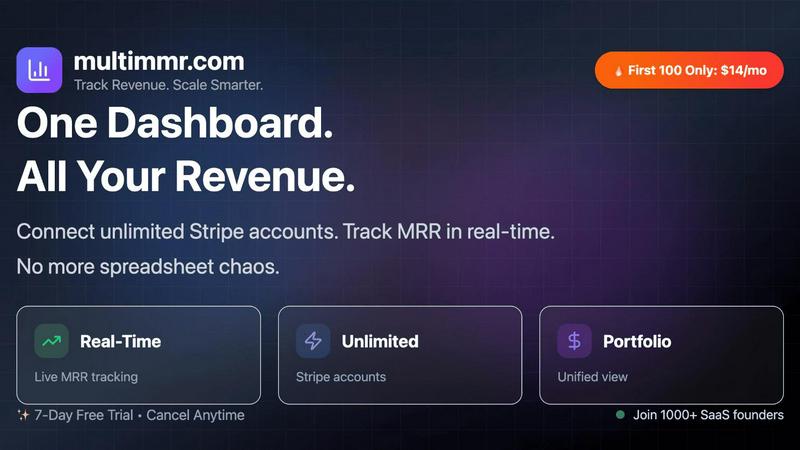
MultiMMR integrates with Stripe for a unified real-time dashboard of your SaaS revenue metrics.
Last updated: March 3, 2026

Oneprofile
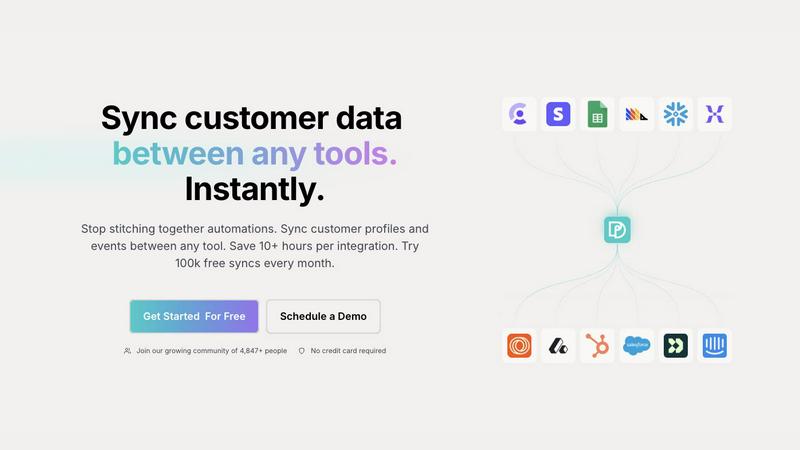
Oneprofile seamlessly syncs customer profiles and events across tools, ensuring consistent data and saving you time.
Last updated: February 27, 2026
Visual Comparison
MultiMMR
Oneprofile
Feature Comparison
MultiMMR
Unified Multi-Account Dashboard
This core feature connects directly to the Stripe API for every account in your portfolio, aggregating all subscription data into one comprehensive view. It eliminates the need to log into multiple Stripe dashboards or manually compile spreadsheets, providing a single source of truth for your total MRR, customer count, and other vital metrics across all projects in real-time.
Real-Time MRR Tracking & Beautiful Charts
MultiMMR provides instant, API-driven updates to your Monthly Recurring Revenue metrics, ensuring you are always viewing the most current financial picture. The platform transforms raw Stripe data into visually stunning, easy-to-interpret charts and graphs, offering clear insights into trends, growth trajectories, and potential issues at a glance.
Smart Alerts & Goal Tracking
Go beyond passive monitoring with proactive, API-triggered notifications. Set custom alerts for critical events like MRR drops, spikes, or high-value customer churn. Furthermore, the goal-tracking functionality allows you to set MRR targets and monitor daily progress with clear "on track" indicators, turning analytics into an actionable roadmap for growth.
Secure Data Integration & Social Sharing
Built with security as a priority, MultiMMR uses robust encryption and secure API protocols to handle your sensitive Stripe data. Additionally, it includes a unique tool to generate beautiful, shareable screenshots of your key metrics, enabling you to easily showcase growth milestones and wins on social media platforms directly from the dashboard.
Oneprofile
Unified Customer Profiles
Oneprofile excels at unifying customer profiles across different tools, ensuring that all systems reference the same data. This feature prevents discrepancies and ensures that every team has access to accurate customer information, facilitating better decision-making and strategy.
Identity Resolution
With Oneprofile's identity resolution capabilities, businesses can avoid data duplication and drift. The tool intelligently matches customer identities and fields across systems, allowing organizations to maintain a single, consistent view of each customer, regardless of how many tools they use.
Custom Data Flow Control
Oneprofile offers granular control over how customer data flows between systems. Users can automatically or manually map fields, define sync directions, and dictate how updates propagate, ensuring that data management aligns with specific business needs and workflows.
Streamlined Integration Setup
Setting up integrations with Oneprofile is effortless and quick, requiring no engineering expertise. Companies can connect all their tools in minutes, saving valuable time compared to traditional integration methods that can often take weeks to complete.
Use Cases
MultiMMR
The SaaS Portfolio Manager
For investors or entrepreneurs managing multiple SaaS products, each with its own Stripe account, MultiMMR is indispensable. It automates the aggregation of financial performance data, providing a consolidated health report for the entire portfolio without manual data entry, enabling efficient, high-level oversight and strategic decision-making.
The Indie Hacker with Side Projects
Indie developers often run several micro-SaaS or side projects simultaneously. Juggling their individual Stripe dashboards is inefficient. MultiMMR integrates with all accounts, giving a solo founder a quick, unified snapshot of total revenue and trends, saving valuable time and simplifying financial tracking across their project suite.
The Scaling SaaS Startup
As a startup grows, it may use separate Stripe accounts for different product lines or geographic regions. MultiMMR seamlessly brings this fragmented data together, offering the founding team real-time, holistic analytics that are crucial for making informed scaling decisions, tracking progress toward goals, and identifying growth opportunities.
The Agency or Developer Managing Client Subscriptions
Agencies that build and manage SaaS products for clients can use MultiMMR to securely monitor the subscription health of each client's product from a single dashboard. This provides a professional, data-driven way to report on performance and demonstrate value, all while maintaining strict data separation and security through API keys.
Oneprofile
Marketing Automation
Oneprofile can be utilized to enhance marketing automation efforts by ensuring that all customer data is consistent across email marketing platforms and CRMs. This allows marketers to create better-targeted campaigns based on accurate customer profiles.
Customer Support Optimization
Customer support teams can leverage Oneprofile to access unified customer profiles, ensuring that agents have the most accurate and up-to-date information at their fingertips. This leads to improved customer interactions and faster resolution times.
Product Analytics Enhancement
By syncing customer events and profiles, product teams can gain deeper insights into user behavior and preferences. Oneprofile ensures that product analytics tools have the most current data, allowing for data-driven decisions that enhance user experience.
Sales Team Efficiency
Sales teams benefit from Oneprofile by having access to a single source of truth for customer data. This empowers sales representatives to engage with prospects and customers based on accurate and consistent information, driving higher conversion rates.
Overview
About MultiMMR
MultiMMR is an API-first analytics platform engineered for the modern tech stack, specifically built for SaaS founders, indie hackers, and portfolio managers who operate multiple revenue-generating projects. The core challenge it addresses is the chaotic fragmentation of financial data across numerous Stripe accounts and disparate manual spreadsheets, a common pain point for those managing a portfolio of products. By leveraging direct, secure Stripe API integrations, MultiMMR consolidates all subscription metrics into a single, centralized dashboard, providing a unified, real-time financial command center for your entire SaaS ecosystem. Its value proposition is delivering enterprise-grade analytics—including beautiful, actionable charts for MRR, churn, and growth—without the complexity, overhead, or cost of traditional enterprise software. Designed for seamless integration, the platform focuses on real-time data syncing, automated reporting, and secure data handling, enabling users to replace a cumbersome workflow of toggling between tools with a streamlined, data-driven process to efficiently scale their businesses.
About Oneprofile
Oneprofile is a powerful synchronization tool designed to seamlessly connect customer profiles and events across various platforms used by modern businesses. In an era where customer data is dispersed across multiple systems, Oneprofile addresses the challenge of maintaining consistency and accuracy. It ensures that every tool within your tech stack—from CRMs to marketing platforms—references the same customer information, eliminating discrepancies that can arise from data drift or duplication. Businesses of all sizes, from startups to large enterprises, can benefit from Oneprofile's ability to automate data syncing, allowing teams to focus on delivering exceptional customer experiences instead of managing complex data pipelines. With Oneprofile, customer data changes are reflected in real-time across all integrated systems, providing a reliable source of truth for every team.
Frequently Asked Questions
MultiMMR FAQ
How does MultiMMR connect to my Stripe data?
MultiMMR connects using Stripe's secure OAuth protocol. You grant permission for MultiMMR to read your Stripe account data via a secure API connection. This is a standard, read-only integration used by many finance tools; MultiMMR never has permission to make charges or modify your Stripe account, ensuring your data and operations remain safe.
Is my financial data secure with MultiMMR?
Absolutely. Security is a foundational principle. We use industry-standard encryption (SSL/TLS) for all data in transit and at rest. Our connection to Stripe is read-only via their official, secure API. We do not store your full Stripe transaction details; we only aggregate and store the necessary metrics (like MRR, customer count) to power your dashboard and charts.
Can I connect multiple Stripe accounts?
Yes, this is the primary function of MultiMMR. The platform is specifically designed to handle an unlimited number of Stripe accounts on all plans. You can connect accounts from different businesses, projects, or regions, and all data will be consolidated into your unified dashboard for a comprehensive portfolio overview.
What happens if I cancel my subscription?
If you choose to cancel, your access to the MultiMMR dashboard and analytics will end at the conclusion of your billing period. All your connected Stripe account integrations will be automatically and securely disconnected. Your aggregated historical data within MultiMMR will be anonymized and purged from our systems in accordance with our data retention policy.
Oneprofile FAQ
How does Oneprofile ensure data consistency across tools?
Oneprofile uses advanced identity resolution techniques to match customer profiles and events across different systems, ensuring that all tools reference the same information and preventing data drift or duplication.
Can I control how customer data flows between systems?
Yes, Oneprofile allows users to define how data flows between systems by offering options for automatic or manual field mapping, controlling sync directions, and specifying how updates propagate across platforms.
Is there a limit to how much data I can sync?
Oneprofile offers a generous plan that allows users to sync up to 100,000 records every month for free, making it accessible for businesses of all sizes without the need for significant upfront investment.
How long does it take to set up integrations with Oneprofile?
Integrating Oneprofile with your existing tools can be completed in minutes, not weeks. The user-friendly setup process requires no engineering knowledge, allowing teams to connect their tech stack effortlessly.
Alternatives
MultiMMR Alternatives
MultiMMR is an API-first analytics platform designed to consolidate subscription revenue data from multiple Stripe accounts into a single, real-time dashboard. It serves SaaS founders and portfolio managers who need a unified financial view without enterprise complexity. Users often explore alternatives to find a solution that aligns perfectly with their tech stack, budget, or specific feature requirements. Common considerations include the depth of Stripe integration, the need for real-time versus batched data, compatibility with other tools in their workflow, and overall pricing structure. When evaluating an alternative, prioritize solutions with robust, native API integrations that ensure data accuracy and automation. Look for real-time syncing capabilities, secure data handling, and customizable analytics that provide actionable insights beyond basic reporting. The right tool should seamlessly fit into your existing operational stack.
Oneprofile Alternatives
Oneprofile is an innovative tool designed to synchronize customer profiles and events across a variety of platforms used by businesses. As part of the Analytics & Data category, it ensures that customer data remains consistent and up-to-date across all systems, eliminating the discrepancies that can arise when multiple tools hold different versions of customer information. Users often seek alternatives to Oneprofile for various reasons, including pricing considerations, specific feature sets that may not align with their needs, or compatibility with existing platforms. When exploring alternatives, it's essential to evaluate the integration capabilities, ease of use, and the breadth of features offered by potential solutions to ensure they meet your organization’s requirements.