
Perkoon vs Updaytr
Side-by-side comparison to help you choose the right product.

Perkoon enables free, unlimited peer-to-peer file transfers without signup, keeping your files private and secure.
Last updated: March 4, 2026
Updaytr
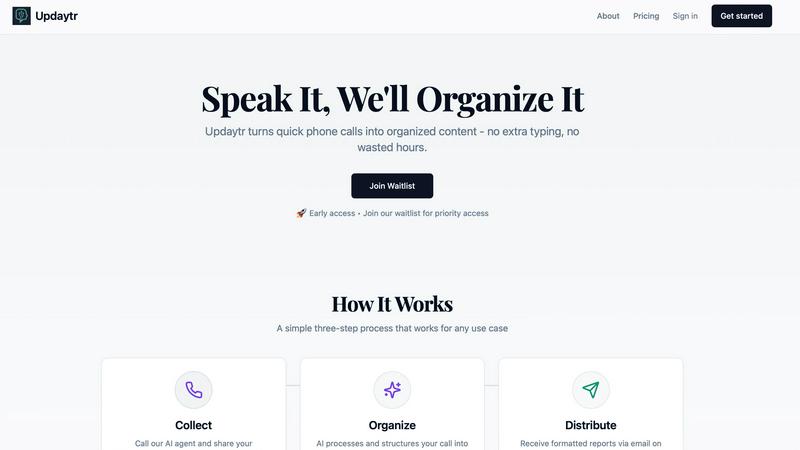
Transform phone updates into structured reports effortlessly with Updaytr, keeping your team informed and aligned.
Last updated: March 1, 2026
Visual Comparison
Perkoon

Updaytr
Feature Comparison
Perkoon
Peer-to-Peer File Transfers
Perkoon utilizes advanced peer-to-peer technology to enable direct file transfers between users' browsers. This eliminates size limits and ensures that files are sent securely without ever passing through central servers, providing a truly private experience.
Encrypted Cloud Storage
For instances when the recipient is offline, Perkoon offers a secure cloud storage option where files are temporarily held. This feature is encrypted to enhance security, and users are only charged for the storage costs, ensuring transparency in pricing.
AI Integration and Automation
Perkoon is designed with the modern user in mind, featuring built-in tools that allow AI agents to interact directly with the service. This eliminates the need for outdated screen-scraping techniques, making file transfers more efficient and user-friendly.
Unique Referral Program
Perkoon has implemented an innovative referral program that rewards users for sharing the service with others. When you refer someone who signs up and makes a transfer, both you and the new user receive bonus storage, fostering a community of users who benefit from each other's participation.
Updaytr
Seamless Voice Updates
Updaytr allows team members to provide updates via simple phone calls, making it incredibly easy and efficient to communicate progress. This feature significantly reduces the time spent in status meetings, enabling quick check-ins that keep everyone aligned.
Automated Report Generation
The platform automatically generates and delivers consolidated reports to stakeholders based on the voice updates received. This ensures that decision-makers have timely access to the latest information, helping them to stay informed and make better decisions without manual effort.
Smart Organization
Updaytr's AI intelligently tags and routes updates to the right recipients. This feature enhances information flow within teams, ensuring that relevant updates reach the appropriate stakeholders promptly and efficiently.
Flexible Scheduling
With Updaytr, managers can set personalized schedules for receiving reports, allowing them to choose the most appropriate times to review updates. This flexibility ensures that stakeholders can stay engaged without being overwhelmed by constant notifications.
Use Cases
Perkoon
Transferring Large Files
Whether you are sending high-resolution videos, large datasets, or extensive presentations, Perkoon allows you to transfer files of any size without hassle. The P2P technology ensures that these files are sent quickly and securely.
Collaborating with Teams
For teams working remotely, Perkoon provides an efficient way to share files among team members. With its easy-to-use interface and direct file transfers, collaboration becomes seamless, enabling teams to focus on their projects rather than on file-sharing complications.
Sending Files to Clients
Freelancers and businesses can use Perkoon to send important documents to clients without worrying about data privacy or size limitations. The service guarantees that files remain confidential and secure during the transfer process.
AI-Assisted File Management
Developers and tech enthusiasts can leverage Perkoon’s AI integration to automate file transfer processes. This allows for smoother workflows and minimizes the need for manual interventions, making it an ideal solution for tech-savvy users.
Updaytr
Construction Project Management
Construction crews can utilize Updaytr to provide real-time project status updates, ensuring that all team members and stakeholders are aware of current progress and any issues that may arise during the project lifecycle.
Field Sales Reporting
Sales representatives can call in updates on client meetings and deal progress, enabling managers to track sales activities and adjust strategies based on the most current data available from the field.
Healthcare Progress Tracking
Mobile healthcare providers can utilize Updaytr to report on patient visits and care updates. This streamlines communication and ensures that all team members are informed about patient status without compromising efficiency.
Logistics Coordination
Drivers and logistics coordinators can report on routes, deliveries, and cargo statuses through Updaytr. This real-time communication ensures that logistics operations run smoothly and that any issues are addressed promptly.
Overview
About Perkoon
Perkoon is a revolutionary file transfer service designed to simplify the way you send files. It caters to users who are frustrated with traditional file-sharing platforms that impose artificial limits, require mandatory sign-ups, and often treat user data as a product. With Perkoon, you can send files effortlessly from point A to point B, ensuring a hassle-free experience. The service operates on a peer-to-peer (P2P) model for real-time transfers, allowing you to send files directly between browsers without the need for accounts or central servers. This not only ensures privacy but also means that users can send files of any size for free. When recipients are offline, Perkoon offers secure cloud storage as a paid option. Notably, Perkoon integrates seamlessly with AI tools, providing automation capabilities without requiring complex screen-scraping methods. With its straightforward command-line interface (CLI), Perkoon stands out as a powerful solution for both individuals and AI systems, maintaining a strong focus on user privacy and data security.
About Updaytr
Updaytr is an innovative AI-driven communication tool designed to enhance the efficiency of teams, particularly those working in dynamic field environments. By allowing team members to share updates through phone calls, Updaytr effectively eliminates the burden of lengthy status meetings and manual report writing. The platform leverages advanced AI agents—Updaytr, Ideatr, and Biografr—to ensure that vital information is captured in real-time and transformed into well-organized reports. Ideal for diverse sectors such as construction, sales, healthcare, and logistics, Updaytr maximizes productivity by converting spoken updates into beautifully formatted documents. This functionality enables teams to concentrate on their core tasks while remaining informed without the cumbersome paperwork. With Updaytr, staying connected and organized has never been easier.
Frequently Asked Questions
Perkoon FAQ
Is Perkoon really free?
Yes, Perkoon offers a free peer-to-peer transfer service that incurs no costs. The only charge applies to the cloud storage feature, which is used when the recipient is offline.
How does P2P transfer work?
P2P transfers allow files to be sent directly from one user's browser to another's. This means files do not go through a central server, ensuring both privacy and speed.
Can I use Perkoon with my AI applications?
Absolutely! Perkoon is designed to integrate with AI applications seamlessly. You can utilize its API for automation without resorting to outdated screen-scraping methods.
What happens if the recipient is offline?
If the recipient is offline, Perkoon will hold the file in encrypted cloud storage until they become available. You can choose to use this feature at a nominal fee, ensuring that your files are safe and accessible later.
Updaytr FAQ
How does Updaytr improve team communication?
Updaytr enhances team communication by allowing members to share updates through voice calls, which are then converted into organized reports. This method reduces the need for lengthy meetings and manual report creation.
Is Updaytr suitable for all industries?
Yes, Updaytr is designed to be versatile and can adapt to various industries including construction, sales, healthcare, and logistics, making it a valuable tool for any team that requires efficient communication.
How does the AI organize updates?
The AI within Updaytr automatically tags and routes updates based on projects, clients, or teams. This organizational capability ensures that the right individuals receive the necessary information in a timely manner.
Can I customize the delivery schedule for reports?
Absolutely! Updaytr allows managers to set personalized schedules for receiving reports, ensuring that they can stay informed without feeling overwhelmed by constant notifications.
Alternatives
Perkoon Alternatives
Perkoon is a peer-to-peer file transfer service designed to streamline the process of sharing files without unnecessary complications. It stands out in the productivity and management category by offering free, unlimited transfers that prioritize user privacy and data security. As users increasingly seek hassle-free solutions, they often explore alternatives that may better suit their specific needs, whether due to pricing concerns, feature sets, or platform compatibility. When searching for a suitable alternative to Perkoon, it's essential to consider various factors such as ease of use, security protocols, and integration capabilities with existing workflows. Users should look for services that maintain a strong focus on privacy, offer powerful functionality, and provide seamless compatibility across different devices and operating systems to ensure a smooth file transfer experience.
Updaytr Alternatives
Updaytr is an innovative AI-driven tool designed to enhance productivity and communication within teams, particularly those working in dynamic environments like construction, sales, and healthcare. It falls under the category of productivity and management software, offering features that streamline the reporting process by converting verbal updates into organized reports. Users often search for alternatives to Updaytr due to various reasons, including pricing differences, specific feature requirements, or compatibility with their existing systems and workflows. When choosing an alternative, it is essential to consider factors such as ease of use, integration capabilities, customization options, and the ability to deliver timely updates that meet the unique needs of your team.