
Practical AI (Practical AI for SMB) vs QuickImg
Side-by-side comparison to help you choose the right product.

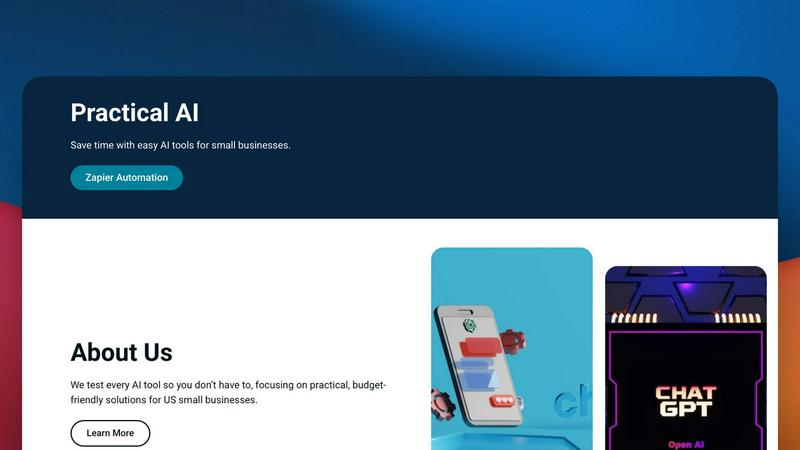
Practical AI (Practical AI for SMB)
Practical AI delivers tested, budget-friendly automation guides and AI tool reviews to streamline SMB workflows and save time.
Last updated: April 4, 2026

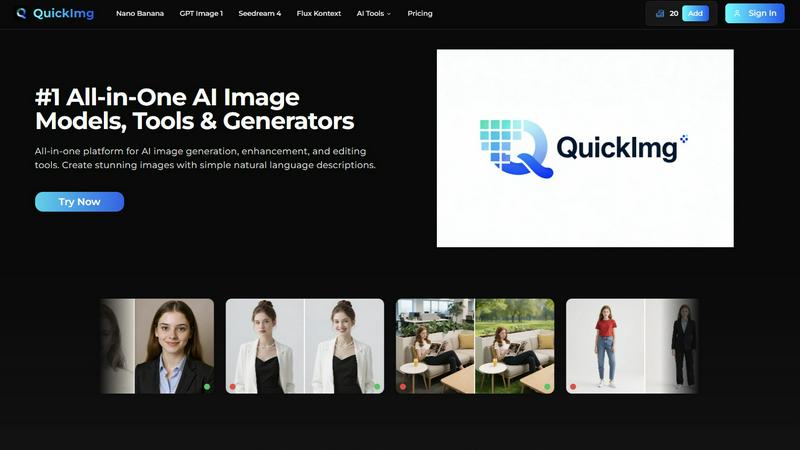
QuickImg
QuickImg integrates top AI image models and editing tools into one unified platform for seamless creative workflows.
Last updated: February 28, 2026
Visual Comparison
Practical AI (Practical AI for SMB)
QuickImg
Feature Comparison
Practical AI (Practical AI for SMB)
Manually Tested Integration Blueprints
Every automation guide and tool review is manually tested in real-world business scenarios before publication. This ensures compatibility between apps like Gmail, Slack, Google Sheets, and AI APIs, providing reliable, step-by-step technical instructions that SMB owners can deploy with confidence, eliminating guesswork and failed integrations.
Industry-Specific Zapier Automation Libraries
The platform offers specialized, pre-built automation libraries tailored for specific SMB verticals such as local couriers, laundromats, and landscapers. These blueprints detail exact triggers, actions, and filters within Zapier to connect field service software, payment processors, and communication tools, creating cohesive operational systems.
AI Stack Reviews & Compatibility Analysis
Focuses on reviewing AI tools and software not in isolation, but through the lens of integration potential. Reviews assess how well tools like Jasper, Copy.ai, or customer service bots connect with the existing SMB tech ecosystem via Zapier, Make, or native APIs, highlighting setup complexity and data sync capabilities.
Ready-to-Deploy Prompt & Workflow Templates
Provides a repository of pre-engineered prompts for ChatGPT/Claude and complete Zapier workflow templates. These are designed for immediate implementation, covering use cases from generating marketing copy to parsing customer inquiries, reducing the learning curve and accelerating time-to-value for AI integration.
QuickImg
Unified Multi-Model AI Platform
QuickImg provides centralized access to a curated suite of leading AI image models, including Nano Banana Pro, GPT Image 1, and Seedream 4. This integration allows users to select the optimal model for specific tasks—such as text rendering, 4K output, or character consistency—without switching between different applications or APIs. The platform handles backend compatibility, offering a consistent interface that simplifies workflow and ensures you always use the most effective tool for your project's requirements.
Advanced Natural Language Image Generation
The platform's intuitive engine interprets simple natural language descriptions to generate detailed, high-quality images. This feature removes the barrier of crafting intricate, technical prompts, making professional-grade image creation accessible to users of all skill levels. You can describe a scene, concept, or style in plain English, and QuickImg's integrated AI models will render the visual, streamlining the ideation-to-creation process for rapid content development.
Comprehensive AI-Powered Editing Tools
Beyond generation, QuickImg includes a full suite of one-click editing tools designed for technical precision and compatibility with standard formats. Features like AI Background Changer, PNG Maker, AI Image Upscaler, and Watermark Remover allow for non-destructive, high-fidelity edits. These tools are built to integrate results seamlessly into existing design stacks, supporting workflows that require clean, transparent, or high-resolution assets for web, print, or social media.
Ready-to-Use Templates and Batch Processing
QuickImg offers a library of pre-designed templates for common scenarios like product photos, social media banners, and marketing materials, enabling rapid deployment and brand consistency. Furthermore, its architecture supports efficient batch processing capabilities, allowing users to apply enhancements, upscaling, or formatting changes across multiple images simultaneously. This is crucial for teams managing large content libraries who need to optimize visuals at scale while maintaining technical quality.
Use Cases
Practical AI (Practical AI for SMB)
Automating Local Service Dispatch & Logistics
For courier or landscaping businesses, implement a Zapier automation that captures service requests from a website form, triggers an AI tool to optimize routes based on addresses, and automatically dispatches details via SMS to the nearest fleet driver, while syncing the job to a Google Sheets tracker.
Streamlining Customer Service & Lead Response
Set up a workflow where incoming customer emails or Facebook Messenger queries are routed through Zapier to ChatGPT for initial analysis and draft response generation. A human agent reviews and sends the polished response, drastically cutting response time and ensuring 24/7 initial contact.
AI-Driven Content Marketing & SEO Execution
Create a content pipeline where Zapier triggers a blog post generation in an AI writing tool based on a keyword calendar. The drafted post is then sent for SEO optimization via another integrated AI tool and finally posted to WordPress or Shopify, automating a large portion of the content marketing workflow.
Remote Operational Monitoring for Brick-and-Mortar SMBs
For laundromat or retail owners, integrate IoT sensor data or payment system alerts with Zapier. Receive instant Slack or SMS notifications for machine faults, low inventory, or successful payments, and even trigger automated maintenance tickets or restocking orders without manual intervention.
QuickImg
Social Media Content Creation and Management
Marketing teams and social media managers can leverage QuickImg to rapidly produce a high volume of engaging, platform-specific visuals. Using natural language, they can generate unique images for posts, stories, and ads, then instantly edit them with tools for background removal, text overlay, and style conversion (e.g., Photo to Anime). This streamlines the content calendar pipeline and ensures brand visuals remain fresh and consistent across all channels.
E-commerce Product Image Optimization
E-commerce businesses can use QuickImg to enhance and standardize product photography at scale. The AI Image Upscaler improves thumbnail resolution, the Change Background Color tool creates uniform white or contextual backgrounds, and the PNG Maker generates transparent cutouts for catalogs. This creates a professional, cohesive storefront appearance and improves product presentation without extensive manual photo editing.
Concept Art and Character Design for Projects
Game developers, authors, and concept artists can utilize the AI Character Generator and models like Flux Kontext to visualize characters, avatars, and scenes with consistent styling. By describing character attributes, settings, or moods, they can quickly iterate on visual concepts, generate reference artwork, and maintain character consistency across multiple images, accelerating the pre-production and brainstorming phases of creative projects.
Professional Graphic Design and Asset Preparation
Graphic designers can integrate QuickImg into their workflow to expedite asset creation and modification. The platform assists in generating base artwork, removing unwanted elements or watermarks from stock imagery, upscaling low-res assets for print, and converting file formats. This compatibility-focused toolset acts as a powerful supplement to traditional design software, handling tedious tasks and freeing up time for high-level creative work.
Overview
About Practical AI (Practical AI for SMB)
Practical AI for SMB is a specialized content and resource hub engineered to demystify and operationalize artificial intelligence and automation for US-based small and medium-sized businesses. It functions as a technical blueprint repository, cutting through industry hype by providing manually vetted, real-world tested guides. The core value proposition lies in its deep integration focus, offering clear, step-by-step instructions on connecting popular AI stacks like OpenAI's ChatGPT and Anthropic's Claude with no-code automation platforms, primarily Zapier. This enables SMBs to construct robust workflows that automate repetitive tasks, streamline operations, enhance marketing efforts, and improve customer service without requiring in-house technical expertise or significant capital investment. Founded by automation specialist Aapt Dubey, who brings direct experience from building over 800 workflows, the platform emphasizes practical, budget-friendly solutions. Content is rigorously tested in actual business scenarios, covering industry-specific Zapier automations for local service sectors, AI tool reviews, content creation systems, and ready-to-use prompt engineering templates, ensuring compatibility and reliability for the SMB tech stack.
About QuickImg
QuickImg is a comprehensive, multi-model AI image generation and editing platform engineered for seamless integration into modern digital workflows. It consolidates access to cutting-edge AI models like Nano Banana, GPT Image 1, Seedream 4, and Flux Kontext within a single, unified interface, eliminating the need to manage multiple disparate services. The platform's core value proposition lies in its tech-stack oriented design, which prioritizes compatibility and ease of use for both developers and creative professionals. By leveraging natural language processing, QuickImg democratizes advanced image creation, allowing users to generate, upscale, edit, and enhance visuals through simple descriptive prompts rather than complex technical commands. This makes it an indispensable tool for graphic designers, content creators, social media managers, and marketing teams who require high-volume, high-quality visual content that integrates smoothly with existing design software and publishing pipelines. QuickImg functions as an all-in-one solution, streamlining the entire image production lifecycle from initial concept to final, polished asset, thereby significantly boosting productivity and creative output.
Frequently Asked Questions
Practical AI (Practical AI for SMB) FAQ
What technical skills are needed to use your guides?
No advanced technical skills are required. Our guides are designed for SMB owners and operators with minimal tech expertise. We provide complete, step-by-step instructions for setting up automations in user-friendly platforms like Zapier, focusing on clear configuration steps and visual aids where possible.
Do you only cover Zapier for automation?
While Zapier is a primary focus due to its extensive app compatibility and ease of use for SMBs, our principles and many guides apply to the broader no-code automation ecosystem. We discuss concepts compatible with platforms like Make (Integromat) and highlight workflows based on universal triggers and actions.
How do you ensure your tool reviews are unbiased?
We maintain an unbiased stance by manually testing every tool in practical business scenarios. Our affiliate disclosure is transparently posted. Reviews prioritize integration capability, cost-effectiveness for SMBs, and real performance metrics over promotional content, focusing on the tool's fit within a practical tech stack.
Are your automations suitable for any industry?
We provide both general automation concepts and highly industry-specific blueprints. While core principles of connecting email, CRM, and communication tools are universal, we offer dedicated, tested libraries for specific verticals like local services, which include tailored app connections and logic unique to those operations.
QuickImg FAQ
What AI models are integrated into QuickImg?
QuickImg integrates several state-of-the-art AI models to cater to different needs. This includes Google's Nano Banana Pro for advanced text rendering and high-resolution output, OpenAI's GPT Image 1 for superior multimodal understanding, ByteDance's Seedream 4 for ultra-fast 4K image generation, and Flux Kontext for precise editing with character consistency. This multi-model approach ensures you have the right tool for any specific image task.
Do I need technical expertise to write effective prompts?
No, technical expertise is not required. QuickImg is specifically designed with an intuitive natural language processing interface. You can generate and edit images using simple, descriptive sentences about what you want to create or change. The platform interprets everyday language, eliminating the complexity of traditional, parameter-heavy AI prompting systems.
How does QuickImg ensure the quality and resolution of output images?
QuickImg leverages advanced AI models like Seedream 4 and Nano Banana Pro that are engineered for high-fidelity output, supporting up to 4K resolution. Additionally, the dedicated AI Image Upscaler tool can enhance the resolution of existing images while preserving detail and quality. The platform is built to deliver production-ready visuals suitable for both digital displays and professional print media.
Can I use QuickImg for commercial purposes?
Yes, images generated and edited using QuickImg are typically intended for commercial use, including in marketing materials, digital content, and products. However, users should review the specific licensing terms and conditions provided by QuickImg to ensure compliance, particularly regarding the use of AI-generated content for their specific commercial applications and distribution channels.
Alternatives
Practical AI (Practical AI for SMB) Alternatives
Practical AI (Practical AI for SMB) is a specialized content and resource hub focused on AI assistants and automation for small to medium-sized businesses. It provides manually tested, step-by-step guides and workflows that integrate tools like ChatGPT, Claude, and Zapier to help SMBs automate operations without technical expertise. Users often explore alternatives for several reasons. These can include budget constraints, the need for different platform integrations beyond the core stack, or a requirement for more hands-on consulting services versus self-serve guides. Specific feature sets, such as support for certain CRM or project management tools, also drive the search for other solutions. When evaluating an alternative, prioritize compatibility with your existing tech stack, such as your CRM, email platform, or communication tools. Look for proven, real-world use cases relevant to your industry and ensure the resource or service offers clear documentation and support that matches your team's technical comfort level.
QuickImg Alternatives
QuickImg is a comprehensive AI image generation and editing platform within the AI Assistants category. It leverages models like Nano Banana and GPT Image 1 to transform text descriptions into visuals, offering an all-in-one suite for creation, enhancement, and editing. Users often explore alternatives for various technical and operational reasons. This can include seeking different pricing structures, specific feature sets like API availability or unique AI models, or better compatibility with their existing tech stack and workflow tools such as CMS platforms or design software. When evaluating an alternative, key considerations should be its core AI model capabilities and output quality, the depth of its editing toolkit, and its integration potential. Assess how well it connects with your current applications, its scalability for team or project use, and the overall developer or user experience it provides within your operational environment.