
Amovera vs Quickfix AI
Side-by-side comparison to help you choose the right product.

Amovera
Amovera is a unified wedding planning platform with a privacy-first, one-time payment model for managing all your event details.
Last updated: April 13, 2026

Quickfix AI
Quickfix AI instantly diagnoses system health and provides AI-powered insights for Windows and macOS.
Last updated: February 28, 2026
Visual Comparison
Amovera

Quickfix AI
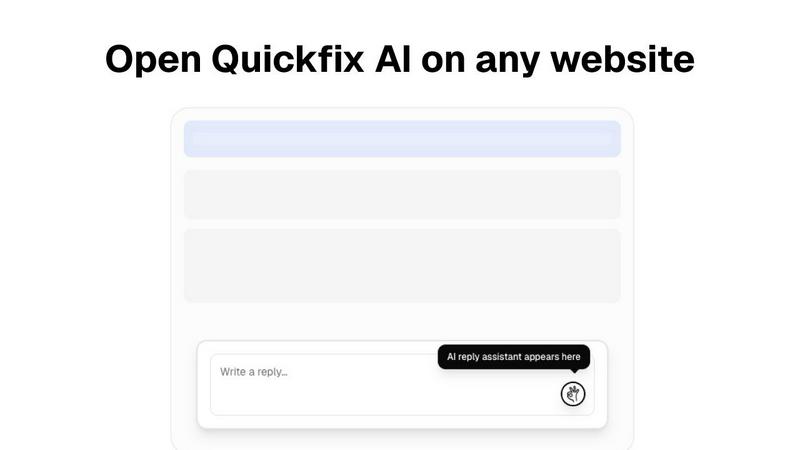
Feature Comparison
Amovera
Unified Guest List & RSVP Manager
This feature provides a centralized database for managing all guest information. It generates unique, trackable RSVP links for each guest or household, which can be embedded into digital invitations or a wedding website. The system automatically updates RSVP statuses, meal choices, and other responses in real-time, syncing seamlessly with the seating chart and budget tracker modules. This eliminates manual entry errors and provides a single source of truth for all guest-related data.
Dynamic Seating Chart Builder
The seating planner is an interactive, drag-and-drop tool that allows for visual arrangement of tables and guests. Built on a responsive canvas, it integrates directly with the live guest list, pulling in confirmed attendees and their details. Users can define table shapes and capacities, with the tool providing visual cues for conflicts or overfills. This feature exports to print-ready PDFs or shareable digital views, ensuring seamless handoff to venue coordinators.
Integrated Budget Tracker & Analytics
This module functions as a dedicated financial dashboard for wedding planning. Users can create a master budget, input estimated and actual costs per vendor category, and log expenses. The tool automatically calculates totals, remaining balances, and provides visual spending breakdowns through charts. Its integration with the vendor management section allows for direct linking of contacts to expenses, creating a fully auditable financial trail from quote to payment.
Collaborative Vendor & Task Management Hub
This feature combines a centralized vendor contact directory with a multi-user task management system. Each vendor entry can store contact details, contracts, notes, and payment schedules. The integrated task list allows couples to assign to-dos, set deadlines with reminders, and track progress. Built for real-time collaboration, both partners can update statuses and add notes simultaneously, ensuring coordinated workflow without conflicts or duplication of effort.
Quickfix AI
Comprehensive System Scan
The Quickfix AI agent performs a holistic scan of your entire system, analyzing critical components in a single click. It gathers real-time and historical data on CPU utilization, memory pressure, GPU load, storage health and capacity, battery cycles, network connection status, and core security settings like firewall status. This unified diagnostic report provides a complete snapshot of your machine's health and performance bottlenecks, eliminating the need to juggle multiple disparate system monitoring tools.
AI-Powered Analysis & Chat
Beyond raw data, Quickfix AI includes an intelligent chat interface that reads your full diagnostic report. You can ask questions about your system in plain English, such as "Why is my Mac running slow?" and receive clear, contextual answers. The AI identifies root causes, like specific applications consuming excessive CPU, and provides tailored, step-by-step recommendations for resolution, making advanced troubleshooting accessible to users of all technical skill levels.
Secure Remote Diagnostics via Sharing Code
Designed for collaborative troubleshooting, this feature allows IT support teams or individuals helping others to diagnose issues remotely without invasive software installation. Generate a secure, one-time sharing code from your Quickfix AI dashboard and share it with the user in need. They simply enter the code to initiate a scan, and you instantly gain view-only access to their anonymized diagnostic report, streamlining the support process dramatically.
Cross-Platform Compatibility & Lightweight Agent
Quickfix AI is built for broad ecosystem compatibility, offering native agents for both Windows and macOS operating systems. The agent is lightweight, requiring minimal system resources to run, and ensures full functionality across personal and professional Mac environments. This cross-platform support ensures consistent diagnostic capabilities and user experience regardless of the underlying hardware or OS version.
Use Cases
Amovera
Coordinating a Distributed Planning Team
For couples where one partner handles the budget and vendor communications while the other manages the guest experience and design, Amovera's real-time collaborative environment is essential. Both users can access and edit the same live budget, update the guest list from their respective families, and check off tasks from a shared checklist from any device, ensuring perfect synchronization without constant check-ins.
Managing a Large, Complex Guest List
When planning a wedding with hundreds of guests across multiple events (e.g., rehearsal dinner, ceremony, reception), manual tracking becomes untenable. Amovera's system categorizes guests by event, tracks RSVPs via personalized links, and automatically populates the seating chart. This use case highlights the platform's ability to handle scale and complexity while providing clear, actionable analytics on attendance.
Maintaining Financial Oversight and Control
Couples determined to stick to a strict budget utilize the integrated tracker to prevent cost overruns. By inputting quotes from the vendor hub directly into the budget module and logging payments as they occur, they gain real-time visibility into their financial status. The analytics help identify areas of overspending early, allowing for proactive adjustments.
Creating a Cohesive Visual and Logistical Plan
For design-focused couples, the moodboard tool allows for the aggregation of inspiration images, color palettes, and links. This visual plan integrates with the task list (e.g., "order flowers matching moodboard sample") and vendor manager (linking to the florist's contact info). This use case demonstrates how Amovera connects creative vision with practical execution.
Quickfix AI
Proactive Performance Troubleshooting
Ideal for users who experience system slowdowns, lag, or unexpected behavior but lack the technical knowledge to identify the cause. Quickfix AI automatically pinpoints resource-hungry processes, thermal throttling issues, or memory leaks and explains them in simple terms with direct recommendations, such as closing specific browser tabs or applications, to restore optimal performance immediately.
IT Support & Help Desk Operations
IT support teams can leverage Quickfix AI to triage and resolve employee tickets efficiently. Instead of relying on user-described symptoms, technicians can request a sharing code to view a precise diagnostic report from the user's machine. This enables rapid, accurate diagnosis of issues ranging from network connectivity problems to failing hardware, drastically reducing mean time to resolution (MTTR).
System Health Audit for Tech Enthusiasts
Gamers, developers, and power users who demand peak system performance use Quickfix AI for deep dives into their hardware. They can monitor GPU and CPU temperatures under load, check disk health (SSD/HDD), analyze memory bandwidth utilization, and validate security configurations, all through a unified dashboard to optimize their setup for demanding workloads or gaming sessions.
Pre-Purchase or Resale Device Inspection
When evaluating a used computer for purchase or preparing one for resale, Quickfix AI provides an objective health check. A quick scan reveals critical information like battery health and cycle count, storage drive condition, potential hardware failures, and overall system integrity, ensuring informed decision-making and transparent transactions.
Overview
About Amovera
Amovera is a comprehensive, cloud-based wedding planning platform engineered to consolidate the entire planning workflow into a single, unified interface. It is designed for modern couples seeking to replace the chaotic sprawl of spreadsheets, documents, and disparate apps with a cohesive, privacy-focused solution. The platform's core architecture is built around a centralized database, ensuring that all modules—from guest management to budget tracking—are interoperable and update in real-time. This eliminates data silos and version control issues common with manual methods. Its primary value proposition is a one-time payment model for lifetime access, a direct contrast to freemium or subscription-based competitors that often monetize user data. With native support for English and German, and a responsive web application compatible with all modern browsers, Amovera provides a scalable, secure environment for planning any wedding size, prioritizing user experience and data ownership above all.
About Quickfix AI
Quickfix AI is a comprehensive, AI-powered system diagnostics tool engineered for seamless integration into modern tech stacks. It provides instant, deep insight into hardware performance, system health, and potential issues across Windows and macOS environments. The tool operates through a lightweight agent that executes a full system scan, generating a detailed diagnostic report in under a minute. Its core value proposition lies in translating complex technical data into plain-English insights and actionable recommendations via an integrated AI chat interface. This makes it an indispensable utility for a wide range of users, from individual troubleshooters and tech enthusiasts to professional IT support teams. By offering enterprise-grade diagnostics with an intuitive user experience, Quickfix AI bridges the gap between raw system telemetry and practical understanding, enabling users to proactively manage performance, security, and stability without requiring deep technical expertise.
Frequently Asked Questions
Amovera FAQ
What is Amovera's technology stack and compatibility?
Amovera is a responsive web application built on a modern cloud infrastructure, ensuring compatibility with all major web browsers (Chrome, Safari, Firefox, Edge) on desktops, tablets, and smartphones. No software installation is required; access is provided instantly via a secure login. The platform is designed for full functionality across devices, with data syncing in real-time.
How does the real-time collaboration feature work technically?
The platform utilizes a conflict-free replicated data type (CRDT) architecture for its core planning modules. This allows both partners to have simultaneous read/write access to features like the guest list, task manager, and budget. Changes made by one user are instantly propagated to the other's session, with clear visual indicators, preventing data conflicts and ensuring a unified planning state.
Can I export my data for use in other systems?
Yes, data portability is a core principle. Amovera provides comprehensive export functionality. You can download your guest list with all associated details (names, RSVP status, meal choices) as a CSV file. Seating charts and budget reports can be exported as PDF documents. This ensures you retain full ownership and can archive or migrate your data as needed.
How does Amovera ensure data privacy and security?
Amovera employs a privacy-by-design framework. Unlike free tools, our business model does not rely on selling user data to third-party vendors. Your information is stored on secure, encrypted servers. We implement strict access controls and comply with data protection principles. You will never receive spam from vendors as a result of using our platform.
Quickfix AI FAQ
Is Quickfix AI free?
Yes, Quickfix AI offers a free version that includes the core system scan, comprehensive diagnostic report, and access to the AI chat for insights and basic recommendations. This allows users to perform essential health checks and troubleshooting at no cost.
Is my data secure?
Absolutely. Quickfix AI is designed with privacy and security as a priority. Diagnostic scans are processed with a focus on anonymized system metadata rather than personal files. For remote sessions using the sharing code, data is transmitted securely with encryption, and reports are accessible only to those with the unique, one-time code.
Do I need technical knowledge to use it?
No technical knowledge is required. The primary design goal of Quickfix AI is to demystify system diagnostics. The AI chat interface is built specifically to answer your questions in plain English and provide clear, actionable steps, making advanced system insights accessible to everyone.
What platforms are supported?
Quickfix AI provides full native support for both Windows and macOS operating systems. You can download a dedicated, optimized agent for your platform, ensuring comprehensive compatibility and accurate diagnostics for desktops and laptops across these ecosystems.
Alternatives
Amovera Alternatives
Amovera is a comprehensive wedding planning platform in the productivity and management software category. It consolidates guest lists, budgeting, vendor coordination, and task management into a single, unified workspace, eliminating the need for scattered apps and spreadsheets. Users often explore alternatives for various reasons, including specific feature gaps, different pricing models like subscriptions, or a need for deeper integration with other tools in their existing tech stack. Platform compatibility, such as mobile app availability or real-time collaboration capabilities, is another common driver for comparison. When evaluating alternatives, consider your core workflow requirements. Key factors include the software's API ecosystem for third-party integrations, its data portability standards, and whether its collaboration model supports your planning style. Assess if the platform's architecture allows for the seamless data sync and cross-functional visibility essential for complex event planning.
Quickfix AI Alternatives
Quickfix AI is a browser extension in the productivity and management category, designed to automate and enhance online communication. It uses AI to generate contextual replies directly within platforms like Gmail, Slack, and social media, aiming to save users time and effort. Users often explore alternatives for several key reasons. These can include specific pricing models, the need for different feature sets like advanced customization or integration with a particular tech stack, and compatibility requirements with niche platforms or enterprise systems not covered by a generalist tool. When evaluating an alternative, focus on core technical compatibility. Assess the depth of API integrations, the range of supported platforms and browsers, and the tool's ability to operate within your specific workflow environment without disrupting existing processes. The ideal solution should seamlessly embed into your current tech stack.