
FilexHost vs Quickfix AI
Side-by-side comparison to help you choose the right product.

FilexHost
Effortlessly host and share any file with instant URLs using FilexHost's simple drag-and-drop interface.
Last updated: February 27, 2026

Quickfix AI
Quickfix AI instantly diagnoses system health and provides AI-powered insights for Windows and macOS.
Last updated: February 28, 2026
Visual Comparison
FilexHost

Quickfix AI
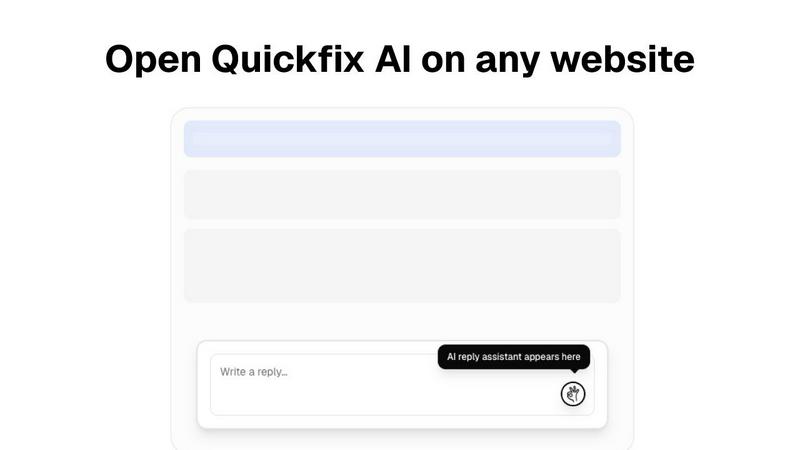
Feature Comparison
FilexHost
Instant Subdomains
With FileXHost, users receive instant subdomains for their uploaded files, allowing them to share links like your-file.filex.host without any setup. This feature enhances accessibility and makes sharing files effortless.
Free SSL Encryption
Every link generated through FileXHost comes with free SSL encryption, ensuring that the files shared are secure. This feature is essential for maintaining privacy and protecting sensitive data during transmission.
Smart View Modes
FileXHost offers intelligent view modes that allow files to be rendered directly in the browser or presented as a download page. This flexibility caters to various user preferences and enhances the overall experience for both the host and the recipient.
Optional Password Protection
For users who need an extra layer of security, FileXHost provides optional password protection and expiry settings for shared files. This means that sensitive information can be safeguarded while still allowing easy access to authorized users.
Quickfix AI
Comprehensive System Scan
The Quickfix AI agent performs a holistic scan of your entire system, analyzing critical components in a single click. It gathers real-time and historical data on CPU utilization, memory pressure, GPU load, storage health and capacity, battery cycles, network connection status, and core security settings like firewall status. This unified diagnostic report provides a complete snapshot of your machine's health and performance bottlenecks, eliminating the need to juggle multiple disparate system monitoring tools.
AI-Powered Analysis & Chat
Beyond raw data, Quickfix AI includes an intelligent chat interface that reads your full diagnostic report. You can ask questions about your system in plain English, such as "Why is my Mac running slow?" and receive clear, contextual answers. The AI identifies root causes, like specific applications consuming excessive CPU, and provides tailored, step-by-step recommendations for resolution, making advanced troubleshooting accessible to users of all technical skill levels.
Secure Remote Diagnostics via Sharing Code
Designed for collaborative troubleshooting, this feature allows IT support teams or individuals helping others to diagnose issues remotely without invasive software installation. Generate a secure, one-time sharing code from your Quickfix AI dashboard and share it with the user in need. They simply enter the code to initiate a scan, and you instantly gain view-only access to their anonymized diagnostic report, streamlining the support process dramatically.
Cross-Platform Compatibility & Lightweight Agent
Quickfix AI is built for broad ecosystem compatibility, offering native agents for both Windows and macOS operating systems. The agent is lightweight, requiring minimal system resources to run, and ensures full functionality across personal and professional Mac environments. This cross-platform support ensures consistent diagnostic capabilities and user experience regardless of the underlying hardware or OS version.
Use Cases
FilexHost
Sharing Client Reports
Professionals can effortlessly share client reports and presentations without worrying about email attachment limits. FileXHost allows for instant sharing with secure links, enabling quick access for clients and stakeholders.
Hosting Landing Pages
Developers can use FileXHost to host landing pages or mock APIs without the hassle of server configurations. The platform supports HTML rendering, making it ideal for testing and showcasing projects.
Distributing Digital Products
Creators can distribute digital products such as eBooks, videos, or software through FileXHost. The simplicity of uploading and sharing files makes it an efficient platform for selling or sharing content without complications.
Collaborating on Projects
Teams can collaborate on projects by sharing documents and data files through FileXHost. Its support for various file types and smart rendering ensures that all team members can view and interact with files as intended, enhancing collaboration.
Quickfix AI
Proactive Performance Troubleshooting
Ideal for users who experience system slowdowns, lag, or unexpected behavior but lack the technical knowledge to identify the cause. Quickfix AI automatically pinpoints resource-hungry processes, thermal throttling issues, or memory leaks and explains them in simple terms with direct recommendations, such as closing specific browser tabs or applications, to restore optimal performance immediately.
IT Support & Help Desk Operations
IT support teams can leverage Quickfix AI to triage and resolve employee tickets efficiently. Instead of relying on user-described symptoms, technicians can request a sharing code to view a precise diagnostic report from the user's machine. This enables rapid, accurate diagnosis of issues ranging from network connectivity problems to failing hardware, drastically reducing mean time to resolution (MTTR).
System Health Audit for Tech Enthusiasts
Gamers, developers, and power users who demand peak system performance use Quickfix AI for deep dives into their hardware. They can monitor GPU and CPU temperatures under load, check disk health (SSD/HDD), analyze memory bandwidth utilization, and validate security configurations, all through a unified dashboard to optimize their setup for demanding workloads or gaming sessions.
Pre-Purchase or Resale Device Inspection
When evaluating a used computer for purchase or preparing one for resale, Quickfix AI provides an objective health check. A quick scan reveals critical information like battery health and cycle count, storage drive condition, potential hardware failures, and overall system integrity, ensuring informed decision-making and transparent transactions.
Overview
About FilexHost
FileXHost is a robust, high-speed file hosting and sharing solution designed for users who require an effortless way to upload and distribute various file types. Whether you're dealing with documents, media files, spreadsheets, or entire websites, FileXHost simplifies the process through its intuitive "Drop & Share" workflow. Users can simply drag their files into the interface, receive an instant secure URL, and share it with others—no server setups, DNS configurations, or login requirements for recipients. This makes FileXHost an ideal solution for professionals, developers, and creators who need a seamless and efficient method of file delivery. With features like free SSL encryption and smart rendering, FileXHost enhances the viewing experience, ensuring that each file is presented exactly as intended, whether it is viewed directly in the browser or downloaded.
About Quickfix AI
Quickfix AI is a comprehensive, AI-powered system diagnostics tool engineered for seamless integration into modern tech stacks. It provides instant, deep insight into hardware performance, system health, and potential issues across Windows and macOS environments. The tool operates through a lightweight agent that executes a full system scan, generating a detailed diagnostic report in under a minute. Its core value proposition lies in translating complex technical data into plain-English insights and actionable recommendations via an integrated AI chat interface. This makes it an indispensable utility for a wide range of users, from individual troubleshooters and tech enthusiasts to professional IT support teams. By offering enterprise-grade diagnostics with an intuitive user experience, Quickfix AI bridges the gap between raw system telemetry and practical understanding, enabling users to proactively manage performance, security, and stability without requiring deep technical expertise.
Frequently Asked Questions
FilexHost FAQ
What is FileXHost?
FileXHost is a file hosting and sharing service that allows users to upload and distribute various file types easily. It emphasizes speed, security, and user experience through its simple drag-and-drop interface and instant link generation.
Is it really free?
Yes, FileXHost offers a free plan that allows users to host up to 1,000 files with a maximum size of 25MB per file. This plan is ad-supported and includes an expiry of up to 7 days for shared files.
What file types are supported?
FileXHost supports a wide range of file types including PDFs, images (JPG, PNG, WEBP), spreadsheets (XLSX, CSV), media files (MP4, MP3), and ZIP archives. This versatility makes it suitable for various use cases.
How do I update my site?
To update your site or shared files, simply re-upload the new version of the file. FileXHost will generate a new link, and you can choose to share this updated link as needed, ensuring that your recipients always access the latest version.
Quickfix AI FAQ
Is Quickfix AI free?
Yes, Quickfix AI offers a free version that includes the core system scan, comprehensive diagnostic report, and access to the AI chat for insights and basic recommendations. This allows users to perform essential health checks and troubleshooting at no cost.
Is my data secure?
Absolutely. Quickfix AI is designed with privacy and security as a priority. Diagnostic scans are processed with a focus on anonymized system metadata rather than personal files. For remote sessions using the sharing code, data is transmitted securely with encryption, and reports are accessible only to those with the unique, one-time code.
Do I need technical knowledge to use it?
No technical knowledge is required. The primary design goal of Quickfix AI is to demystify system diagnostics. The AI chat interface is built specifically to answer your questions in plain English and provide clear, actionable steps, making advanced system insights accessible to everyone.
What platforms are supported?
Quickfix AI provides full native support for both Windows and macOS operating systems. You can download a dedicated, optimized agent for your platform, ensuring comprehensive compatibility and accurate diagnostics for desktops and laptops across these ecosystems.
Alternatives
FilexHost Alternatives
FilexHost is a user-friendly file hosting and sharing platform designed to streamline the process of uploading and distributing files of any type. It falls under the category of productivity and management tools, emphasizing ease of use with its drag-and-drop functionality. Users often seek alternatives to FilexHost due to various reasons, including pricing structures, specific feature sets, or compatibility with different platforms and workflows. When searching for alternatives, it's essential to consider factors such as storage capacity, file size limits, security features, and user experience. Additionally, understanding the target audience's needs—whether they are professionals, developers, or casual users—can help in selecting a service that best fits their requirements for efficient file management and sharing.
Quickfix AI Alternatives
Quickfix AI is a browser extension in the productivity and management category, designed to automate and enhance online communication. It uses AI to generate contextual replies directly within platforms like Gmail, Slack, and social media, aiming to save users time and effort. Users often explore alternatives for several key reasons. These can include specific pricing models, the need for different feature sets like advanced customization or integration with a particular tech stack, and compatibility requirements with niche platforms or enterprise systems not covered by a generalist tool. When evaluating an alternative, focus on core technical compatibility. Assess the depth of API integrations, the range of supported platforms and browsers, and the tool's ability to operate within your specific workflow environment without disrupting existing processes. The ideal solution should seamlessly embed into your current tech stack.