
Outbid vs Quickfix AI
Side-by-side comparison to help you choose the right product.

Outbid instantly alerts you to new Upwork jobs and drafts AI-powered proposals via Telegram for faster applications.
Last updated: March 19, 2026

Quickfix AI
Quickfix AI instantly diagnoses system health and provides AI-powered insights for Windows and macOS.
Last updated: February 28, 2026
Visual Comparison
Outbid

Quickfix AI
Feature Comparison
Outbid
24/7 Upwork Monitoring Engine
The system operates on a continuous scanning cycle, querying Upwork's job feed every 60 seconds. This backend process runs on scalable cloud infrastructure to ensure uptime and reliability, providing a constant data stream without requiring user intervention. It effectively replaces manual monitoring, offering a persistent, automated lookout for new opportunities that match your configured tech stack and professional keywords.
AI-Powered Proposal Generation
Upon job detection, the system processes the job description through a language model fine-tuned for professional outreach. It cross-references the job requirements with your stored profile (skills, bio, experience) to generate a unique, personalized proposal draft. This output is formatted for immediate copy-paste functionality into Upwork's application interface, significantly reducing the time-to-apply metric.
Smart Filtering & Configuration
Users configure their monitoring parameters via a Telegram-based interface, setting filters for specific skills, budget thresholds, client history, and experience level. The system includes a "quiet hours" scheduler to mute notifications during off-periods. This ensures the alert stream is highly relevant and minimizes noise, delivering only opportunities that meet your precise technical and business criteria.
Telegram API Integration & Mobile-First Delivery
The entire user interaction layer is built atop the Telegram Bot API, requiring no separate mobile app download. Alerts and proposal drafts are delivered directly into this encrypted messaging environment, which is inherently cross-platform (iOS, Android, Desktop). This design ensures zero friction in setup, real-time push notifications, and a consistent, mobile-optimized interface for managing job applications on the go.
About Quickfix AI
Comprehensive System Scan
The Quickfix AI agent performs a holistic scan of your entire system, analyzing critical components in a single click. It gathers real-time and historical data on CPU utilization, memory pressure, GPU load, storage health and capacity, battery cycles, network connection status, and core security settings like firewall status. This unified diagnostic report provides a complete snapshot of your machine's health and performance bottlenecks, eliminating the need to juggle multiple disparate system monitoring tools.
AI-Powered Analysis & Chat
Beyond raw data, Quickfix AI includes an intelligent chat interface that reads your full diagnostic report. You can ask questions about your system in plain English, such as "Why is my Mac running slow?" and receive clear, contextual answers. The AI identifies root causes, like specific applications consuming excessive CPU, and provides tailored, step-by-step recommendations for resolution, making advanced troubleshooting accessible to users of all technical skill levels.
Secure Remote Diagnostics via Sharing Code
Designed for collaborative troubleshooting, this feature allows IT support teams or individuals helping others to diagnose issues remotely without invasive software installation. Generate a secure, one-time sharing code from your Quickfix AI dashboard and share it with the user in need. They simply enter the code to initiate a scan, and you instantly gain view-only access to their anonymized diagnostic report, streamlining the support process dramatically.
Cross-Platform Compatibility & Lightweight Agent
Quickfix AI is built for broad ecosystem compatibility, offering native agents for both Windows and macOS operating systems. The agent is lightweight, requiring minimal system resources to run, and ensures full functionality across personal and professional Mac environments. This cross-platform support ensures consistent diagnostic capabilities and user experience regardless of the underlying hardware or OS version.
Use Cases
Outbid
Full-Stack Developer Seeking High-Budget Projects
A developer specializing in MERN or Laravel stacks can configure Outbid to filter for jobs with budgets exceeding a specific threshold. The instant alert system allows them to submit a technically nuanced, AI-drafted proposal within minutes of a high-value project being posted, outpacing competitors who rely on manual search methods and securing a prime position in the client's inbox.
Busy Digital Marketing Consultant
A consultant managing multiple clients cannot afford to constantly refresh Upwork. By integrating Outbid's alerts into their existing Telegram workflow, they receive curated opportunities for strategy or campaign management roles directly on their phone. They can quickly review the AI-generated draft, make minor edits, and submit a professional application between meetings, maximizing efficiency.
New Freelancer Building a Portfolio
A newcomer struggling with proposal conversion rates uses Outbid to analyze successful job descriptions and receive AI-crafted responses that serve as learning templates. The tool helps them apply to a higher volume of relevant entry-level jobs quickly, increasing their chances of landing initial contracts and building a reputation without being hindered by writer's block or slow application timing.
Experienced Freelancer in a Competitive Niche
In saturated fields like UX/UI design or copywriting, being first is critical. An experienced professional uses Outbid's "War Room" strategy mode to input custom instructions, ensuring generated proposals highlight unique selling points and case studies. This allows them to apply with a standout, personalized proposal in under a minute, gaining a decisive edge in highly competitive listings.
Quickfix AI
Proactive Performance Troubleshooting
Ideal for users who experience system slowdowns, lag, or unexpected behavior but lack the technical knowledge to identify the cause. Quickfix AI automatically pinpoints resource-hungry processes, thermal throttling issues, or memory leaks and explains them in simple terms with direct recommendations, such as closing specific browser tabs or applications, to restore optimal performance immediately.
IT Support & Help Desk Operations
IT support teams can leverage Quickfix AI to triage and resolve employee tickets efficiently. Instead of relying on user-described symptoms, technicians can request a sharing code to view a precise diagnostic report from the user's machine. This enables rapid, accurate diagnosis of issues ranging from network connectivity problems to failing hardware, drastically reducing mean time to resolution (MTTR).
System Health Audit for Tech Enthusiasts
Gamers, developers, and power users who demand peak system performance use Quickfix AI for deep dives into their hardware. They can monitor GPU and CPU temperatures under load, check disk health (SSD/HDD), analyze memory bandwidth utilization, and validate security configurations, all through a unified dashboard to optimize their setup for demanding workloads or gaming sessions.
Pre-Purchase or Resale Device Inspection
When evaluating a used computer for purchase or preparing one for resale, Quickfix AI provides an objective health check. A quick scan reveals critical information like battery health and cycle count, storage drive condition, potential hardware failures, and overall system integrity, ensuring informed decision-making and transparent transactions.
Overview
About Outbid
Outbid is a specialized automation and notification engine designed for freelancers operating on the Upwork platform. It functions as a real-time job monitoring and proposal generation system, directly integrated with the Telegram messaging API. The core value proposition is technical speed and seamless workflow integration, enabling users to bypass manual job board scraping and proposal drafting. By deploying a continuous 24/7 scanning protocol on Upwork's public job listings, Outbid detects new postings within 60 seconds and pushes instant alerts to a user's Telegram client. Each alert includes not just a job link but a context-aware, AI-generated proposal draft tailored to the specific job description and the freelancer's pre-configured skill set. This stack is built for freelancers who understand that early application submission correlates directly with client engagement rates. It is ideal for developers, designers, writers, and other professionals who require a systematic, low-latency approach to lead generation, eliminating the need for constant manual refresh cycles and reducing the cognitive load of crafting initial outreach messages from scratch.
About Quickfix AI
Quickfix AI is a comprehensive, AI-powered system diagnostics tool engineered for seamless integration into modern tech stacks. It provides instant, deep insight into hardware performance, system health, and potential issues across Windows and macOS environments. The tool operates through a lightweight agent that executes a full system scan, generating a detailed diagnostic report in under a minute. Its core value proposition lies in translating complex technical data into plain-English insights and actionable recommendations via an integrated AI chat interface. This makes it an indispensable utility for a wide range of users, from individual troubleshooters and tech enthusiasts to professional IT support teams. By offering enterprise-grade diagnostics with an intuitive user experience, Quickfix AI bridges the gap between raw system telemetry and practical understanding, enabling users to proactively manage performance, security, and stability without requiring deep technical expertise.
Frequently Asked Questions
Outbid FAQ
How fast are the alerts, and what is the technical latency?
The system is engineered for low latency, scanning the Upwork job feed every 60 seconds. Typical alert delivery to your Telegram client occurs within 60-90 seconds of a job being publicly posted on the platform, depending on network conditions and Telegram's push notification service. This ensures you are among the very first applicants.
Do I need any technical expertise to set up and use Outbid?
No advanced technical expertise is required. The setup is conducted entirely through an intuitive chat interface with the Outbid bot on Telegram. You simply message the bot, follow the prompts to add your skills, bio, and filters—a process that takes under two minutes. The integration is designed for zero-code configuration.
Can I customize the AI-generated proposals?
Yes, customization is a core functionality. Beyond the initial automated draft, you can use the "War Room" mode (available in Pro/Elite plans) to provide custom instructions, tone guidelines, and key points to include. You can also instantly regenerate proposals or edit the provided draft directly before pasting it into Upwork.
Is Outbid affiliated with or endorsed by Upwork?
No, Outbid is an independent tool built by freelancers for freelancers. It is not affiliated with, endorsed by, or partnered with Upwork.com. It operates by monitoring publicly available job postings on the platform, similar to how a user would manually browse the site, in full compliance with Upwork's Terms of Service for external tools.
Quickfix AI FAQ
Is Quickfix AI free?
Yes, Quickfix AI offers a free version that includes the core system scan, comprehensive diagnostic report, and access to the AI chat for insights and basic recommendations. This allows users to perform essential health checks and troubleshooting at no cost.
Is my data secure?
Absolutely. Quickfix AI is designed with privacy and security as a priority. Diagnostic scans are processed with a focus on anonymized system metadata rather than personal files. For remote sessions using the sharing code, data is transmitted securely with encryption, and reports are accessible only to those with the unique, one-time code.
Do I need technical knowledge to use it?
No technical knowledge is required. The primary design goal of Quickfix AI is to demystify system diagnostics. The AI chat interface is built specifically to answer your questions in plain English and provide clear, actionable steps, making advanced system insights accessible to everyone.
What platforms are supported?
Quickfix AI provides full native support for both Windows and macOS operating systems. You can download a dedicated, optimized agent for your platform, ensuring comprehensive compatibility and accurate diagnostics for desktops and laptops across these ecosystems.
Alternatives
Outbid Alternatives
Outbid is a productivity and management tool designed for freelancers on the Upwork platform. It operates by integrating with Upwork's job feed and Telegram's messaging API to deliver real-time job alerts and AI-generated proposal drafts, streamlining the application workflow. Users may explore alternatives for various reasons, including budget constraints, a need for different platform integrations beyond Upwork or Telegram, or a preference for a different feature stack such as manual proposal control, analytics dashboards, or compatibility with other freelance marketplaces. When evaluating an alternative, consider its core tech stack and API compatibility with your existing tools. Key factors include the reliability of its data-fetching mechanism, the sophistication of its AI proposal engine, the platforms and messaging apps it supports, and the overall security of its integration with sensitive freelance accounts.
Quickfix AI Alternatives
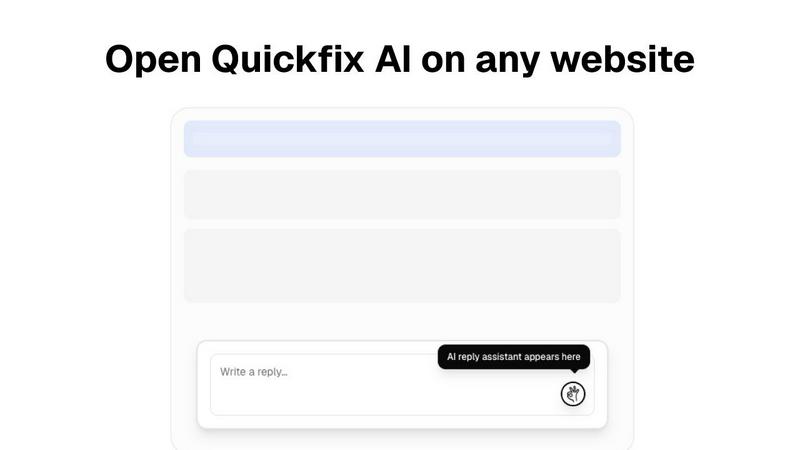
Quickfix AI is a browser extension in the productivity and management category, designed to automate and enhance online communication. It uses AI to generate contextual replies directly within platforms like Gmail, Slack, and social media, aiming to save users time and effort. Users often explore alternatives for several key reasons. These can include specific pricing models, the need for different feature sets like advanced customization or integration with a particular tech stack, and compatibility requirements with niche platforms or enterprise systems not covered by a generalist tool. When evaluating an alternative, focus on core technical compatibility. Assess the depth of API integrations, the range of supported platforms and browsers, and the tool's ability to operate within your specific workflow environment without disrupting existing processes. The ideal solution should seamlessly embed into your current tech stack.