
NanoBanana2pro vs StatPecker
Side-by-side comparison to help you choose the right product.

NanoBanana2pro
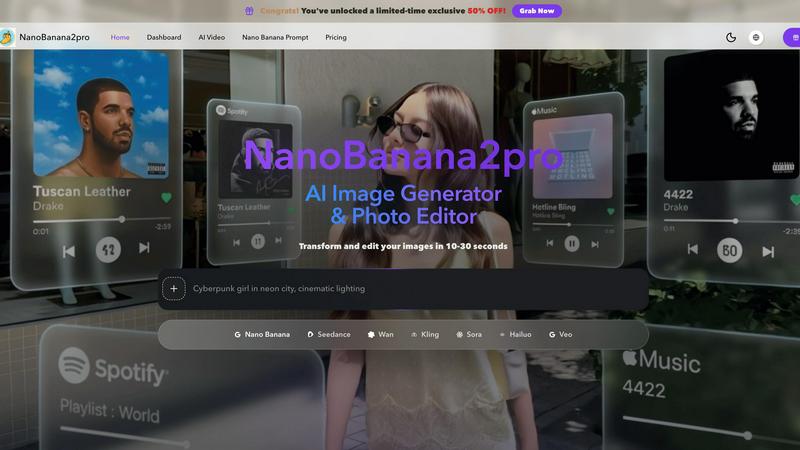
Experience rapid AI-powered image and video creation with NanoBanana2pro, delivering high-quality visuals in seconds for all your creative needs.
Last updated: April 4, 2026

StatPecker
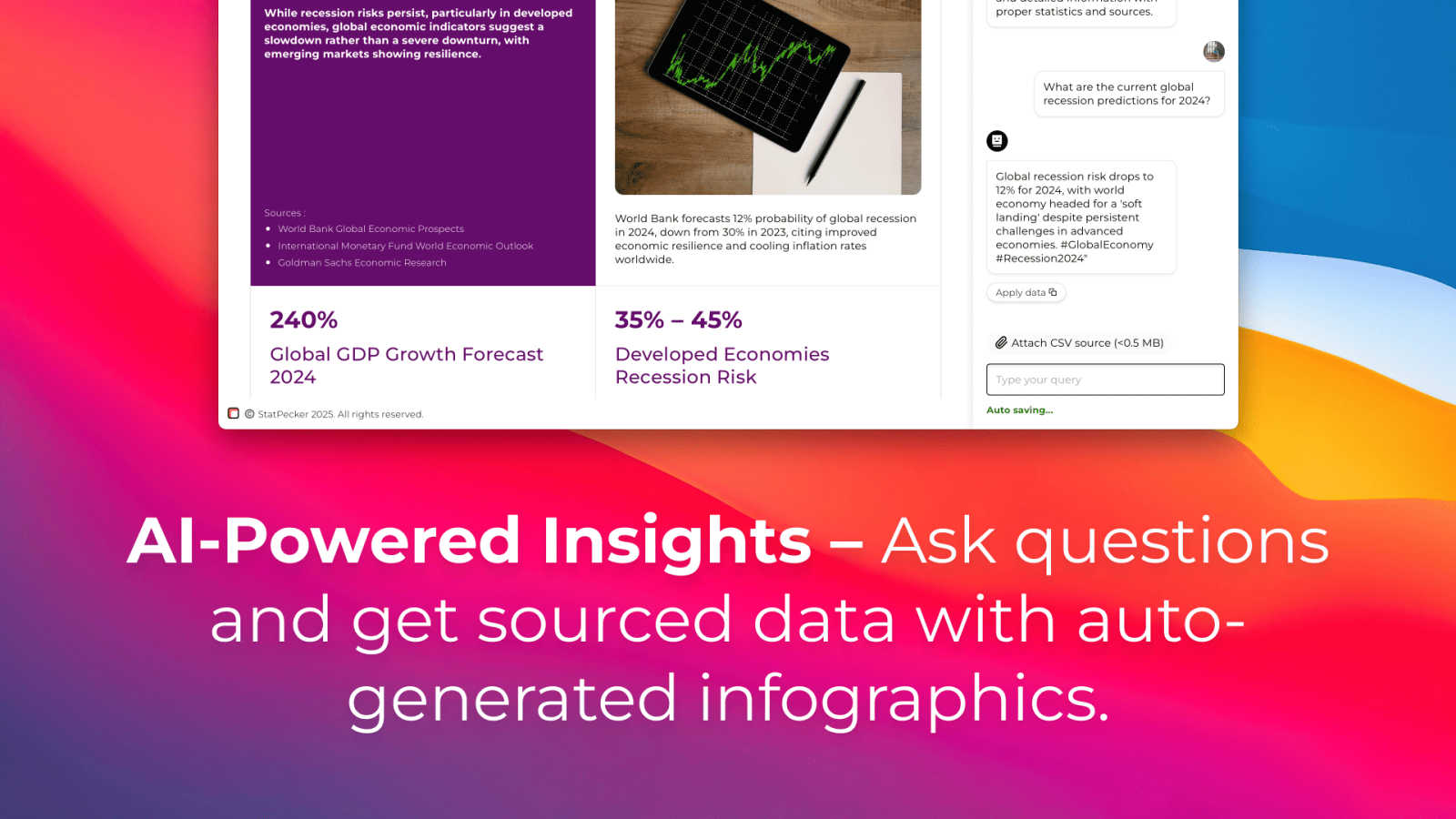
StatPecker transforms data into instant, shareable visuals, delivering AI-driven insights for smarter business.
Last updated: March 1, 2026
Visual Comparison
NanoBanana2pro
StatPecker
Feature Comparison
NanoBanana2pro
AI Image Generation
The core functionality of NanoBanana2pro allows users to create detailed visuals from either a text prompt or a reference image. This feature eliminates the need for time-consuming drafts, enabling users to generate ready-to-use images tailored for various applications, from marketing campaigns to product listings.
Style Transfer & Presets
NanoBanana2pro includes robust style transfer capabilities, allowing users to explore different visual styles seamlessly. By applying various presets, users can refine their images and achieve results that closely align with their creative vision without needing extensive retouching.
Batch Generation
With the batch generation feature, users can produce multiple variations of an image from a single input simultaneously. This functionality is particularly beneficial for A/B testing and visual exploration, enabling users to compare different styles and select the most effective option quickly.
Smart Assets
The smart assets feature allows users to save prompts, presets, and previous generations, creating a repository of reusable assets. This enhances workflow efficiency by enabling users to build on successful outputs and maintain a consistent creative direction without starting from scratch each time.
StatPecker
Ask Your Query
With StatPecker, users can gain instant insights from validated sources simply by asking their queries. This feature eliminates the need for complex tools or technical knowledge, making data analysis accessible to everyone.
Publish & Embed
This feature allows users to create interactive visuals that can seamlessly integrate into blogs, articles, and websites. The ability to publish and embed enhances the reach of the content and engages the target audience effectively.
Upload & Analyze CSVs
Users can upload and analyze local CSV files up to 50 MB without the hassle of traditional spreadsheets. This functionality allows for quick extraction of key insights, enabling users to focus on analysis rather than data entry.
Download & Use Anywhere
StatPecker provides the option to export infographics as images, making it easy to include them in reports, presentations, and more. This flexibility ensures that users can utilize their visuals across various platforms and media.
Use Cases
NanoBanana2pro
Marketing Campaigns
NanoBanana2pro is ideal for generating eye-catching visuals for marketing campaigns. Users can quickly create tailored images for ads, social media posts, and promotional materials, ensuring their marketing efforts are visually appealing and impactful.
E-commerce Product Listings
E-commerce businesses benefit significantly from NanoBanana2pro, as it allows them to generate high-quality product images that attract customers. By using the platform, sellers can create diverse visuals that showcase their products effectively, leading to better conversion rates.
Creative Design Projects
For graphic designers, NanoBanana2pro serves as a powerful tool for generating innovative visuals. Whether working on branding elements or conceptual artwork, designers can use this platform to explore various styles and refine their creations efficiently.
Visual Testing and Exploration
Marketers and creatives can utilize NanoBanana2pro for visual testing, enabling them to generate and compare multiple design options quickly. This feature aids in selecting the strongest visuals for campaigns, ensuring that the final output resonates with the target audience.
StatPecker
Content Creation
Content creators can leverage StatPecker to enrich their articles and blogs with stunning visuals. By transforming data into eye-catching infographics, they can enhance reader engagement and comprehension.
Marketing Campaigns
Marketers can use StatPecker to visualize campaign performance metrics and audience insights. This enables them to make data-driven decisions and effectively communicate results to stakeholders.
Educational Tools
Educators can utilize StatPecker to simplify complex concepts through visual aids. By transforming data into accessible graphics, students can better understand and retain information.
Business Analytics
Analysts can extract trends and insights from their data using StatPecker's powerful features. This allows for quick assessments of performance metrics and facilitates informed decision-making within businesses.
Overview
About NanoBanana2pro
NanoBanana2pro is an advanced AI image generator and photo editor designed to transform creative concepts into high-resolution visuals swiftly and efficiently. This platform caters primarily to marketers, e-commerce professionals, and creative designers who require high-quality images for advertisements, product showcases, and branding purposes. With its intuitive interface, users can input text prompts or upload reference images to generate professional-grade visuals in mere seconds. The platform emphasizes rapid production without sacrificing quality, making it a valuable tool for those seeking to streamline their workflow. Its ability to produce photorealistic images, coupled with features like style transfer and batch generation, ensures users can explore multiple creative directions and iterate quickly, optimizing their visual content for commercial use.
About StatPecker
StatPecker is an innovative AI-powered tool designed to transform the way data is visualized and presented. It quickly converts raw data into visually compelling infographics in seconds, allowing users to save significant time and reduce costs related to manual reporting and graphic design. The platform is versatile and serves a wide array of professionals, including content creators, analysts, marketers, and educators. StatPecker's intuitive interface and robust features enable users to automate the data storytelling process, making complex information more accessible and engaging. Whether users aim to enhance articles with stunning visuals, visualize CSV data, improve marketing campaigns, or simplify educational content, StatPecker streamlines the workflow. It empowers users to focus on their core objectives while delivering impactful visual narratives, ensuring that insights are not only informative but also visually appealing.
Frequently Asked Questions
NanoBanana2pro FAQ
What types of content can I create with NanoBanana2pro?
You can create a wide range of content, including advertisements, e-commerce product images, social media graphics, and branding assets. The platform is designed to produce high-quality visuals suitable for both digital and print media.
Is NanoBanana2pro suitable for commercial use?
Yes, content created with NanoBanana2pro comes with commercial usage rights, allowing you to use the generated images in your projects without complex licensing issues. This makes it a safe choice for businesses and marketers.
How does batch generation work?
Batch generation allows you to input a single prompt or reference image and produce multiple variations of the output simultaneously. This feature is particularly useful for testing different visual styles or concepts quickly.
Can I refine the generated images further?
Absolutely. NanoBanana2pro includes features for iterative refinement, enabling users to adjust details such as lighting, texture, and composition. This capability helps users achieve the desired look for their visuals with ease.
StatPecker FAQ
How does StatPecker ensure data privacy?
StatPecker prioritizes user privacy by performing all analyses on the user's device. This means that sensitive data from uploaded CSV files remains private and secure throughout the entire process.
Can I use StatPecker without any technical skills?
Yes, StatPecker is designed for users of all skill levels. Its intuitive interface allows anyone to generate insights and visuals without needing extensive technical knowledge or experience.
What types of files can I upload to StatPecker?
Users can upload CSV files up to 50 MB for analysis. This capability allows for efficient data handling and visualization without the complications of larger file formats or databases.
Is there a free version of StatPecker?
Yes, StatPecker offers a free tier that allows users to explore its features with limited capabilities. This enables users to get started without any financial commitment while assessing the tool's fit for their needs.
Alternatives
NanoBanana2pro Alternatives
NanoBanana2pro is an advanced AI image and video creation platform designed for content creators, marketers, and businesses seeking to generate and edit high-quality visuals for various applications. As a robust tool in the content creation category, it excels in producing photorealistic images, video assets, and iterative refinements that cater to advertising, e-commerce, and branding needs. Users often seek alternatives to NanoBanana2pro due to factors such as pricing, specific feature sets, or compatibility with their existing workflows. When exploring alternatives, it is essential to evaluate the range of functionalities offered, ease of use, integration capabilities with other tools, and overall value for money to ensure the selected platform aligns with specific project requirements and user preferences.
StatPecker Alternatives
StatPecker is an innovative AI-powered tool that falls under the data visualization category, designed to transform raw data into compelling infographics swiftly. Users often seek alternatives due to reasons such as pricing, specific feature sets, platform compatibility, or unique needs that StatPecker may not fully satisfy. When searching for an alternative, it is essential to evaluate the user interface, integration capabilities, data handling features, and overall flexibility to ensure that the chosen tool aligns with your specific requirements and enhances your data storytelling process.