
Hush Touch | Voice-to-Text for MacOS vs SVG to 3D
Side-by-side comparison to help you choose the right product.

Hush Touch | Voice-to-Text for MacOS
Hush Touch is an intelligent offline voice-to-text app for Mac that learns your vocabulary and processes dictation.
Last updated: February 27, 2026

SVG to 3D
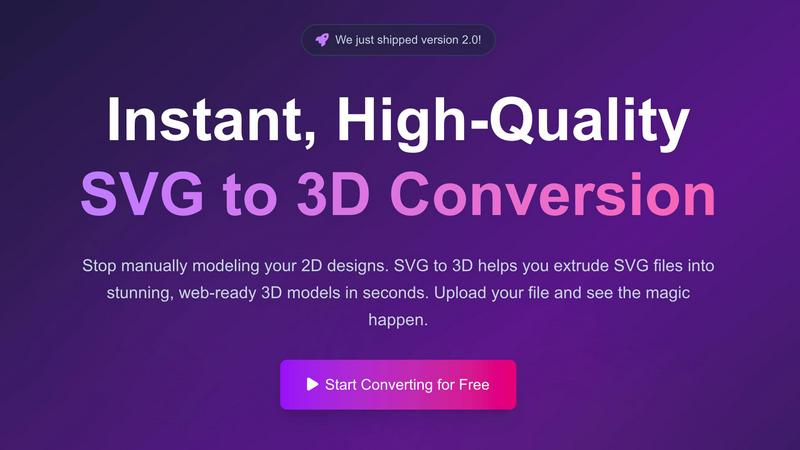
Effortlessly convert SVG files into high-quality, web-ready 3D models with advanced controls and fast processing.
Last updated: February 27, 2026
Visual Comparison
Hush Touch | Voice-to-Text for MacOS

SVG to 3D
Feature Comparison
Hush Touch | Voice-to-Text for MacOS
Dual-Engine Recognition
Hush Touch leverages the power of two Apple dictation engines: DictationTranscriber for natural flow and punctuation, and SFSpeechRecognizer for custom vocabulary enhancement. This combination facilitates exceptional transcription accuracy, ensuring that your spoken words are captured precisely as intended.
Custom Vocabulary
The application supports a customizable vocabulary of up to 500 terms, automatically learning from user corrections. This feature is particularly beneficial for professionals in specialized fields such as medicine or technology, ensuring that industry-specific jargon is recognized and accurately transcribed every time.
Smart Text Processing
Hush Touch incorporates advanced text processing capabilities, such as filler word removal and auto-correction. This means that common distractions in speech, like "um" or "you know," are eliminated, resulting in cleaner, more professional outputs. Additionally, it can format voice snippets for repeated phrases and organize numbered lists, all in real-time.
Context Modes & Hands-Free Operation
The app offers specialized context modes, including General, Email, Code, and Notes, allowing users to switch seamlessly based on their dictation needs. Hands-free operation is facilitated through integration with Siri, enabling users to initiate dictation and send messages using simple voice commands, enhancing the overall user experience.
SVG to 3D
One-Click GLB Export
SVG to 3D allows users to export 3D models as GLB files with just one click. This feature is tailored for web developers, making it easy to integrate the 3D models into websites using Three.js or React Three Fiber, adding a dynamic visual element to any project.
3D-Print Ready STL Files
The tool supports clean STL exports, which are essential for 3D printing. Users can directly take their 3D models from SVG to STL, ensuring a hassle-free transition from digital design to physical object, ideal for fabrication and prototyping.
Real-Time 3D Preview and Adjustments
Users can fine-tune every aspect of their 3D models with real-time previews. This feature allows for adjustments to thickness, bevels, and the application of PBR materials, helping to ensure the final output is polished and professional.
Privacy and Security First
SVG to 3D prioritizes user privacy by processing files locally in the browser whenever possible. This means that sensitive designs remain secure, with no need for uploads to external servers, giving users peace of mind while working on their projects.
Use Cases
Hush Touch | Voice-to-Text for MacOS
Drafting Emails
With Hush Touch, users can dictate emails effortlessly. The app's ability to recognize context-specific language and apply proper punctuation means that composing professional correspondence becomes a swift and stress-free process.
Taking Notes
Students and professionals alike can benefit from using Hush Touch to take notes during lectures or meetings. The app captures spoken content accurately, allowing users to focus on the discussion without the distraction of manual typing.
Creating Documents
Hush Touch is an excellent tool for anyone looking to create written content, from articles to reports. Its adaptive learning ensures that the software becomes attuned to the user's writing style over time, leading to more fluid and coherent document creation.
Programming and Code Writing
For software developers, Hush Touch's context mode for coding allows for efficient voice dictation of programming languages. The app's accurate transcription of technical terms and commands helps streamline the coding process, making it easier to focus on development without interruptions.
SVG to 3D
Web Development Enhancement
Web developers can utilize SVG to 3D to convert flat SVG icons into interactive 3D models. This capability enhances user engagement on websites, allowing for visually striking interfaces that capture users' attention.
3D Printing Prototyping
Designers and engineers can convert their 2D designs into 3D models that are ready for 3D printing. This use case is crucial for those looking to fabricate prototypes or custom parts without the need for complex CAD software.
UI/UX Design Mockups
UI/UX designers can leverage the tool to present depth in their design mockups. By creating 3D representations of UI elements, they can impress clients and stakeholders with more realistic and engaging presentations of their concepts.
Creative Artwork and Logo Design
Artists and graphic designers can transform their 2D artwork and logos into 3D models, allowing for new creative expressions and applications. This feature opens up possibilities for unique branding, merchandise, and digital art installations.
Overview
About Hush Touch | Voice-to-Text for MacOS
Hush Touch is an innovative voice-to-text application designed specifically for macOS users who seek a seamless and efficient dictation experience. Harnessing the power of dual Apple transcription engines, Hush Touch operates entirely on-device, ensuring that your voice data remains private and secure. The software is lightweight, with a size of just 5.5 MB, and requires minimal setup, making it an ideal choice for users who value convenience and quick access. It is perfect for professionals, students, and anyone who frequently drafts emails, messages, notes, or documents hands-free. The application learns your unique vocabulary over time, improving its accuracy with every use while eliminating filler words and enhancing punctuation. With a one-time purchase of $20, users gain lifetime access to a tool that prioritizes privacy and efficiency, making Hush Touch an exceptional investment for anyone looking to enhance their writing workflow.
About SVG to 3D
SVG to 3D is a powerful online tool designed to transform 2D SVG vector graphics into high-quality 3D models. It caters to web developers, designers, and 3D printing enthusiasts who seek a fast, efficient, and user-friendly solution for converting their designs. With SVG to 3D, you can quickly extrude logos, icons, and artwork without the need for heavyweight software like Blender or Cinema 4D. The tool is optimized for seamless integration into web projects, allowing for the generation of lightweight GLB files ideal for use in Three.js and React Three Fiber. By providing advanced controls for fine-tuning your models, SVG to 3D empowers users to create stunning, professional-grade 3D assets in mere seconds, enhancing efficiency in design workflows.
Frequently Asked Questions
Hush Touch | Voice-to-Text for MacOS FAQ
How does Hush Touch ensure my privacy?
Hush Touch processes all voice data entirely on your Mac, eliminating any dependency on cloud services. This means your information remains private, with zero data collection or sharing.
Can I customize the vocabulary in Hush Touch?
Yes, Hush Touch allows users to customize a vocabulary of up to 500 terms. The app learns from your corrections, ensuring that it recognizes specific jargon relevant to your field or personal preferences over time.
Is there a subscription fee for Hush Touch?
No, Hush Touch is available for a one-time purchase of $20, giving you lifetime access to the application without any recurring subscription fees.
How does the adaptive learning feature work?
The adaptive learning feature detects corrections made to transcriptions and automatically updates the vocabulary, improving accuracy and ensuring that it reflects your unique speech patterns and terminology preferences.
SVG to 3D FAQ
How do I start converting my SVG files to 3D?
To get started, simply upload your SVG file using the drag-and-drop interface or by clicking to browse your files. The process is quick and user-friendly.
What file formats can I export my 3D models in?
SVG to 3D offers multiple export formats, including GLB, GLTF, OBJ, and STL. This versatility ensures your models are compatible with various applications and platforms.
Is there a limit to the size of SVG files I can upload?
Yes, there is a maximum file size limit of 5 MB for SVG uploads. This ensures fast processing and efficient conversions.
Is my data secure when using SVG to 3D?
Absolutely. The tool processes files locally in your browser, minimizing risk and ensuring that your data remains private and secure without external uploads.
Alternatives
Hush Touch | Voice-to-Text for MacOS Alternatives
Hush Touch | Voice-to-Text for MacOS is an innovative voice-to-text application designed to make dictation seamless, efficient, and private. As part of the AI Assistants category, it leverages on-device processing to deliver fast and accurate transcription without relying on cloud services. Users often seek alternatives for various reasons, such as exploring different pricing models, assessing a wider range of features, or finding better compatibility with their specific platform needs. When selecting an alternative, it's essential to consider factors such as ease of use, integration capabilities with existing workflows, and the level of privacy offered by the application. A good alternative should also provide robust dictation functionalities and customization options to enhance the overall user experience, ensuring that it meets individual preferences and requirements.
SVG to 3D Alternatives
SVG to 3D is a specialized tool designed to transform 2D SVG vector graphics into high-quality 3D models. It falls under the category of AI Assistants, specifically tailored for web developers, designers, and 3D printing enthusiasts seeking an efficient way to create 3D assets from flat designs. Users often explore alternatives to SVG to 3D due to various factors such as pricing, available features, or compatibility with their specific platforms and workflows. When selecting an alternative, it is essential to consider factors like ease of use, export options, and the software’s ability to integrate seamlessly with existing projects. Look for tools that offer real-time previews, diverse export formats, and user-friendly interfaces, ensuring that you can effectively meet your project requirements without unnecessary complexity.