
Ironback vs SVG to 3D
Side-by-side comparison to help you choose the right product.

Ironback
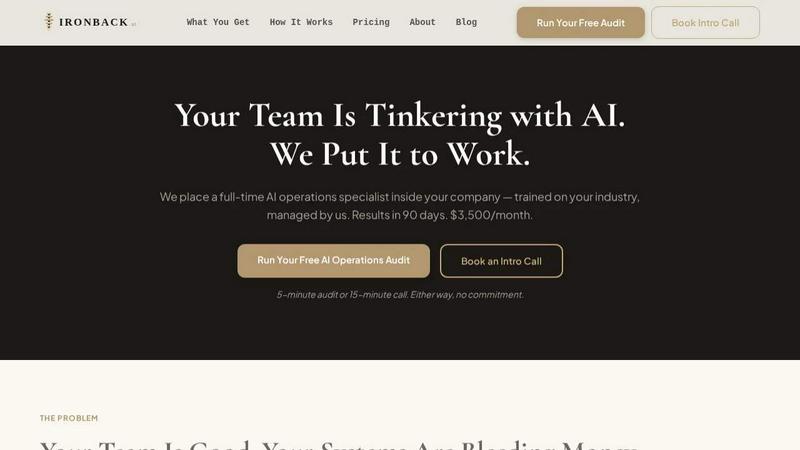
Ironback places a dedicated AI operations specialist in your company to streamline processes and boost efficiency, delivering results in 90 days.
Last updated: April 4, 2026
SVG to 3D
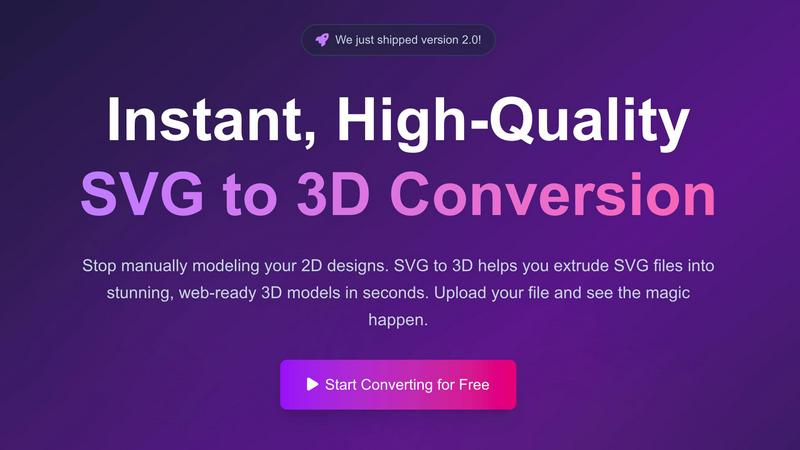
Effortlessly convert SVG files into high-quality, web-ready 3D models with advanced controls and fast processing.
Last updated: February 27, 2026
Visual Comparison
Ironback
SVG to 3D
Feature Comparison
Ironback
Full-Time AI Operations Specialist
Ironback provides a dedicated AI operations specialist who becomes an integral part of your team. This specialist is trained specifically for your industry and continuously managed by Ironback to ensure optimal performance and adaptation to changing technologies.
Automated Call Handling
With Ironback's AI voice agents, all calls are answered promptly, even after hours. Missed calls receive immediate text responses, and emergency jobs are triaged for urgent dispatch, ensuring no opportunity is lost due to communication delays.
AI-Assisted Estimating
The estimating process is streamlined through AI-assisted takeoffs, which reduce estimating time by 50 to 70 percent. This feature utilizes photo-based workflows that replace manual calculations, enabling more accurate and quicker quotes.
Compliance and Documentation Automation
Ironback automates the creation and management of compliance and documentation tasks. Digital job forms replace paper-based methods, and inspection reports are auto-populated. This ensures that all necessary regulatory paperwork is processed efficiently, reducing the administrative burden on your team.
SVG to 3D
One-Click GLB Export
SVG to 3D allows users to export 3D models as GLB files with just one click. This feature is tailored for web developers, making it easy to integrate the 3D models into websites using Three.js or React Three Fiber, adding a dynamic visual element to any project.
3D-Print Ready STL Files
The tool supports clean STL exports, which are essential for 3D printing. Users can directly take their 3D models from SVG to STL, ensuring a hassle-free transition from digital design to physical object, ideal for fabrication and prototyping.
Real-Time 3D Preview and Adjustments
Users can fine-tune every aspect of their 3D models with real-time previews. This feature allows for adjustments to thickness, bevels, and the application of PBR materials, helping to ensure the final output is polished and professional.
Privacy and Security First
SVG to 3D prioritizes user privacy by processing files locally in the browser whenever possible. This means that sensitive designs remain secure, with no need for uploads to external servers, giving users peace of mind while working on their projects.
Use Cases
Ironback
Streamlined Operations for Service Dispatch
Service companies can leverage Ironback to enhance their dispatch operations. With around-the-clock call handling and automated job assignments, businesses can ensure that no customer inquiry goes unattended, leading to increased customer satisfaction and retention.
Enhanced Estimating Accuracy
Contractors can utilize Ironback’s AI-assisted estimating feature to significantly reduce the time spent on manual calculations. This not only speeds up the quoting process but also increases the accuracy of estimates, leading to better project management and profitability.
Simplified Compliance Management
Businesses in regulated industries can automate their compliance documentation processes with Ironback. By using digital forms and auto-populated inspection reports, companies can ensure adherence to regulations while freeing up valuable employee time for core tasks.
Improved Customer Follow-Up and Retention
Ironback's automated follow-up systems ensure that all open quotes are actively pursued, and past customers receive timely communications. This proactive approach helps maintain relationships and encourages repeat business, significantly boosting overall sales.
SVG to 3D
Web Development Enhancement
Web developers can utilize SVG to 3D to convert flat SVG icons into interactive 3D models. This capability enhances user engagement on websites, allowing for visually striking interfaces that capture users' attention.
3D Printing Prototyping
Designers and engineers can convert their 2D designs into 3D models that are ready for 3D printing. This use case is crucial for those looking to fabricate prototypes or custom parts without the need for complex CAD software.
UI/UX Design Mockups
UI/UX designers can leverage the tool to present depth in their design mockups. By creating 3D representations of UI elements, they can impress clients and stakeholders with more realistic and engaging presentations of their concepts.
Creative Artwork and Logo Design
Artists and graphic designers can transform their 2D artwork and logos into 3D models, allowing for new creative expressions and applications. This feature opens up possibilities for unique branding, merchandise, and digital art installations.
Overview
About Ironback
Ironback is a pioneering solution designed to optimize operational efficiency for service companies through the deployment of a full-time AI operations specialist. This specialist is embedded within your organization, seamlessly integrating into your existing team and workflows. Ironback specializes in automating critical processes such as call handling, estimating, scheduling, and compliance tasks, enabling you to save significant costs and improve productivity. With guaranteed savings of over $50,000 in just a two-week assessment, Ironback's model addresses the common pain points of missed opportunities and inefficient processes. This solution is particularly valuable for companies struggling with manual operations and looking to leverage AI technology without the hassle of managing additional personnel or software.
About SVG to 3D
SVG to 3D is a powerful online tool designed to transform 2D SVG vector graphics into high-quality 3D models. It caters to web developers, designers, and 3D printing enthusiasts who seek a fast, efficient, and user-friendly solution for converting their designs. With SVG to 3D, you can quickly extrude logos, icons, and artwork without the need for heavyweight software like Blender or Cinema 4D. The tool is optimized for seamless integration into web projects, allowing for the generation of lightweight GLB files ideal for use in Three.js and React Three Fiber. By providing advanced controls for fine-tuning your models, SVG to 3D empowers users to create stunning, professional-grade 3D assets in mere seconds, enhancing efficiency in design workflows.
Frequently Asked Questions
Ironback FAQ
How does Ironback integrate with existing systems?
Ironback specialists are trained to work within your existing systems, ensuring a smooth integration. They adapt to your workflows and processes, allowing for a seamless transition without disrupting your operations.
What kind of companies can benefit from Ironback?
Ironback is designed for service companies of all sizes that are looking to enhance operational efficiency. Whether you are a small contractor or a larger service provider, Ironback can help streamline your operations.
What kind of training do Ironback specialists receive?
Ironback specialists undergo rigorous training tailored to your specific industry and operational needs. They remain updated on the latest AI tools and best practices, allowing them to provide ongoing support and improvements.
What happens if I am not satisfied with the service?
Ironback offers a satisfaction guarantee. If you do not see the promised results during the initial assessment period, you can discuss options for adjustments or consider discontinuing the service without penalty.
SVG to 3D FAQ
How do I start converting my SVG files to 3D?
To get started, simply upload your SVG file using the drag-and-drop interface or by clicking to browse your files. The process is quick and user-friendly.
What file formats can I export my 3D models in?
SVG to 3D offers multiple export formats, including GLB, GLTF, OBJ, and STL. This versatility ensures your models are compatible with various applications and platforms.
Is there a limit to the size of SVG files I can upload?
Yes, there is a maximum file size limit of 5 MB for SVG uploads. This ensures fast processing and efficient conversions.
Is my data secure when using SVG to 3D?
Absolutely. The tool processes files locally in your browser, minimizing risk and ensuring that your data remains private and secure without external uploads.
Alternatives
Ironback Alternatives
Ironback is an AI operations specialist solution designed specifically for service companies. By embedding a full-time AI operations expert within your organization, Ironback streamlines various operational tasks including call handling, estimating, scheduling, and compliance. This technology-driven approach ensures significant savings and operational efficiency, making it a compelling choice for businesses looking to enhance their service delivery. Users often seek alternatives to Ironback for various reasons, such as pricing concerns, feature sets, or specific platform needs that may better align with their operational goals. When choosing an alternative, it is crucial to evaluate factors such as integration capabilities, scalability, and the comprehensiveness of the services offered. A deeper understanding of each option’s strengths and weaknesses will help ensure that you select a solution that fits seamlessly into your existing workflows.
SVG to 3D Alternatives
SVG to 3D is a specialized tool designed to transform 2D SVG vector graphics into high-quality 3D models. It falls under the category of AI Assistants, specifically tailored for web developers, designers, and 3D printing enthusiasts seeking an efficient way to create 3D assets from flat designs. Users often explore alternatives to SVG to 3D due to various factors such as pricing, available features, or compatibility with their specific platforms and workflows. When selecting an alternative, it is essential to consider factors like ease of use, export options, and the software’s ability to integrate seamlessly with existing projects. Look for tools that offer real-time previews, diverse export formats, and user-friendly interfaces, ensuring that you can effectively meet your project requirements without unnecessary complexity.