
Kane AI vs SVG to 3D
Side-by-side comparison to help you choose the right product.

Kane AI
Kane AI empowers teams to create, manage, and evolve tests seamlessly using natural language for integrated quality.
Last updated: February 27, 2026

SVG to 3D
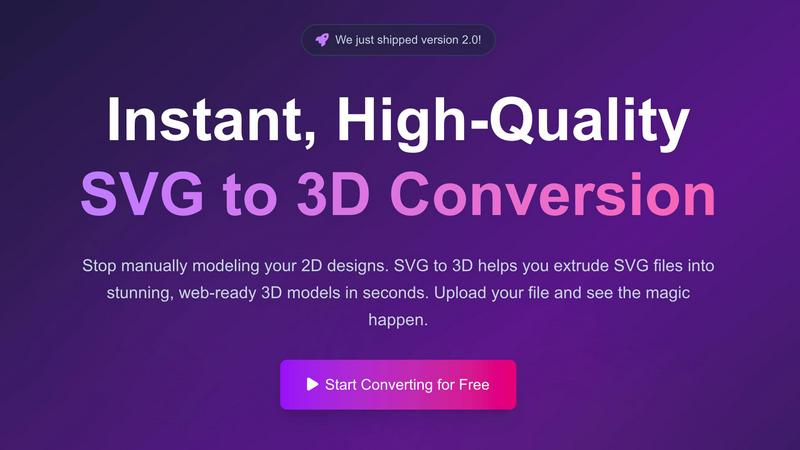
Effortlessly convert SVG files into high-quality, web-ready 3D models with advanced controls and fast processing.
Last updated: February 27, 2026
Visual Comparison
Kane AI

SVG to 3D
Feature Comparison
Kane AI
Natural Language Test Authoring
Kane AI allows users to author test cases using natural language, eliminating the need for coding. Teams can simply describe their requirements, and Kane AI generates structured, detailed test cases automatically, making test automation accessible to non-technical users.
Intelligent Test Planner
This feature creates and automates test steps based on high-level objectives, ensuring that the test cases generated align with business goals. This capability streamlines the planning process and allows teams to focus on strategic testing rather than manual authoring.
Smarter API Testing
Kane AI integrates API testing seamlessly with UI flows, providing comprehensive coverage without any silos. This innovative approach ensures that backend services are validated in conjunction with user interface interactions, leading to more reliable software performance.
Dynamic Test Data Generation
Kane AI automatically generates test data during the authoring process, saving time and reducing manual setup. This feature enhances the efficiency of test creation, allowing teams to focus on developing robust test scenarios instead of managing test data.
SVG to 3D
One-Click GLB Export
SVG to 3D allows users to export 3D models as GLB files with just one click. This feature is tailored for web developers, making it easy to integrate the 3D models into websites using Three.js or React Three Fiber, adding a dynamic visual element to any project.
3D-Print Ready STL Files
The tool supports clean STL exports, which are essential for 3D printing. Users can directly take their 3D models from SVG to STL, ensuring a hassle-free transition from digital design to physical object, ideal for fabrication and prototyping.
Real-Time 3D Preview and Adjustments
Users can fine-tune every aspect of their 3D models with real-time previews. This feature allows for adjustments to thickness, bevels, and the application of PBR materials, helping to ensure the final output is polished and professional.
Privacy and Security First
SVG to 3D prioritizes user privacy by processing files locally in the browser whenever possible. This means that sensitive designs remain secure, with no need for uploads to external servers, giving users peace of mind while working on their projects.
Use Cases
Kane AI
Streamlined Test Automation for Web Applications
Teams can leverage Kane AI to automate the testing of web applications quickly and efficiently. The platform's ability to generate structured test cases from natural language descriptions allows for faster onboarding and execution of test plans.
Agile Development Integration
Kane AI supports triggering automation directly from JIRA conversations, making it an excellent fit for agile teams. This integration allows for real-time updates and adjustments to tests, ensuring that testing keeps pace with rapid development cycles.
Comprehensive API Validation
By validating APIs alongside UI flows, Kane AI enhances backend coverage and contributes to a more thorough testing strategy. This holistic approach reduces the risk of errors in critical application components, ensuring higher quality releases.
Accessibility Testing
Kane AI includes built-in accessibility testing features, allowing organizations to deliver inclusive user experiences. This capability ensures that accessibility does not hinder release cycles, promoting compliance and user satisfaction.
SVG to 3D
Web Development Enhancement
Web developers can utilize SVG to 3D to convert flat SVG icons into interactive 3D models. This capability enhances user engagement on websites, allowing for visually striking interfaces that capture users' attention.
3D Printing Prototyping
Designers and engineers can convert their 2D designs into 3D models that are ready for 3D printing. This use case is crucial for those looking to fabricate prototypes or custom parts without the need for complex CAD software.
UI/UX Design Mockups
UI/UX designers can leverage the tool to present depth in their design mockups. By creating 3D representations of UI elements, they can impress clients and stakeholders with more realistic and engaging presentations of their concepts.
Creative Artwork and Logo Design
Artists and graphic designers can transform their 2D artwork and logos into 3D models, allowing for new creative expressions and applications. This feature opens up possibilities for unique branding, merchandise, and digital art installations.
Overview
About Kane AI
Kane AI, developed by TestMu AI, is a groundbreaking GenAI-native testing agent tailored for modern Quality Engineering teams striving for high-speed and efficient testing. Its unique capability allows teams to author, manage, debug, and evolve tests using natural language, dramatically minimizing the expertise and time usually necessary to initiate and expand test automation. Unlike conventional low-code tools, Kane AI is adept at managing complex workflows across all major programming languages and frameworks without sacrificing performance. This versatility makes it an invaluable asset for organizations aiming to enhance their testing processes. Kane AI's intelligent test generation utilizes NLP-based instructions, enabling teams to seamlessly converse with the platform to automate tests. By aligning with business objectives through its Intelligent Test Planner, Kane AI ensures that testing efforts are both relevant and impactful, driving software quality and reliability.
About SVG to 3D
SVG to 3D is a powerful online tool designed to transform 2D SVG vector graphics into high-quality 3D models. It caters to web developers, designers, and 3D printing enthusiasts who seek a fast, efficient, and user-friendly solution for converting their designs. With SVG to 3D, you can quickly extrude logos, icons, and artwork without the need for heavyweight software like Blender or Cinema 4D. The tool is optimized for seamless integration into web projects, allowing for the generation of lightweight GLB files ideal for use in Three.js and React Three Fiber. By providing advanced controls for fine-tuning your models, SVG to 3D empowers users to create stunning, professional-grade 3D assets in mere seconds, enhancing efficiency in design workflows.
Frequently Asked Questions
Kane AI FAQ
How does Kane AI integrate with existing tools?
Kane AI can seamlessly integrate with popular tools like JIRA and Azure DevOps, enabling teams to maintain a unified workflow from test authoring to execution without additional effort.
What programming languages and frameworks does Kane AI support?
Kane AI is designed to handle complex workflows across all major programming languages and frameworks, making it versatile for various tech stacks and project requirements.
Can Kane AI execute tests across different environments?
Yes, Kane AI allows users to customize and execute tests across different environments, adapting seamlessly from development to production settings to ensure consistent performance.
How does Kane AI handle test failures?
Kane AI includes smart bug detection capabilities, identifying failures and enabling teams to raise tickets directly in JIRA or Azure DevOps, streamlining the troubleshooting process and enhancing collaboration.
SVG to 3D FAQ
How do I start converting my SVG files to 3D?
To get started, simply upload your SVG file using the drag-and-drop interface or by clicking to browse your files. The process is quick and user-friendly.
What file formats can I export my 3D models in?
SVG to 3D offers multiple export formats, including GLB, GLTF, OBJ, and STL. This versatility ensures your models are compatible with various applications and platforms.
Is there a limit to the size of SVG files I can upload?
Yes, there is a maximum file size limit of 5 MB for SVG uploads. This ensures fast processing and efficient conversions.
Is my data secure when using SVG to 3D?
Absolutely. The tool processes files locally in your browser, minimizing risk and ensuring that your data remains private and secure without external uploads.
Alternatives
Kane AI Alternatives
Kane AI is a groundbreaking GenAI-native testing agent that revolutionizes quality engineering for teams by leveraging natural language for test planning, creation, and evolution. As an AI assistant, it stands out in the realm of test automation by allowing users to engage in conversational interactions for intelligent test generation, catering to complex workflows across various programming languages and frameworks. Users often seek alternatives to Kane AI due to factors such as pricing, specific feature requirements, or compatibility with different platforms. When evaluating alternatives, it is essential to consider aspects like ease of integration, support for various programming languages and frameworks, the ability to handle complex testing scenarios, and whether the solution aligns with your team's unique workflow and business objectives.
SVG to 3D Alternatives
SVG to 3D is a specialized tool designed to transform 2D SVG vector graphics into high-quality 3D models. It falls under the category of AI Assistants, specifically tailored for web developers, designers, and 3D printing enthusiasts seeking an efficient way to create 3D assets from flat designs. Users often explore alternatives to SVG to 3D due to various factors such as pricing, available features, or compatibility with their specific platforms and workflows. When selecting an alternative, it is essential to consider factors like ease of use, export options, and the software’s ability to integrate seamlessly with existing projects. Look for tools that offer real-time previews, diverse export formats, and user-friendly interfaces, ensuring that you can effectively meet your project requirements without unnecessary complexity.