
Project20x vs SVG to 3D
Side-by-side comparison to help you choose the right product.

Project20x
Project20x delivers AI governance solutions that ensure compliance and effectiveness in modern organizational policies.
Last updated: March 4, 2026
SVG to 3D
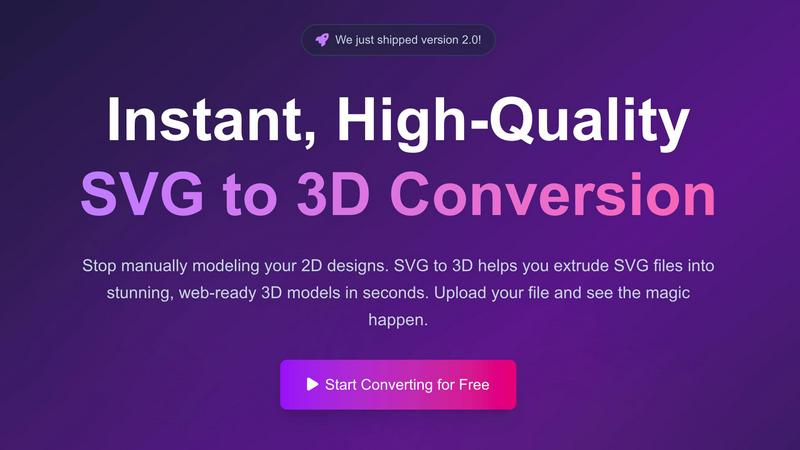
Effortlessly convert SVG files into high-quality, web-ready 3D models with advanced controls and fast processing.
Last updated: February 27, 2026
Visual Comparison
Project20x

SVG to 3D
Feature Comparison
Project20x
Governance Layer
The Governance Layer employs a comprehensive ten-step AI methodology designed to support lawmakers in developing sound policies. By analyzing legislative texts, it ensures clarity and identifies potential conflicts, enabling the creation of robust and effective regulations.
Management Layer
The Management Layer seamlessly translates approved policies into functional code through the implementation of "Rules as Code." This feature automates workflows, enhancing the operational efficiency of government agencies and ensuring that policies are executed consistently.
Interface Layer
The Interface Layer provides citizens with around-the-clock access to AI agents trained on the codified policies. This feature ensures that public service interactions are streamlined, making it easier for citizens to understand and engage with governmental processes.
Transparency and Accountability
Project20x prioritizes transparency, accountability, and security by ensuring that all governmental activities are traceable and quantifiable. This feature promotes rigorous human oversight, fostering public trust and confidence in government operations.
SVG to 3D
One-Click GLB Export
SVG to 3D allows users to export 3D models as GLB files with just one click. This feature is tailored for web developers, making it easy to integrate the 3D models into websites using Three.js or React Three Fiber, adding a dynamic visual element to any project.
3D-Print Ready STL Files
The tool supports clean STL exports, which are essential for 3D printing. Users can directly take their 3D models from SVG to STL, ensuring a hassle-free transition from digital design to physical object, ideal for fabrication and prototyping.
Real-Time 3D Preview and Adjustments
Users can fine-tune every aspect of their 3D models with real-time previews. This feature allows for adjustments to thickness, bevels, and the application of PBR materials, helping to ensure the final output is polished and professional.
Privacy and Security First
SVG to 3D prioritizes user privacy by processing files locally in the browser whenever possible. This means that sensitive designs remain secure, with no need for uploads to external servers, giving users peace of mind while working on their projects.
Use Cases
Project20x
Policy Development
Project20x can be utilized by lawmakers during policy development to analyze legislative texts effectively. By identifying conflicts and ensuring clarity, it enables the formulation of sound policies that meet public needs.
Workflow Automation
Government agencies can leverage the Management Layer to automate workflows related to policy implementation. This use case improves operational efficiency and reduces the time taken to execute policies at various levels of government.
Citizen Engagement
The Interface Layer allows citizens to engage with government policies through AI agents. This use case empowers individuals to access information and services at their convenience, enhancing overall public engagement with governmental processes.
Regulatory Compliance
Project20x can assist agencies in maintaining regulatory compliance by ensuring that all policies are codified and monitored. This use case helps minimize risks associated with non-compliance and ensures that agencies adhere to established regulations.
SVG to 3D
Web Development Enhancement
Web developers can utilize SVG to 3D to convert flat SVG icons into interactive 3D models. This capability enhances user engagement on websites, allowing for visually striking interfaces that capture users' attention.
3D Printing Prototyping
Designers and engineers can convert their 2D designs into 3D models that are ready for 3D printing. This use case is crucial for those looking to fabricate prototypes or custom parts without the need for complex CAD software.
UI/UX Design Mockups
UI/UX designers can leverage the tool to present depth in their design mockups. By creating 3D representations of UI elements, they can impress clients and stakeholders with more realistic and engaging presentations of their concepts.
Creative Artwork and Logo Design
Artists and graphic designers can transform their 2D artwork and logos into 3D models, allowing for new creative expressions and applications. This feature opens up possibilities for unique branding, merchandise, and digital art installations.
Overview
About Project20x
Project20x is an innovative AI-driven platform designed to transform governmental operations by converting complex regulatory frameworks into user-friendly and actionable digital processes. It is specifically tailored for government agencies, lawmakers, and citizens, aiming to create a seamless connection between policy creation and public engagement. By employing a structured approach through three distinct layers—Governance, Management, and Interface—Project20x enhances the efficiency of governmental functions. The Governance Layer utilizes a ten-step AI methodology to assist lawmakers in crafting clear and effective policies by thoroughly analyzing legislative texts for clarity and potential conflicts. The Management Layer translates these approved policies into functional code, implementing "Rules as Code" to automate workflows effectively. Lastly, the Interface Layer offers citizens 24/7 access to AI agents trained on the codified policies, simplifying public service interactions. With a steadfast commitment to transparency, accountability, and security, Project20x ensures that all governmental activities are traceable, quantifiable, and subject to rigorous human oversight, thereby fostering trust and engagement within the community.
About SVG to 3D
SVG to 3D is a powerful online tool designed to transform 2D SVG vector graphics into high-quality 3D models. It caters to web developers, designers, and 3D printing enthusiasts who seek a fast, efficient, and user-friendly solution for converting their designs. With SVG to 3D, you can quickly extrude logos, icons, and artwork without the need for heavyweight software like Blender or Cinema 4D. The tool is optimized for seamless integration into web projects, allowing for the generation of lightweight GLB files ideal for use in Three.js and React Three Fiber. By providing advanced controls for fine-tuning your models, SVG to 3D empowers users to create stunning, professional-grade 3D assets in mere seconds, enhancing efficiency in design workflows.
Frequently Asked Questions
Project20x FAQ
What types of government agencies can benefit from Project20x?
Project20x is designed for a wide range of government agencies, including federal, state, and local departments, as well as lawmakers and public service organizations. Its versatility makes it applicable in various governmental contexts.
How does Project20x ensure the security of sensitive information?
Project20x incorporates robust security measures to protect sensitive information, including encryption and access controls. Additionally, its commitment to transparency and accountability ensures that all activities are subject to rigorous oversight.
Can citizens directly interact with the AI agents on the platform?
Yes, citizens can interact directly with AI agents through the Interface Layer. These agents are trained on codified policies, providing users with accurate information and assistance regarding public services and regulations.
What is the implementation timeline for Project20x?
The implementation timeline for Project20x varies depending on the specific needs and complexity of the governmental agency. However, the platform is designed for rapid deployment, ensuring that agencies can quickly benefit from its features and capabilities.
SVG to 3D FAQ
How do I start converting my SVG files to 3D?
To get started, simply upload your SVG file using the drag-and-drop interface or by clicking to browse your files. The process is quick and user-friendly.
What file formats can I export my 3D models in?
SVG to 3D offers multiple export formats, including GLB, GLTF, OBJ, and STL. This versatility ensures your models are compatible with various applications and platforms.
Is there a limit to the size of SVG files I can upload?
Yes, there is a maximum file size limit of 5 MB for SVG uploads. This ensures fast processing and efficient conversions.
Is my data secure when using SVG to 3D?
Absolutely. The tool processes files locally in your browser, minimizing risk and ensuring that your data remains private and secure without external uploads.
Alternatives
Project20x Alternatives
Project20x is a cutting-edge AI governance solution designed to streamline governmental operations by transforming intricate regulatory frameworks into accessible digital processes. As part of the AI Assistants category, it targets government agencies, lawmakers, and citizens, facilitating effective policy creation and public engagement. Users often seek alternatives to Project20x due to factors like pricing, feature sets, or specific platform compatibility requirements that better fit their unique operational needs. When selecting an alternative, it’s essential to consider the core features that align with your goals, including the platform's integration capabilities, user interface design, and level of AI sophistication. Additionally, evaluating customer support and the overall scalability of the solution can guide users in finding the best fit for their governance needs.
SVG to 3D Alternatives
SVG to 3D is a specialized tool designed to transform 2D SVG vector graphics into high-quality 3D models. It falls under the category of AI Assistants, specifically tailored for web developers, designers, and 3D printing enthusiasts seeking an efficient way to create 3D assets from flat designs. Users often explore alternatives to SVG to 3D due to various factors such as pricing, available features, or compatibility with their specific platforms and workflows. When selecting an alternative, it is essential to consider factors like ease of use, export options, and the software’s ability to integrate seamlessly with existing projects. Look for tools that offer real-time previews, diverse export formats, and user-friendly interfaces, ensuring that you can effectively meet your project requirements without unnecessary complexity.