
BlueHumanizer
BlueHumanizer transforms AI-generated text into clear, natural writing with one click, keeping your meaning and citations intact.
Visit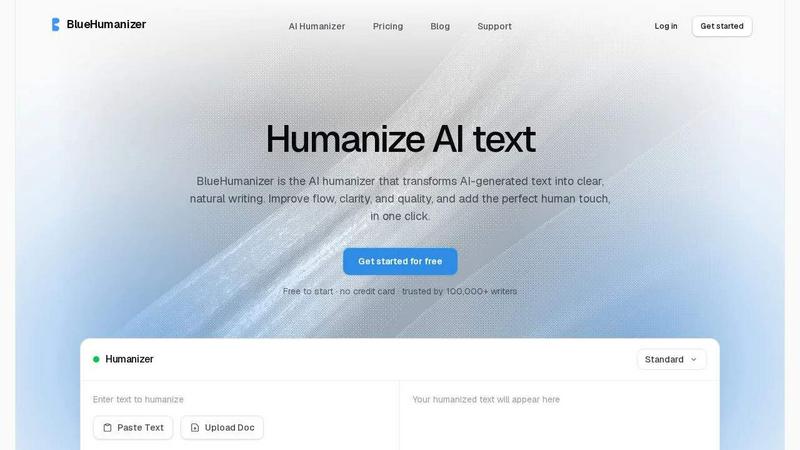
About BlueHumanizer
BlueHumanizer is an advanced AI humanization tool designed to transform AI-generated text into clear, natural, and polished writing with a single click. It is built for students, researchers, marketers, content creators, and non-native writers who regularly use AI tools like ChatGPT, Claude, Gemini, and others. The core value proposition of BlueHumanizer is its ability to go beyond simple synonym swapping, which is a common limitation of basic humanizers. Instead, it reshapes sentence structure, restores natural rhythm, and improves overall flow while preserving the original meaning, tone, and key points. This makes the output sound like it was written by a human, not a machine. The tool supports over 50 languages with automatic detection, offers adjustable humanization strength levels, and includes tone controls for casual, professional, or brand-specific styling. It is trusted by over 100,000 writers and is free to start with no credit card required. BlueHumanizer is particularly valuable for ensuring that AI-assisted writing passes as human-generated content for academic integrity, brand consistency, or simply better readability. It also keeps quotes, citations, and references untouched, making it ideal for academic and professional use. Whether you are refining an essay, polishing a research paper, shipping marketing copy, or warming up everyday emails, BlueHumanizer delivers writing that reads clean, natural, and ready to publish.
Features of BlueHumanizer
Humanize AI Text in One Click
BlueHumanizer streamlines the entire humanization process into a single action. Users simply copy and paste text from any AI source, such as ChatGPT, Claude, or Gemini, and click the humanize button. There is no setup, learning curve, or complex configuration required. The tool instantly rewrites the input into clear, polished prose with improved flow and sharper phrasing. This one-click functionality is designed for efficiency, allowing writers to process large volumes of AI-generated content quickly without sacrificing quality. It is ideal for anyone who needs to refine drafts rapidly while maintaining a natural, human tone.
Clearer, Smoother Writing with Structural Rewriting
Unlike basic humanizers that only swap words for synonyms, BlueHumanizer performs deep structural rewriting. It tightens phrasing, varies sentence rhythm, and improves overall flow to make the text read smoothly and naturally. The tool analyzes the underlying sentence architecture and reconstructs it for better readability without changing the original meaning. This results in output that avoids the robotic, repetitive patterns common in AI-generated text. The improvement is noticeable in both short emails and long-form content, ensuring that every piece of writing feels organic and engaging.
Keeps Your Intent, Tone, and Citations Intact
One of the standout features of BlueHumanizer is its ability to preserve the user's original intent, tone, and key points during the rewriting process. The tool is trained to understand context and nuance, so it does not alter the core message or introduce unintended shifts in voice. Additionally, it automatically detects and leaves quotes, citations, and references untouched. Only the surrounding text is rewritten, ensuring academic and professional integrity. This feature is crucial for researchers, academics, and content teams who need to maintain accuracy and credibility in their work.
Adjustable Humanization and Multi-Language Support
BlueHumanizer offers granular control over the humanization process through adjustable strength levels and tone controls. Users can choose from different humanization intensities, such as a standard mode for light polishing or an "Extra Human" mode for more aggressive rewriting. Tone controls allow switching between casual, professional, or other styles to match the intended audience. Furthermore, the tool supports over 50 languages with automatic detection, enabling writers from around the world to humanize text in their native language. This flexibility makes BlueHumanizer suitable for global teams, multilingual content strategies, and diverse writing contexts.
Use Cases of BlueHumanizer
Academic Writing and Research Papers
Students and researchers can use BlueHumanizer to refine AI-assisted drafts of essays, theses, and research papers. The tool transforms stiff, AI-generated prose into clear, well-structured academic writing that flows naturally. It ensures that citations and references remain untouched, preserving academic integrity. This use case is particularly valuable for non-native English speakers who need to produce fluent, polished academic content that meets institutional standards. By improving readability and sentence structure, BlueHumanizer helps users submit work that reads as if it were written by a native speaker.
Marketing and Brand Content Creation
Marketers and content teams can leverage BlueHumanizer to ship blog posts, emails, landing pages, and social media copy that aligns with their brand voice. The tool's tone controls allow for customization to match specific brand guidelines, whether the goal is casual, professional, or persuasive writing. By humanizing AI-generated drafts, teams can maintain consistency across all content while saving time on editing. The result is copy that reads naturally and engages audiences without the robotic undertones typical of raw AI output. This is essential for building trust and driving conversions in competitive markets.
Email and Business Communication
Professionals can use BlueHumanizer to warm up everyday emails, reports, and internal communications generated with AI assistance. The tool ensures that business correspondence sounds polished, professional, and human, which is critical for maintaining relationships with clients, partners, and colleagues. It can handle varying tones, from formal proposals to friendly follow-ups, making it versatile for different communication contexts. This use case saves time for busy professionals who need to produce high-quality written communication quickly without sacrificing clarity or personal touch.
Multilingual Content Localization
Non-native writers and global teams can use BlueHumanizer to make AI-generated English text flow naturally, ensuring their writing reads as fluent and effortless. The tool's 50+ language support also allows for humanization in other languages, enabling localization teams to adapt content for different markets. By improving the natural rhythm and phrasing of translated or AI-generated drafts, BlueHumanizer helps maintain the original message's impact across linguistic boundaries. This is particularly useful for international businesses, bloggers, and creators who need to produce culturally appropriate, high-quality content for diverse audiences.
Frequently Asked Questions
How does BlueHumanizer differ from other humanizers?
BlueHumanizer goes beyond simple synonym replacement, which is the primary method used by basic humanizers. Instead, it performs deep structural rewriting by reshaping sentence architecture, varying rhythm, and improving flow. This results in output that reads naturally and avoids robotic patterns. Additionally, it preserves original meaning, tone, and key points while leaving quotes and citations untouched. It also offers adjustable humanization levels, tone controls, and support for over 50 languages, providing more flexibility and higher quality than most competitors.
Is BlueHumanizer free to use?
Yes, BlueHumanizer is free to start with no credit card required. Users can begin humanizing text immediately without any upfront cost. The free tier allows access to core features, including one-click humanization and basic tone controls. For users who need advanced capabilities like higher word limits, additional humanization modes, or priority support, there may be paid plans available. The free version is designed to provide a comprehensive experience so users can evaluate the tool's effectiveness before committing to a subscription.
Does BlueHumanizer keep my citations and quotes safe?
Yes, BlueHumanizer is specifically designed to detect and preserve quotes, citations, and references during the rewriting process. Only the surrounding text is modified to improve flow and clarity. This ensures that academic and professional integrity is maintained, making the tool suitable for research papers, essays, and any content where accurate attribution is critical. Users do not need to worry about their references being altered or lost, as the tool automatically identifies and protects these elements.
Which AI models and languages does BlueHumanizer support?
BlueHumanizer supports text generated from any major AI tool, including ChatGPT, Claude, Gemini, Mistral AI, and others. It is model-agnostic, meaning it works with output from any AI writer. For languages, the tool supports over 50 languages with automatic detection. This includes major languages like English, Spanish, French, German, Japanese, Chinese, Portuguese, and many more. The humanization process is optimized for each language to produce natural, fluent output, making it a global solution for writers everywhere.
Pricing of BlueHumanizer
BlueHumanizer is free to start with no credit card required. The free tier includes access to core humanization features, one-click rewriting, and basic tone controls. For users who require higher word limits, advanced humanization modes like "Extra Human," priority support, or team collaboration features, paid subscription plans are available. Specific pricing details for paid tiers are not provided in the available context, but the tool is designed to be accessible for individual writers while offering scalable options for professional and enterprise use.
Similar to BlueHumanizer

Free YouTube transcripts on the web, a Chrome extension, and an API + MCP server so AI assistants can read YouTube.


ViduAI creates consistent videos from text, images, references, and first or last frames.

Turn any image into editable layers with AI.

AI UGC video ads from any product URL, image, or script


AI tools somebody actually used before writing about them.