
Ultimate Forms
Ultimate Forms is a no-code platform for building and automating SharePoint solutions with integrated forms and.
Visit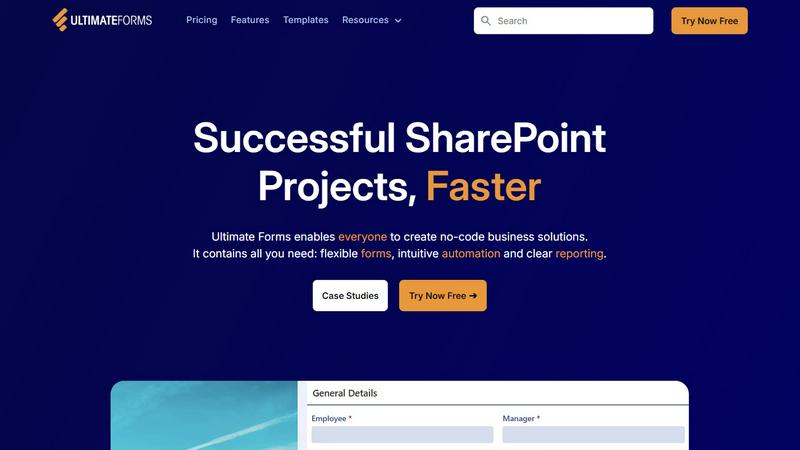
About Ultimate Forms
Infowise Ultimate Forms is a comprehensive, no-code platform engineered explicitly for the Microsoft 365 and SharePoint ecosystem. It is designed to empower organizations to build sophisticated business applications by transforming standard SharePoint lists and libraries into powerful, automated solutions. The core value proposition lies in its deep, native integration with SharePoint, which allows it to leverage and extend the existing security, data management, and collaboration framework of Microsoft 365 without requiring custom code. This makes it an ideal tool for both IT professionals seeking to accelerate development and business users (citizen developers) who need to create tailored forms, workflows, and reports to streamline their departmental processes. By providing flexible forms, intuitive automation tools, and clear reporting capabilities within the familiar SharePoint interface, Ultimate Forms significantly reduces project timelines, eliminates development bottlenecks, and drives productivity by enabling users to manage complex data and workflows efficiently and securely.
Features of Ultimate Forms
Flexible & Dynamic Forms
Ultimate Forms replaces standard SharePoint forms with highly customizable, responsive modern forms. These forms support advanced UI elements like tabs, repeating sections, and conditional logic to show or hide fields dynamically based on user input. Features such as granular column and section permissions, electronic signature capture, and robust input validation ensure both an exceptional user experience and high data integrity. All data is securely stored within SharePoint, maintaining compliance and leveraging existing permissions models.
Intuitive Automation (Actions)
This feature replaces the need for complex SharePoint Designer or Power Automate workflows with a simple, visual "Actions" interface. Users can create automated sequences to create, update, or delete items within SharePoint and integrated external systems like Microsoft Exchange, SQL Server, and Teams. By simplifying the automation-building process, it democratizes workflow creation, allowing more team members to design and manage business logic, thus removing IT bottlenecks and accelerating process optimization.
Clear Reporting & Dashboards
Move beyond basic list views with advanced reporting capabilities. Ultimate Forms enables users to build detailed, shareable reports, interactive dashboards, Key Performance Indicator (KPI) scorecards, calendars, and charts directly from SharePoint data. This transforms raw data into actionable visual insights, improving organizational responsiveness and accountability by making critical business information accessible and understandable to everyone in a tailored format.
Pre-built Solution Templates
Accelerate solution deployment with a vast library of pre-configured templates for common business scenarios like project management, HR recruitment, and leave requests. These templates provide a ready-to-use foundation of forms, lists, and automation that can be instantly deployed and customized. Furthermore, organizations can build their own custom templates, enabling them to "build once and deploy multiple times" across different sites and tenants, ensuring consistency and saving significant development effort.
Use Cases of Ultimate Forms
Project Management & Tracking
Organizations can build a comprehensive project management solution within SharePoint to manage customers, projects, tasks, and work hours. Ultimate Forms facilitates this with custom forms for project initiation, task assignment with dynamic dependencies, and time-tracking entries. Automated workflows can notify team members of updates, escalate overdue items, and generate consolidated reports for project dashboards, all while keeping data centralized in SharePoint.
HR Recruitment Portal
Create a multi-stage recruitment portal to streamline the candidate hiring process. The platform allows HR teams to build forms for job applications, interview scheduling, and feedback collection. Automation can route applications to the correct hiring managers, send status update emails to candidates, and move candidate records through stages (Applied, Interviewing, Offered). This creates a transparent, efficient, and auditable process entirely within the Microsoft 365 environment.
Asset & Inventory Management
Utilize Ultimate Forms to develop a robust asset tracking system. Create detailed forms for asset check-in/check-out, maintenance scheduling, and depreciation tracking. Using barcode scanning integration and automated alerts, the system can notify responsible personnel of upcoming maintenance or audit requirements. All asset data remains securely in SharePoint, providing a single source of truth that is easily reportable for financial and operational planning.
Employee Leave Request & Approval
Streamline the employee leave management process with automated forms and workflows. Employees can submit requests through a user-friendly form that checks against company policy and remaining leave balances. The system can then automatically route the request for managerial approval via email or Teams, update shared calendars upon approval, and sync the final data to an HR master list—all without manual intervention, reducing errors and administrative overhead.
Frequently Asked Questions
How does Ultimate Forms integrate with Microsoft 365?
Ultimate Forms is a native SharePoint add-in that installs directly into your SharePoint Online or on-premises farm. It operates within the SharePoint framework, leveraging existing lists, libraries, security groups, and user profiles. Its automation engine (Actions) can interact with other Microsoft 365 services like Exchange Online for emails, Microsoft Teams for notifications, and Azure services, creating a seamless, integrated business application platform without requiring complex API development.
Is coding knowledge required to use Ultimate Forms?
No, Ultimate Forms is specifically designed as a no-code platform. Its core philosophy is to enable both technical and non-technical users to build solutions. The form designer, automation workflow builder (Actions), and report creator use intuitive, visual interfaces with drag-and-drop or configuration-based settings. This allows business analysts, power users, and administrators to create powerful applications without writing a single line of code.
Can I use Ultimate Forms on SharePoint Server (on-premises)?
Yes, Ultimate Forms is fully compatible with both SharePoint Online (Microsoft 365) and SharePoint Server on-premises environments, including recent versions like SharePoint 2019, 2016, and 2013. This provides flexibility for organizations with hybrid or fully on-premises deployments, allowing them to modernize their business processes while maintaining their existing SharePoint infrastructure investment.
How does the platform handle data security and permissions?
Since Ultimate Forms stores all data within SharePoint lists and libraries, it inherits and utilizes the robust, granular security model of SharePoint itself. Permissions set at the site, list, library, or item level are fully respected. Furthermore, form features like section and column permissions allow you to control visibility and edit rights within a form based on the user's SharePoint group membership, ensuring data security and compliance is maintained throughout the application.