
Get Rid of AI Overview
Hide supported Google AI Overviews locally, pause anytime, and keep ordinary search results. Chrome, Edge and Firefox desktop extensions.

Hide supported Google AI Overviews locally, pause anytime, and keep ordinary search results. Chrome, Edge and Firefox desktop extensions.

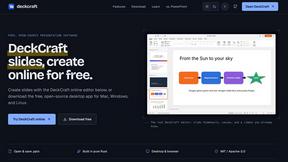
Free, open-source presentation editor for browser and desktop, with PowerPoint support, themes, layouts, charts, images, notes, and animations.
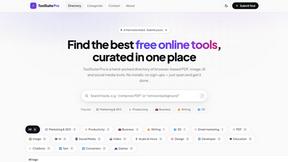
Discover the best free online tools with ToolSuite Pro. Explore AI, productivity, marketing, SEO, writing, business, and software tools in one place.
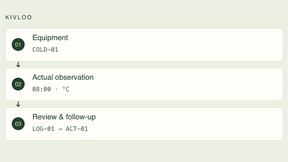
Workplace and food safety software for daily checks on phones, with photo evidence and inspection records across every site.
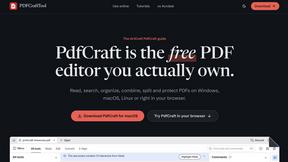
Free, open-source PDF editor for desktop and browsers. Organize, annotate, fill, sign, protect, and redact PDFs locally—no account or cloud uploads.
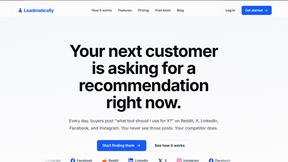

GigUp helps freelancers discover relevant Upwork jobs through AI matching, automated monitoring, and instant alerts.
Greatooly is a curated directory of small, useful apps — discover focused tools for art, learning, money, health, travel and everyday life.

AI-powered platform that evaluates the safety of LinkedIn automation tools and helps reduce the risk of account restrictions.
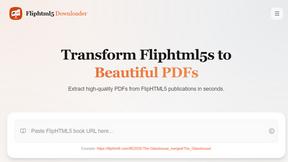
Convert any FlipHTML5 flipbook into a high-quality PDF online - free, open source, no signup.
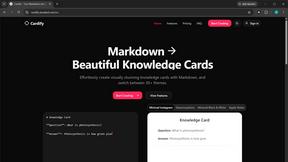
Paste Markdown, pick one of 30+ themes, export PNG/SVG/PDF. One long note becomes a whole card post in minutes, no layout work.
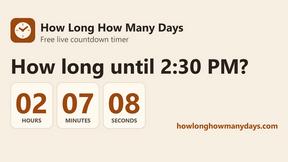
Timers and hourly checks to figure how out long until a certain time or how many days away.

A habit tracker your friends can see. Skip a day and you owe a friend a tiny fine: half a pizza, a coffee, €2. Money never goes through the app.

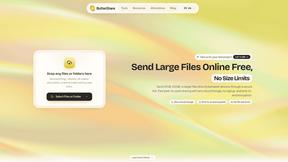
Realtime peer-to-peer file transfer in the browser. Send files directly between devices, no account and no upload to a server.

Free email tools for signatures, subject lines, HTML previews, word counts, and email headers. Browser-based, simple to use, and no signup required.

Clone any webpage pixel-perfect, export HTML/CSS/ZIP or React/Vue components.
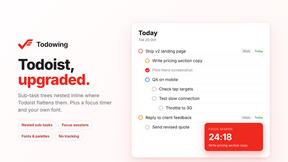
Chrome extension for Todoist that nests sub-tasks under their parents in Today, Upcoming, Filter and Label views.
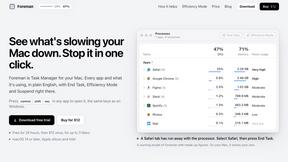
See every app and what it's using in plain English, and end or slow down the one that's hogging your Mac.
Beesift is a Chrome extension in the productivity and management category, engineered as an AI-powered agent for goal-aligned content extraction. It operates within the user's browser to filter information overload, delivering insights specifically relevant to predefined personal or professional objectives rather than generic summaries. Users may explore alternatives for various reasons, including specific budget constraints, a need for different platform support beyond Chrome, or a requirement for deeper integration with other knowledge management or note-taking tech stacks. Some may seek tools with broader AI model options or different data processing architectures. When evaluating an alternative, key technical considerations include the underlying AI model's capability for contextual understanding, the privacy and data processing stack, compatibility with your core browsing and research workflows, and the flexibility of the goal or prompt system. The ideal tool should integrate seamlessly into your existing environment while providing reliable, focused extraction.
Beesift is a Chrome extension that uses AI to extract goal-aligned insights from any webpage, acting as a real-time, goal-oriented content extraction and summarization engine.
It is engineered for ambitious individuals like developers, students, professionals, and founders who need to convert online data into structured, actionable knowledge without manual effort.
Its core features are goal-aligned AI extraction that filters for relevant insights and universal webpage compatibility across articles, docs, and forums.
Yes, Beesift is built with a privacy-first tech stack, processing data locally where possible and avoiding the storage of browsing history.