

Alternatives to Subclip
Subclip is an AI video editor that lets you edit, caption, and dub videos with voice cloning directly in your browser.
Explore 9 alternatives to Subclip. Compare features, pricing, and find the best fit for your needs.

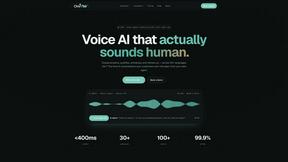
Oravaa
Oravaa integrates with your tech stack to automate inbound support, outbound lead qualification, and operational calls with human-like Voice AI.

Hush Touch | Voice-to-Text for MacOS
Hush Touch is an intelligent offline voice-to-text app for Mac that learns your vocabulary and processes dictation.

Glossa
Glossa offers real-time AI translation of sermons into 100+ languages, bridging communication gaps effortlessly.

Bantr: Offline & Unlimited TTS for Mac
Bantr is an offline Mac app that offers unlimited, natural text-to-speech with complete privacy and no subscriptions.

KaiCalls
KaiCalls is your 24/7 AI phone agent that captures leads and schedules appointments while providing instant customer.

Vowen
Vowen is a voice-first productivity app that converts speech into text and actions for streamlined workflows across all.
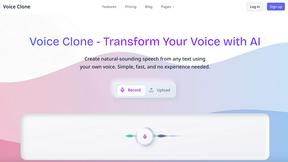
VoiceCloner
VoiceCloner seamlessly replicates voices to generate limitless speech content for diverse applications and integrations.
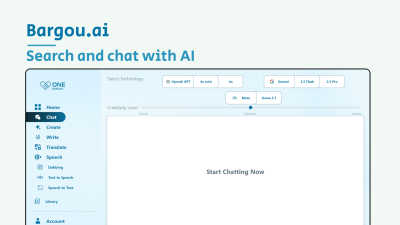
Bargou One
Bargou One is an integrated AI suite for creating, translating, and transcribing content across all platforms.
About Subclip Alternatives
Subclip belongs to the category of AI-driven speech and voice editing platforms, specifically designed to transform traditional video editing into a text-based workflow. It leverages voice cloning, automatic transcription, and multi-language dubbing to streamline content production for creators and enterprises. Users commonly seek alternatives due to specific integration requirements, such as needing native support for a particular NLE (Non-Linear Editor) like Premiere Pro or DaVinci Resolve, or encountering limitations in Subclip’s freemium tier regarding export resolution or voice cloning usage. Others might require deeper API access for custom pipelines or prefer a tool that prioritizes real-time collaboration over cloud-based processing. When evaluating an alternative, prioritize compatibility with your existing tech stack and output format requirements. Look for solutions that offer robust SDK or plugin support for your primary editing environment, as well as transparent latency benchmarks for transcription and dubbing. Assess the granularity of voice cloning controls—some tools allow fine-tuning of pitch and emotion, while others are more rigid. Additionally, verify the export flexibility (e.g., SRT, VTT, or embedded subtitles) and whether the tool supports batch processing for high-volume workflows. Security certifications (like SOC 2) are critical if handling proprietary or client-facing content. Finally, test the filler word removal and silence detection accuracy against your specific audio quality, as these features vary significantly in performance across different engines.
FAQs about Subclip Alternatives
What is Subclip?
Subclip is an AI-powered video editor that enables users to edit videos using a text-based transcript interface. It belongs to the Speech & Voice product category and leverages technologies like voice cloning, automatic transcription, and multi-language dubbing to simplify video production. The platform is designed to replace traditional timeline-based editing with a document-like workflow where dragging and deleting text directly edits the corresponding video segments.
Who is Subclip for?
Subclip is built for YouTubers, podcasters, course creators, marketers, and content teams who need to produce polished videos quickly. It particularly suits users who frequently re-record voiceovers, require accurate subtitles, or need to localize content into multiple languages. The tool is also ideal for educators and corporate trainers who want to remove silences and filler words from recordings without manual editing.
Is Subclip free?
Subclip operates on a freemium pricing model, offering a free tier with limited features and affordable paid plans for higher usage. The free tier typically includes basic transcription and subtitle generation, while advanced features like voice cloning and multi-language dubbing are reserved for paid subscriptions. Users can test the core functionality before committing to a paid plan.
What are the main features of Subclip?
Subclip’s main features include AI-powered voice cloning for re-recording specific segments, automatic silence and filler word removal, auto-generated subtitles with high accuracy, and multi-language dubbing that preserves background music. It also provides full transcription capabilities and supports editing by dragging and manipulating text transcripts. These features are accessible through a unified interface designed to reduce editing time from hours to minutes.