
LuxSign vs Print Chat
Side-by-side comparison to help you choose the right product.

LuxSign enables secure, legally binding electronic signatures for documents across the EU, all hosted in Luxembourg.
Last updated: February 27, 2026

Print Chat
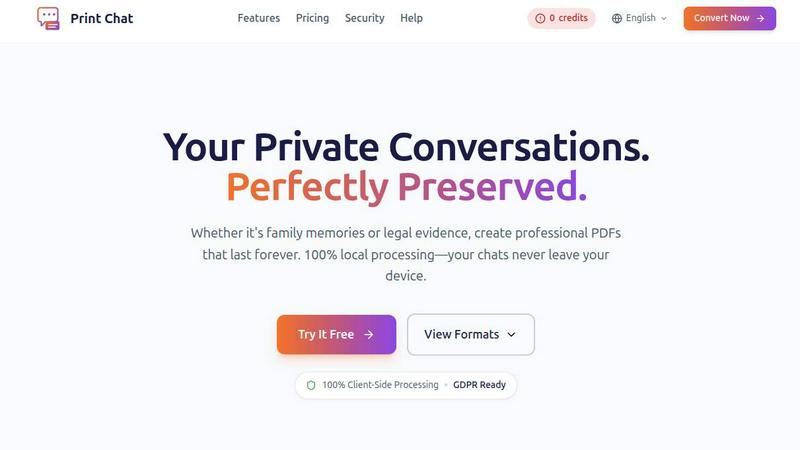
Convert your WhatsApp chats to professional PDFs offline, ensuring privacy and perfect preservation for any purpose.
Last updated: February 27, 2026
Visual Comparison
LuxSign

Print Chat
Feature Comparison
LuxSign
Multiple Signature Methods
LuxSign provides flexibility in how users can sign documents. You can draw your signature using a mouse, type your name, or upload an image of your signature. This versatility ensures that users can choose the method that suits them best, making the signing process quick and efficient.
Advanced Security
Security is paramount at LuxSign. The platform employs industry-standard encryption for documents during upload, storage, and transmission. This ensures that sensitive information remains protected at all times, and secure servers housed in Luxembourg guarantee compliance with EU data protection regulations.
Complete Audit Trail
LuxSign offers a comprehensive audit trail that logs every action taken on a document. This includes timestamps, IP addresses, and signer information, providing transparency and aiding in compliance verification. This feature is crucial for organizations that need to ensure accountability and traceability in their document signing processes.
Collaboration Workspaces
For teams needing to work together on documents, LuxSign includes collaboration workspaces. These shared environments allow team members to organize documents in folders, manage member access, and collaborate seamlessly on signing workflows. This feature enhances teamwork and streamlines the document management process.
Print Chat
100% Client-Side Processing
Print Chat operates entirely on your device, ensuring that your data remains private and secure. No uploads or third-party access mean that your conversations are never exposed to potential vulnerabilities or breaches.
Unlimited File Size
Unlike many competing tools that impose file size restrictions, Print Chat can handle files ranging from 100MB to 50GB. This means you can process extensive chat histories without the worry of freezing or crashing, making it ideal for long-term projects or legal cases.
Legal & Evidence Ready
The tool preserves exact timestamps and sender information, ensuring that the final PDF is formatted for court admissibility. This feature makes Print Chat a reliable option for legal professionals who must maintain the integrity of their evidence.
Voice & Video Embeds
Print Chat allows you to embed clickable links to voice messages and videos directly within your PDF documents. This feature not only maintains the context of conversations but also ensures that multimedia content is preserved and easily accessible for future reference.
Use Cases
LuxSign
Real Estate Transactions
Real estate professionals can use LuxSign to facilitate the signing of contracts and agreements efficiently. The ability to send documents to multiple signers ensures that transactions can be completed swiftly, reducing delays in closing deals.
Legal Contracts
Law firms can leverage LuxSign to manage their legal documentation, ensuring that all contracts are signed securely and in compliance with regulatory requirements. The complete audit trail helps maintain accountability and compliance for legal organizations.
Human Resources
HR departments can utilize LuxSign for onboarding paperwork, employment contracts, and policy acknowledgments. The platform's features enable quick document signing, which can streamline the hiring process and improve employee experience.
Financial Services
Financial institutions can use LuxSign to manage agreements and contracts with clients securely. The platform's compliance with eIDAS SES standards ensures that all electronic signatures are legally valid, facilitating smooth business transactions.
Print Chat
Legal Documentation
Lawyers can use Print Chat to convert WhatsApp conversations into professional PDFs for court submissions. The clean formatting and Bates stamping ensure that documents meet legal standards for admissibility.
Family Memories
Individuals can preserve cherished conversations with family members by converting them into beautifully formatted PDFs. This is especially useful for sentimental chats that need to be saved as a lasting memory.
Workplace Investigations
HR professionals can document conversations from group chats during workplace investigations. Print Chat's transcript layout with page numbers helps HR teams reference specific messages easily, streamlining the investigation process.
Academic Research
Researchers can compile chat data for studies, ensuring that conversations are documented accurately and are easily searchable. Print Chat's ability to handle large file sizes makes it an excellent choice for extensive research data.
Overview
About LuxSign
LuxSign is an advanced electronic signature platform designed specifically for businesses that prioritize security and compliance. Developed in Luxembourg, it offers a robust, cloud-based solution that ensures end-to-end encryption of all documents, with data storage strictly within the country's borders for full GDPR compliance. LuxSign is tailored for organizations that need to manage contracts and agreements efficiently while meeting regulatory standards across the European Union. By adhering to eIDAS SES standards, LuxSign guarantees the legal validity of signatures for contracts throughout the EU. The platform's user-friendly interface allows for seamless document management, making it ideal for professionals, small teams, and large enterprises alike. With features like parallel or sequential signing workflows, drag-and-drop functionality for signature placement, and automated notifications, LuxSign enhances productivity while maintaining the highest security measures.
About Print Chat
Print Chat is an innovative tool designed for professionals who need to convert chat conversations into legally compliant PDF documents without compromising data privacy. This tool is particularly beneficial for lawyers, legal professionals, and individuals who value confidentiality in their communications. With Print Chat, your client conversations are processed entirely within your browser using WebAssembly technology, ensuring that no data is sent to third-party servers. This approach adheres to strict attorney-client privilege standards, providing peace of mind while generating court-ready PDFs. Key features include Bates stamping for legal documents, redaction tools for sensitive information, and voice message integration that maintains context, making it an essential tool for anyone who needs to preserve their chat history in a professional format while keeping their data secure.
Frequently Asked Questions
LuxSign FAQ
Is LuxSign compliant with GDPR?
Yes, LuxSign is fully GDPR compliant. All documents are encrypted and stored in Luxembourg, adhering to local data protection laws to ensure your privacy.
Can I sign documents on mobile devices?
Absolutely! LuxSign is optimized for mobile and tablet use, allowing you to sign documents anytime and anywhere with a touch-friendly interface.
What file formats does LuxSign support?
LuxSign supports various file formats, including PDF, DOC, and DOCX. You can easily upload files up to 10MB and the system will handle automatic conversion as necessary.
What happens if I need more than four signers?
If you require more than four signers, LuxSign's Business plan offers collaboration workspaces and advanced features that can accommodate larger teams and complex signing workflows. You can contact sales for tailored solutions.
Print Chat FAQ
Is Print Chat compliant with GDPR?
Yes, Print Chat is fully GDPR compliant. Your data never leaves your device, and we do not store or upload your files, ensuring your privacy is protected.
Can I try Print Chat for free?
Absolutely! Print Chat offers a free trial so you can experience its features without any commitment. This allows you to assess its suitability for your needs.
What file formats does Print Chat support?
Print Chat primarily exports your chats into standard text-based PDFs. The output is searchable and can be printed in various formats, including A4 and Letter.
How does Print Chat handle large files?
Print Chat is designed to process files of any size efficiently, from 100MB to 50GB. Users can convert extensive chat histories without encountering freezing or performance issues.
Alternatives
LuxSign Alternatives
LuxSign is a highly secure electronic signature platform that operates from Luxembourg, specifically designed for businesses that prioritize compliance and data privacy. This platform adheres to eIDAS SES standards, ensuring that signatures are legally valid across all EU member states. Users often seek alternatives to LuxSign due to factors such as pricing structures, specific feature sets, platform integration capabilities, or unique business requirements that LuxSign may not fully address. When searching for an alternative to LuxSign, consider essential factors such as compliance with relevant regulations, the ease of integration with existing systems, and the overall user experience. Evaluate features that align with your organization's needs, such as signing workflow flexibility, document management capabilities, and support for collaboration. Selecting an electronic signature platform that meets both your technical requirements and budget constraints is crucial for optimal operational efficiency.
Print Chat Alternatives
Print Chat is an innovative tool designed for converting WhatsApp chats to PDF format efficiently and securely. It falls under the category of legal technology solutions, specifically tailored for professionals like lawyers who need to manage sensitive client communications. Users often seek alternatives due to various factors such as pricing, specific feature sets, platform compatibility, or a desire for enhanced privacy and security. When evaluating alternatives, it is essential to consider the level of data protection offered, ease of use, and whether the tool can operate entirely offline without compromising sensitive information.