
MultiMMR vs SERPView
Side-by-side comparison to help you choose the right product.

MultiMMR
MultiMMR integrates with Stripe to unify your SaaS revenue metrics in one real-time dashboard.

SERPView
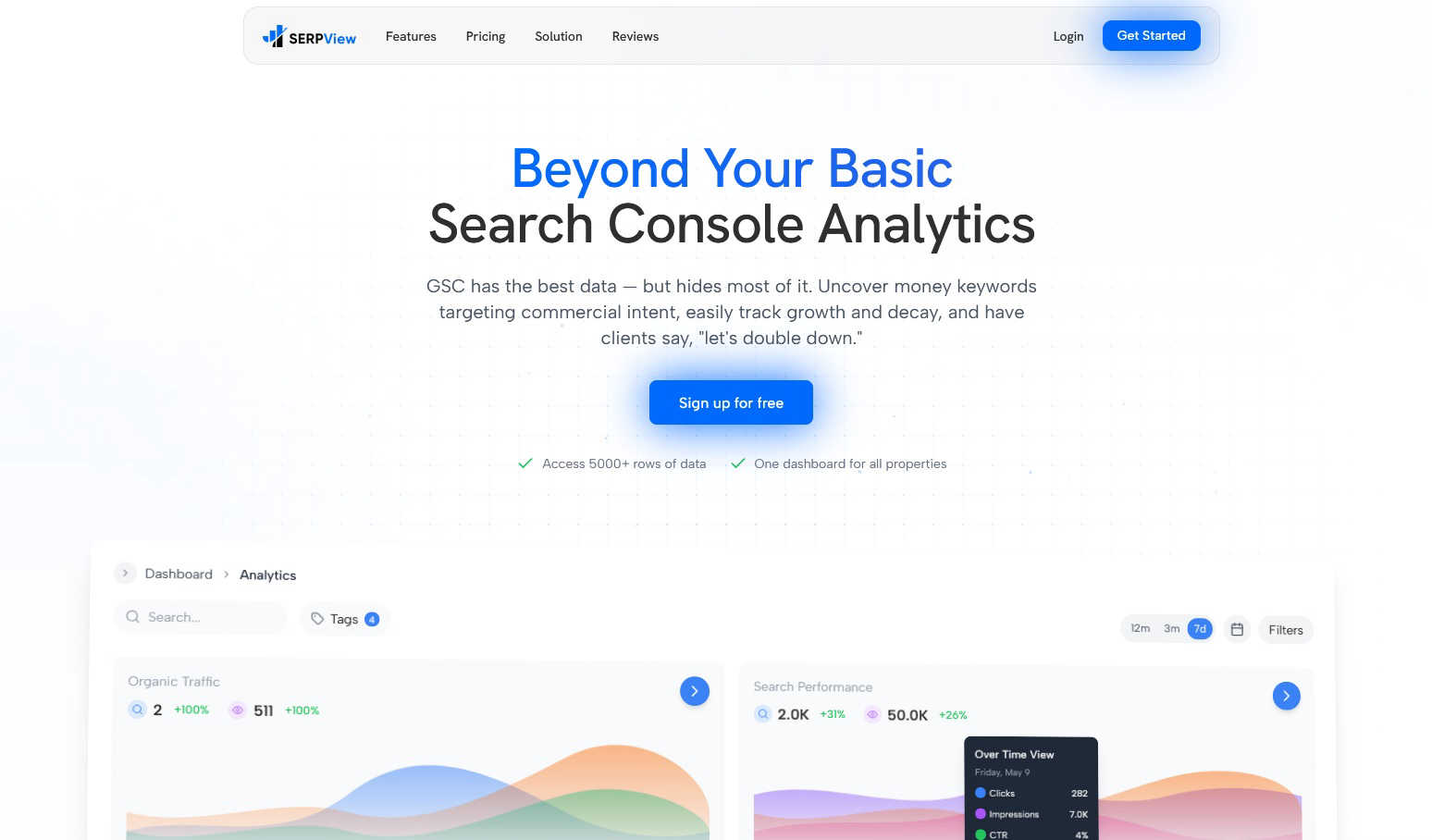
SERPView integrates with Google Search Console to unlock hidden SEO data and advanced analytics.
Last updated: March 1, 2026
Visual Comparison
MultiMMR

SERPView
Feature Comparison
MultiMMR
Unified Stripe Dashboard
MultiMMR connects directly to the Stripe API, allowing you to sync an unlimited number of Stripe accounts into one comprehensive dashboard. This eliminates the need to log into each account separately or manually compile data from spreadsheets. The platform aggregates all your Monthly Recurring Revenue (MRR), customer counts, and churn data, presenting it through a unified interface with real-time updates for immediate portfolio oversight.
Real-Time MRR Tracking & Analytics
The platform provides instant, real-time tracking of your most critical SaaS metrics. Beyond just displaying a number, it transforms raw Stripe data into beautiful, interactive charts and graphs. These visualizations break down MRR growth, churn trends, and customer lifetime value, offering actionable insights that help you understand the health and trajectory of each project in your portfolio at a glance.
Smart Alerts & Goal Tracking
MultiMMR proactively monitors your financial data through configurable smart alerts. You receive instant notifications via your preferred channels for critical events like MRR spikes, drops, or high-value customer cancellations. Furthermore, the Goal Tracking feature allows you to set specific MRR targets for your projects and visually track your progress with daily metrics and clear "on track" indicators, keeping your growth objectives front and center.
Secure Data Sync & Social Sharing
Built with a strong focus on data security, MultiMMR uses advanced encryption and secure API protocols to ensure your financial information is protected. Alongside robust security, it includes a practical tool for creating polished, visually appealing screenshots of your key metrics. This feature is designed for easy sharing of growth milestones and wins on social media platforms like X (Twitter), directly from your dashboard.
SERPView
Expanded Data Access & Performance Tracking
SERPView bypasses Google Search Console's most significant constraint by providing access to over 50,000 rows of search performance data, compared to the standard 1,000-row limit. This feature ensures comprehensive tracking of clicks, impressions, CTR, and average position over time without data sampling or truncation. It allows for complete historical analysis and trend identification, offering a full-funnel view of SEO performance that is critical for accurate reporting and strategic planning.
Advanced Keyword & Page Analysis
This feature enables granular investigation into keyword and page-level performance. Users can uncover high-intent, commercial keywords, track precise ranking movements over time, and identify new opportunities. Concurrently, page analysis highlights top-performing content and pinpoints underperforming pages that require optimization. The system correlates keyword data with specific URLs, providing a clear roadmap for content enhancement and targeted SEO efforts.
Cross-Device & International SEO Insights
SERPView provides segmented analytics to compare search performance across device types (mobile vs. desktop) and geographical locations. This allows SEOs to identify device-specific optimization opportunities and tailor strategies for different user behaviors. For global businesses, the international insights feature tracks performance by country and language, enabling data-backed decisions for region-specific SEO and content localization strategies.
Topic Cluster Tracking & Query Counting
Moving beyond single-page analysis, this feature aggregates performance data around thematic topic clusters, giving a holistic view of content strategy effectiveness across entire subject areas. The complementary Query Counting tool analyzes how many unique search queries generate impressions, broken down by ranking position ranges (e.g., 1-3, 4-10). This reveals visibility breadth and helps prioritize ranking improvement efforts for queries on the cusp of higher positions.
Use Cases
MultiMMR
SaaS Portfolio Management for Indie Hackers
Indie hackers and solopreneurs running multiple micro-SaaS products or apps can use MultiMMR to manage their entire revenue stream from one location. Instead of wasting time compiling reports from different Stripe accounts, they get an instant, unified view of total MRR, identify which project is performing best, and make quick, informed decisions about where to focus development efforts for maximum growth.
Agency and Studio Financial Oversight
Digital agencies or development studios that build and maintain SaaS applications for clients can utilize MultiMMR to monitor the financial health of all projects under their management. The platform provides a professional dashboard to track MRR, churn, and growth across all client accounts, simplifying monthly reporting and enabling data-driven conversations about product performance and strategy.
Investor and Advisor Reporting
Angel investors or advisors with stakes in multiple early-stage SaaS companies need clear, consolidated financial reporting. MultiMMR allows them to connect to the Stripe accounts of their portfolio companies (with permission) to get a real-time, aggregated view of combined MRR and trends without requiring each company to manually send reports, saving time and providing transparent, up-to-date insights.
Streamlining Founder Operations
SaaS founders tired of the manual overhead can integrate MultiMMR to automate their financial reporting workflow. By setting up smart alerts for revenue anomalies and using the goal-tracking feature, founders can focus on product development and customer acquisition while the platform monitors financial KPIs and provides actionable alerts, effectively acting as a financial co-pilot.
SERPView
Agency SEO Reporting and Client Management
SEO agencies managing multiple client accounts utilize SERPView to unify all GSC properties into a single dashboard. This eliminates the need to switch between dozens of GSC accounts, streamlining monthly reporting, performance reviews, and opportunity identification. The expanded data access ensures agencies can deliver deep, insightful analysis to clients, justifying strategy and demonstrating clear ROI from SEO activities.
In-House Technical SEO Deep Dive
Technical SEO specialists and webmasters use SERPView to conduct thorough diagnostic analyses. The ability to access 50,000+ rows of data is crucial for identifying crawl budget issues, pinpointing pages with thin content, and understanding the full scope of keyword rankings after a site migration or major technical update. The detailed positional data and query analysis inform precise technical optimizations.
Content Strategy Development and Optimization
Content managers and strategists leverage the Topic Cluster and Page Analysis features to audit existing content performance at scale. They can identify which topics drive the most valuable traffic, spot content gaps within clusters, and prioritize updating underperforming pages that have ranking potential. This data-driven approach ensures content development aligns directly with search demand and commercial intent.
E-commerce and Global SEO Strategy
E-commerce sites and businesses with international audiences use SERPView's device and country analysis to optimize user experience and market-specific strategies. They can determine if mobile usability issues are hurting conversions in key markets or identify which countries have untapped search demand for their product categories, guiding both on-site SEO and broader digital marketing investments.
Overview
About MultiMMR
MultiMMR is a specialized, API-first analytics platform engineered for SaaS founders, indie hackers, and portfolio managers who operate multiple revenue-generating projects. The core problem it solves is the chaotic fragmentation of financial data across numerous Stripe accounts and manual spreadsheets. By leveraging direct Stripe API integrations, MultiMMR consolidates all your subscription metrics into a single, centralized dashboard. This provides a unified, real-time financial view of your entire SaaS portfolio. The platform's value proposition is delivering enterprise-grade analytics, including beautiful, actionable charts for MRR and other key metrics, without the complexity or cost of enterprise software. It is built for the modern tech stack, focusing on seamless integration, real-time data syncing, and secure, automated reporting. This allows users to replace a cumbersome workflow of toggling between tools with a streamlined process, enabling data-driven decisions to scale their businesses efficiently.
About SERPView
SERPView is a sophisticated, API-driven analytics platform engineered to overcome the inherent limitations of Google Search Console (GSC). Designed for SEO professionals, digital marketers, and technical SEOs, it serves as a powerful augmentation layer for GSC data. The platform directly integrates with the Google Search Console API to ingest raw search performance data, but then processes, enriches, and visualizes it far beyond GSC's native interface. Its core value proposition lies in unlocking the full depth of your search data, providing access to over 50,000 rows of data compared to GSC's restrictive 1,000-row limit. This allows for deep-dive analysis into keyword trends, page performance, and topic clusters that are otherwise inaccessible. SERPView consolidates multiple GSC properties and accounts into a single, unified dashboard, streamlining workflow and enabling holistic strategy management. Built for the modern tech stack, it empowers users to move from basic reporting to actionable intelligence, identifying commercial keyword opportunities, tracking performance across devices and countries, and correlating ranking changes with Google's algorithm updates. For teams serious about data-driven SEO, SERPView transforms fragmented GSC data into a centralized, insightful command center.
Frequently Asked Questions
MultiMMR FAQ
How does MultiMMR connect to my Stripe accounts?
MultiMMR uses Stripe's secure OAuth protocol for integration. You simply grant permission for MultiMMR to access your Stripe account data in a read-only capacity. This ensures MultiMMR can retrieve your transaction and subscription metrics without having the ability to make changes or initiate charges. The connection is encrypted and established directly between Stripe and our platform.
Is my financial data secure with MultiMMR?
Yes, security is a foundational priority. All data synced from Stripe is transmitted over encrypted connections (HTTPS/TLS). We employ strong encryption standards for data at rest and adhere to strict access controls. Our integration with Stripe is read-only, and we never store your full Stripe API keys. We are built on a modern, secure tech stack designed to protect your sensitive information.
Can I track goals for individual projects?
Absolutely. MultiMMR's Goal Tracking feature allows you to set specific MRR targets for each connected Stripe account (project) individually. You can define the goal amount and target date. The dashboard will then display your current progress, a daily growth rate needed to stay on track, and a clear visual indicator showing whether you are ahead, on, or behind your target trajectory.
What is included in the free trial?
The 7-day free trial provides full access to all features of the chosen plan. This includes connecting unlimited Stripe accounts, real-time MRR tracking and analytics, smart alerts, goal tracking, and priority support. There is no feature limitation during the trial period, allowing you to fully evaluate how MultiMMR integrates into and improves your SaaS portfolio management workflow.
SERPView FAQ
How does SERPView connect to my Google Search Console data?
SERPView connects securely via the official Google Search Console API using OAuth 2.0 authentication. This is the same secure protocol used by many third-party SEO tools. You grant SERPView read-only access to your GSC data, allowing the platform to fetch, process, and display your search analytics without ever storing your Google account credentials.
What is the difference between the 1,000-row limit in GSC and SERPView's 50,000+ rows?
Google Search Console's interface limits data exports and table views to a maximum of 1,000 rows, which can obscure long-tail keywords and detailed historical trends. SERPView uses the API to request and compile much larger datasets, allowing it to present up to 50,000 rows of performance data in its reports. This provides a more complete and accurate picture of your search presence.
Can I track multiple websites and properties in one dashboard?
Yes, a core functionality of SERPView is the consolidation of multiple Google Search Console properties. You can connect numerous websites (both domain and URL-prefix properties) from different Google accounts into a single SERPView dashboard. This creates a unified reporting and analytics environment, ideal for agencies or businesses with multiple brands or regional sites.
Does SERPView store my historical GSC data?
Yes, once you connect your GSC property, SERPView begins storing historical data from that point forward. This allows for long-term trend analysis, performance comparisons over different periods, and the ability to track the impact of Google algorithm updates or your own site changes over time, which is limited in the standard GSC interface.