
Pipeline vs Playwriter
Side-by-side comparison to help you choose the right product.

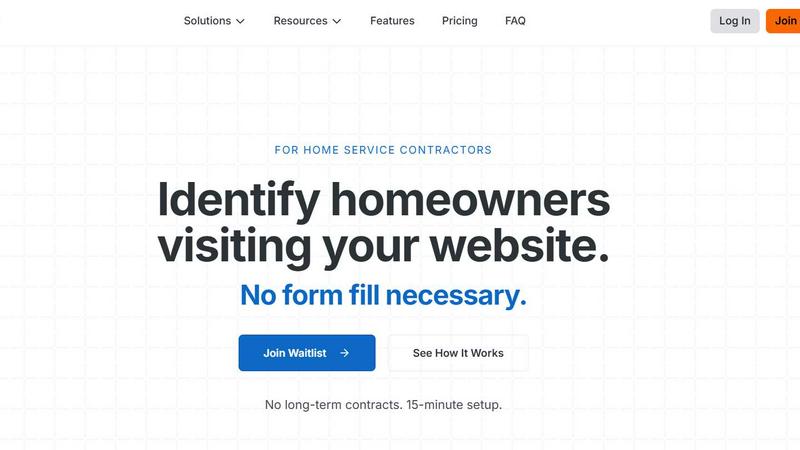
Pipeline captures anonymous website visitors' details to transform your traffic into qualified leads effortlessly.
Last updated: February 27, 2026

Visual Comparison
Pipeline
Playwriter

Overview
About Pipeline
Pipeline is a cutting-edge tool designed to identify anonymous traffic on your website, specifically tailored for home service companies. By leveraging advanced technology, Pipeline captures the names, addresses, and emails of homeowners visiting your site, even if they do not fill out a form. This capability allows businesses to significantly increase their lead generation efforts, filling their sales pipeline with qualified leads. On average, Pipeline can identify 40% of website visitors, compared to the industry standard conversion rate of just 4%. This means that companies can potentially 10x the number of leads flowing into their pipeline. With seamless integration into existing CRM systems, Pipeline automates follow-up processes through emails, calls, text messages, postcards, and even door knocking, ensuring that no potential customer slips through the cracks. Whether you are in HVAC, plumbing, roofing, or any other home service sector, Pipeline enhances your marketing efforts by transforming anonymous traffic into actionable leads.
About Playwriter
AI agents cannot browse the web properly. They either have no browser access, or they get a fresh Chrome with no logins, no extensions, and instant bot detection. Playwriter gives them your actual browser session instead. One Chrome extension, full automation API, everything you are already logged into. Includes accessibility snapshots (5-20KB instead of 100KB+ screenshots), a debugger with breakpoints, live code editing, network interception, and video recording. Works with any MCP client: Cursor, Claude, VS Code, and more. Open source, MIT licensed.