
RocketShare vs SupaSidebar
Side-by-side comparison to help you choose the right product.

RocketShare
RocketShare enables secure file sharing with zero-knowledge encryption, ensuring privacy even from our team.
Last updated: March 4, 2026

SupaSidebar
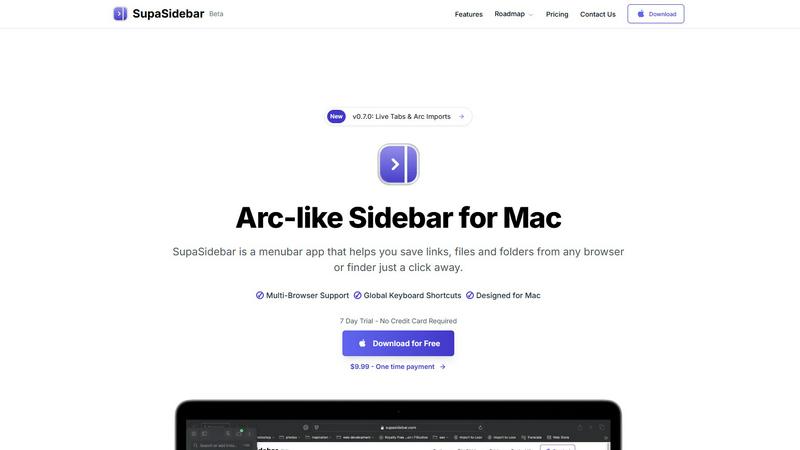
SupaSidebar is a Mac menubar app that streamlines saving and accessing links, files, and folders effortlessly.
Last updated: February 28, 2026
Visual Comparison
RocketShare

SupaSidebar
Feature Comparison
RocketShare
Zero-Knowledge Encryption
RocketShare employs a zero-knowledge encryption model, meaning that files are encrypted on your device before they are ever transmitted. This ensures that only the sender and recipient can decrypt and access the files, maintaining the utmost level of privacy.
Cloud and Local Sharing Options
Users can choose between cloud-based sharing and local peer-to-peer transfers, offering flexibility based on their needs. Whether you prefer to store your files remotely or share directly with another device, RocketShare adapts to your workflow seamlessly.
Secure Data Storage in the EU
All files shared through RocketShare are stored securely in the European Union, complying with stringent data protection regulations. This ensures that your sensitive information is safeguarded under some of the most rigorous privacy laws in the world.
Intuitive User Interface
RocketShare features an easy-to-use interface that allows users to upload and share files effortlessly. With a simple drag-and-drop functionality and a streamlined process for generating share links, users can send files quickly without technical hurdles.
SupaSidebar
Integrated Browser Compatibility
SupaSidebar works with all major browsers, including Safari, Chrome, Firefox, Brave, and Arc. This cross-browser functionality ensures that no matter where you are saving or accessing your resources, they remain at your fingertips, enhancing your productivity without the need for multiple extensions or applications.
Global Keyboard Shortcuts
Designed with efficiency in mind, SupaSidebar offers intuitive global keyboard shortcuts such as ⌘ + ⌃ + S for saving items and ⌘ + ⌃ + C for copying URLs. These shortcuts allow users to perform actions quickly, minimizing the time spent navigating and maximizing focus on actual tasks.
Recent Sites Tracking
SupaSidebar automatically tracks every website you've accessed within the last 48 hours. This feature allows users to find their work instantly without having to remember URLs or sift through browser history, streamlining the research process and enhancing productivity.
Pinned Items for Quick Access
The ability to pin favorite links, files, and folders at the top of your sidebar ensures that your most important resources are readily accessible. This feature reduces the friction of searching through long lists, enabling faster access to frequently used items and keeping your workflow uninterrupted.
Use Cases
RocketShare
Legal Document Sharing
Law firms can utilize RocketShare to send confidential case files and sensitive client information securely. The zero-knowledge encryption ensures that legal documents remain private, protecting client confidentiality.
Creative Collaboration
Photographers and videographers can share high-resolution image galleries or video projects without worrying about unauthorized access. RocketShare allows for easy collaboration while keeping intellectual property secure.
Healthcare Data Exchange
Healthcare providers can share patient records and sensitive medical data with other professionals securely. RocketShare complies with privacy regulations, ensuring that patient confidentiality is maintained.
Marketing Campaign Coordination
Marketing agencies can use RocketShare to share creative assets, campaign materials, and confidential strategy documents with clients and team members. The platform's security features guarantee that sensitive information is kept private.
SupaSidebar
For Researchers
Researchers can benefit significantly from SupaSidebar by easily saving and organizing a plethora of links, documents, and articles. The quick access to recent sites and pinned favorites allows them to streamline their research process, making it faster to compile resources and citations.
For Content Creators
Content creators can utilize SupaSidebar to manage multiple projects simultaneously. By using the sidebar to organize links to inspiration, articles, and media assets, they can enhance their creative workflow and focus on producing quality content without losing track of essential resources.
For Multitaskers
For users who juggle various tasks, SupaSidebar provides a centralized location for quick access to apps, websites, and files. The fast search functionality ensures that they can find what they need in seconds, making it an indispensable tool for anyone with a busy schedule.
For Students
Students can leverage SupaSidebar to keep all their study materials organized. By saving lecture notes, research papers, and important links in one accessible sidebar, they can easily navigate their academic resources, leading to improved efficiency and better study habits.
Overview
About RocketShare
RocketShare is a cutting-edge file-sharing platform designed with an unwavering commitment to privacy and security. It empowers individuals and organizations to send files of any size with absolute confidence that the contents remain inaccessible to unauthorized parties, including RocketShare itself. Utilizing a zero-knowledge encryption model, RocketShare encrypts files directly on the user's device before they are uploaded, ensuring that only the sender and intended recipient can access the content. The encryption keys are securely stored, often embedded in the share link, meaning that servers only handle encrypted data. This architecture offers enterprise-grade security without sacrificing user experience. Ideal for professionals such as lawyers, healthcare providers, photographers, and marketing agencies, RocketShare protects sensitive intellectual property and private information. With flexible options for cloud-based sharing and local peer-to-peer transfers, all data is stored securely within the EU, making RocketShare the go-to solution for anyone prioritizing simplicity alongside robust security.
About SupaSidebar
SupaSidebar is an innovative menubar application designed exclusively for Mac users, revolutionizing how you manage and access your digital resources. This beautifully crafted sidebar enhances productivity by allowing you to save, organize, and retrieve links, files, and folders with unparalleled ease. Drawing inspiration from the user-centric design principles of the Arc browser, SupaSidebar integrates seamlessly with all major browsers, including Safari, Chrome, Firefox, Brave, and Arc itself. Whether you're a researcher, a creator, or a multitasker, SupaSidebar is tailored to meet your needs by keeping your most important resources at your fingertips. Its intuitive keyboard shortcuts streamline your workflow, enabling you to save or copy URLs effortlessly, thus minimizing distractions from navigating through multiple tabs or applications. With features like real-time tab visibility and automatic tracking of recently accessed sites, SupaSidebar transforms your digital workspace into a more efficient and organized environment.
Frequently Asked Questions
RocketShare FAQ
Is RocketShare really secure?
Yes, RocketShare uses zero-knowledge encryption, ensuring that files are encrypted on your device before they are uploaded. This means that even RocketShare cannot access your files.
Can I share large files with RocketShare?
Absolutely! RocketShare allows users to send files of any size, making it ideal for sharing large documents, high-resolution images, and video files without limitations.
Where is my data stored?
All files shared via RocketShare are stored securely within the European Union, adhering to strict data protection regulations to ensure your information's safety.
Do I need a credit card to use RocketShare?
No credit card is required to start using RocketShare. You can begin sharing files securely without any upfront payment, allowing you to experience the platform's features risk-free.
SupaSidebar FAQ
Is SupaSidebar a browser extension?
No, SupaSidebar is a menubar application designed for Mac that works independently from browser extensions. It integrates with multiple browsers for seamless access to your resources.
Which browsers does SupaSidebar work with?
SupaSidebar supports all major browsers including Safari, Chrome, Firefox, Brave, and Arc, allowing users to save and access their resources across different platforms effortlessly.
What macOS version do I need?
SupaSidebar requires macOS 13 or later to ensure optimal performance and access to the latest features and updates.
Where is my data stored?
Your data is stored locally on your Mac, ensuring that nothing leaves your device. SupaSidebar prioritizes user privacy and data security, meaning you can trust that your information remains confidential.
Alternatives
RocketShare Alternatives
RocketShare is a secure file-sharing platform that prioritizes user privacy through its zero-knowledge encryption model. This allows individuals and businesses to send files of any size without the risk of unauthorized access, even from RocketShare itself. Given the growing concerns about data security and privacy, users often seek alternatives for various reasons, such as pricing, specific feature sets, or compatibility with different platforms and workflows. When choosing an alternative to RocketShare, it’s essential to consider several factors including the level of encryption offered, ease of use, integration capabilities with existing tools, and the overall user experience. Additionally, evaluating customer support and the platform’s compliance with data protection regulations can help ensure that your file-sharing needs are met securely and efficiently.
SupaSidebar Alternatives
SupaSidebar is a versatile menubar app designed for Mac users, falling under the productivity and management category. It streamlines the process of saving and accessing links, files, and folders across multiple browsers, thereby enhancing user efficiency. As users engage with various digital tasks, they often seek alternatives to SupaSidebar for reasons such as pricing considerations, the need for additional features, or compatibility with different platforms. When searching for an alternative, users should prioritize features that align with their workflow preferences, ensuring that the app simplifies their browsing experience rather than complicates it. Additionally, compatibility with various browsers and a user-friendly interface are essential factors, as they directly impact productivity and overall satisfaction.