
JobHustler vs TinyFast
Side-by-side comparison to help you choose the right product.

JobHustler
Effortlessly create tailored resumes and cover letters with AI, optimized for every job application in seconds.
Last updated: March 4, 2026

TinyFast
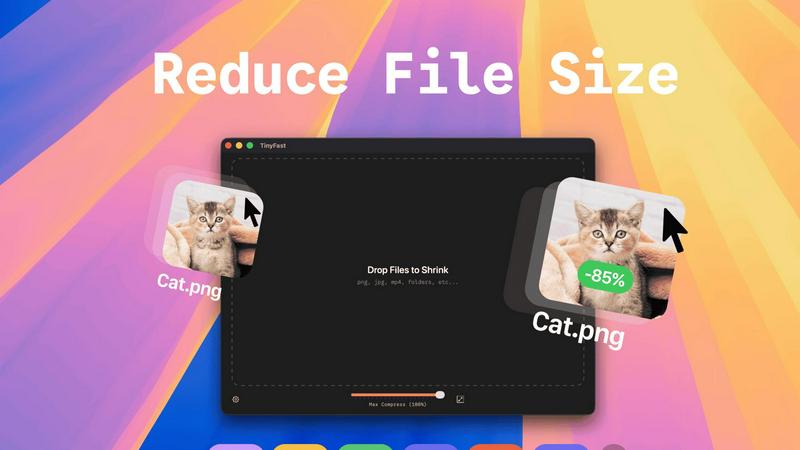
Effortlessly compress images, videos, and PDFs on your Mac with TinyFast's secure drag-and-drop functionality.
Last updated: February 28, 2026
Visual Comparison
JobHustler

TinyFast
Feature Comparison
JobHustler
AI-Powered Tailoring
JobHustler utilizes advanced AI algorithms to analyze job descriptions and tailor resumes and cover letters specifically for each application. This ensures that your documents highlight the skills and experiences that are most relevant to potential employers, increasing your chances of getting noticed.
ATS-Friendly Formatting
Understanding that many companies use Applicant Tracking Systems (ATS) to filter candidates, JobHustler optimizes the formatting of your resumes and cover letters. This feature ensures that your documents are not only visually appealing but also compatible with ATS, helping you to pass the initial screening processes.
Custom Cover Letters
In addition to resumes, JobHustler generates customized cover letters that reflect the tone and requirements of the target company and position. This personalized approach enhances your application, providing a professional structure and tone that is ready to submit, making an impactful first impression.
Free Usage Model
JobHustler incorporates a user-friendly model that allows for free usage of its services, recharging over time. This encourages users to experiment with different formats and styles, ensuring they can refine and perfect their job application documents without a financial commitment.
TinyFast
Batch & Drag-Drop Shrink
TinyFast enables users to compress entire folders in one go, significantly enhancing productivity. By simply dragging and dropping a folder, users can achieve optimized outputs within seconds, making it an efficient choice for bulk file processing.
Blazing-Fast Compression
Harnessing optimized native engines built for speed, TinyFast allows users to shrink large files in seconds. Unlike online compression tools that require uploads and downloads, TinyFast eliminates waiting times, providing instant results for a smoother workflow.
Resize Resolution
For users who need to manage file sizes without sacrificing quality, TinyFast offers an automatic resizing feature for images and videos. This functionality allows users to set desired resolutions, ensuring that files are optimized for both size and visual clarity.
100% Local & Private
Privacy is a cornerstone of TinyFast's design. The application guarantees that files never leave the user's machine, as it requires no uploads to cloud servers. This local processing ensures total confidentiality, making it an essential tool for those with sensitive information.
Use Cases
JobHustler
Job Seekers
JobHustler is perfect for job seekers at any stage of their career. Whether you are just starting out, changing industries, or looking for advancement, this tool helps you create tailored documents that resonate with hiring managers.
Career Changers
For those looking to pivot into a different industry, JobHustler assists by generating resumes and cover letters that highlight transferable skills and experiences, making it easier to present yourself as a qualified candidate in a new field.
Recent Graduates
Recent graduates can benefit immensely from JobHustler's easy-to-use platform. By inputting job descriptions relevant to their degree, they can create professional documents that effectively showcase their education and internships, making them competitive in the job market.
Professionals Re-entering the Workforce
Individuals re-entering the workforce after a break can utilize JobHustler to refresh their resumes and cover letters. The tool helps to emphasize relevant experience and skills, allowing these professionals to confidently present themselves to potential employers.
TinyFast
Efficient File Management for Designers
Graphic designers often work with high-resolution images that can take up significant storage space. TinyFast allows them to compress files efficiently, maintaining quality while freeing up storage for additional projects.
Video Optimization for Content Creators
Content creators frequently deal with large video files that require compression for faster uploads to platforms like YouTube. TinyFast allows for quick video optimization, enabling creators to streamline their publishing process without sacrificing video quality.
Document Handling for Developers
Developers often need to manage large documentation files, which can hinder collaboration and storage management. TinyFast can compress PDF and DOCX files quickly, making it easier to share documentation without overwhelming email systems or cloud storage.
Audio File Compression for Musicians
Musicians and podcasters who work with large audio files can benefit from TinyFast's capabilities. By compressing MP3 files, they can manage their libraries more effectively and ensure faster sharing of content across platforms.
Overview
About JobHustler
JobHustler is an innovative AI-powered resume and cover letter generator designed to streamline the job application process for job seekers. It allows users to create professional, ATS-friendly documents in just minutes by simply pasting a job description. This tool is ideal for anyone looking to enhance their job application materials, whether you're a recent graduate, a seasoned professional, or someone re-entering the workforce. JobHustler's main value proposition lies in its ability to tailor resumes and cover letters specifically to the roles you're applying for, ensuring alignment with employer expectations. With JobHustler, users benefit from role-specific bullet point generation, optimized formatting for Applicant Tracking Systems, and refined language that enhances clarity and impact. Additionally, it offers customized cover letters tailored to individual companies and positions, all without requiring account setup. Users can generate free documents over time, allowing for continuous testing and refinement. With JobHustler, creating professional resumes and cover letters has never been faster, clearer, or more effective.
About TinyFast
TinyFast is an innovative macOS application specifically designed for the fast and secure compression of various file types. Whether you're dealing with images, videos, or documents, TinyFast provides a seamless solution that prioritizes both speed and privacy. With its intuitive drag-and-drop interface, users can effortlessly compress file formats such as PNG, JPEG, MP4, MOV, PDF, SVG, WebP, MP3, and GIF without the need for uploads to cloud services. This makes TinyFast an ideal choice for developers, designers, and creators who handle sensitive data and require confidentiality in their workflows. Operating entirely offline, TinyFast ensures that your files remain secure on your device, allowing you to save valuable time and storage space without compromising data integrity. With an emphasis on performance, TinyFast is a must-have tool for anyone looking to optimize their file management processes quickly and securely.
Frequently Asked Questions
JobHustler FAQ
How does JobHustler generate tailored documents?
JobHustler uses AI algorithms to analyze job descriptions and create customized resumes and cover letters that match the requirements and expectations of employers, ensuring that your application stands out.
Is there a need to create an account to use JobHustler?
No, JobHustler does not require any account setup. Users can immediately start generating resumes and cover letters, making the process quick and convenient.
Can I edit the documents generated by JobHustler?
Yes, once JobHustler generates your resume or cover letter, you can easily edit the content to add personal touches or additional details, ensuring that the final product reflects your unique style and qualifications.
What if I encounter issues while using JobHustler?
If you experience any problems or have questions, you can contact the support team at [email protected]. They are available to assist you with any inquiries or technical difficulties you might encounter.
TinyFast FAQ
Is TinyFast safe to use?
Yes, TinyFast is designed with privacy in mind. It operates entirely offline, ensuring that your files never leave your device, providing a secure solution for file compression.
What file types does TinyFast support?
TinyFast supports a wide range of file types, including images (PNG, JPEG, GIF), videos (MP4, MOV), documents (PDF, DOCX), code files (JS, CSS, JSON), and audio files (MP3).
Can I compress multiple files at once?
Absolutely! TinyFast has a batch processing feature that allows you to drag and drop entire folders for compression, optimizing multiple files in seconds.
Is there a free version of TinyFast?
Yes, TinyFast offers a free version that allows users to compress up to 5 files per day while accessing all features, making it a great option for light users.
Alternatives
JobHustler Alternatives
JobHustler is an AI-powered job document generator that specializes in creating tailored resumes and cover letters quickly and efficiently. Positioned within the productivity and management category, it caters to job seekers who need professionally crafted application materials that align with specific job descriptions. Users often seek alternatives to JobHustler for various reasons such as pricing structures, feature sets, platform compatibility, or personal preferences in user experience and design. When considering alternatives, it's essential to evaluate the specific needs regarding customization, ease of use, and document optimization. Look for platforms that offer similar capabilities, such as ATS-friendly documents and tailored content, while also assessing the overall cost and accessibility of features without extensive account requirements. A clear understanding of these factors will guide users to find a suitable option that meets their job application needs.
TinyFast Alternatives
TinyFast is a cutting-edge macOS application designed for the swift and secure compression of various file types, including images, videos, and documents. As part of the tech tools category, it caters to developers, designers, and creators who prioritize privacy and efficiency in their workflows. Users often seek alternatives to TinyFast for reasons such as pricing, specific feature requirements, or compatibility with different operating systems. When choosing an alternative, it’s essential to consider factors such as the range of file types supported, compression speed, user interface design, and the level of security offered. Additionally, reviewing whether the solution operates offline or requires internet connectivity can significantly impact your decision based on your privacy concerns and workflow needs.