

Alternatives to Anime Maker
Anime Maker turns text prompts into 1024x1024 anime images, photo-based illustrations, and 6-30 second videos using AI generation.
Explore 20 alternatives to Anime Maker. Compare features, pricing, and find the best fit for your needs.
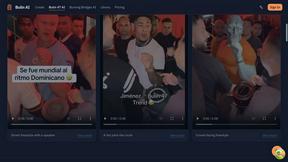
Bulin AI
Upload one portrait. Bulin AI puts you in the official Bulin 47 freestyle. The source video guides the moves and camera. No prompt.
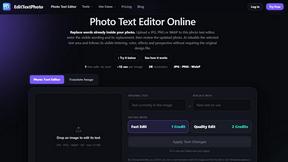
EditTextPhoto
AI-powered image text editor to edit, replace, fix, or translate text in images while preserving the original font, color, size, and style.
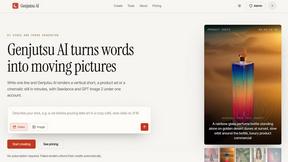
Genjutsu AI
Create cinematic AI videos, product ads, social shorts, and images from a prompt in minutes.
AI Album Cover Maker
Create release-ready album covers from a prompt or photo. Generate, refine, and export art for singles, EPs, mixtapes, and playlists.
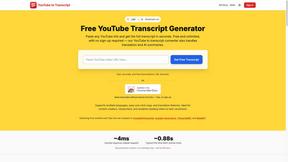
GetYouTubeTranscript
Free YouTube transcripts on the web, a Chrome extension, and an API + MCP server so AI assistants can read YouTube.
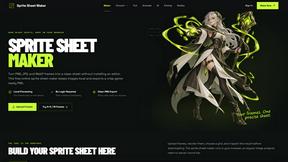
Sprite Sheet Maker
A free browser-based toolkit for creating, cutting, converting, and previewing sprite sheet animations.
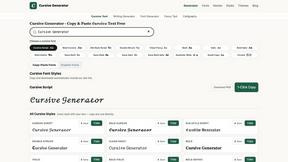
Cursive Text Generator
Cursive Text Generator is a free browser-based tool that converts regular text into beautiful cursive and stylish Unicode fonts. Users can instantly p

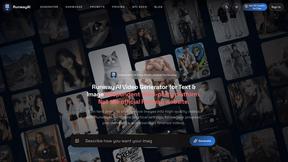
RunwayAI
Create videos from prompts and images with RunwayAI, featuring output controls, task tracking, previews, downloads, and API resources.
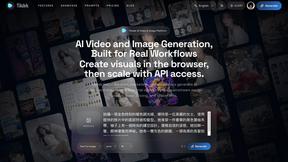
SdanceAI
SdanceAI is an AI video generator and editor for creating polished Seedance videos from text or images with synchronized audio and flexible creative c
WatermarkPilot
Private browser-based watermark tools for photos and PDFs, with eleven free workflows and local media processing.
TryKlingAI
Independent Kling AI video generator for Kling 3.0, Motion Control, Lip Sync, and API workflows.
Qwen Image Edit
Prompt-based image editing and generation for backgrounds, objects, text, products, posters, outpainting, styles, and Qwen Image workflows.
Seedream 5.0
Generate and edit production-ready images with Seedream 5.0 Pro and Lite for ecommerce, marketing, social media, infographics, and branded content.
Pixo
Pixo is an AI video director that turns a prompt or script into a storyboard, consistent scenes, voiceover, and an edited final cut.

Presentation Intelligence
AI-native presentation and visual content platform that turns prompts, documents, images, videos, and data into polished, shareable decks.


Lockimate - AI Live Wallpapers
Turn any photo into a real Apple Live Photo that animates when you wake your iPhone. Restyle it and choose the motion - customizable.
About Anime Maker Alternatives
Anime Maker operates within the content creation and design tools ecosystem, functioning as a specialized AI-driven platform for generating anime-style visuals, characters, logos, filters, and image-to-video concepts from text prompts and photos. As a browser-based workflow tool, it targets a specific niche within the broader image generation and video category, offering multiple generation modes for artists, game developers, and marketers. Users commonly seek alternatives to Anime Maker due to varying requirements around pricing models, such as subscription tiers or credit systems, as well as the need for different platform integrations, API access for custom pipelines, or support for specific export formats that may not align with their existing tech stack. Additionally, creators may require features like higher resolution outputs, batch processing capabilities, or compatibility with other design software and animation pipelines that a dedicated alternative might better accommodate. When evaluating alternatives to Anime Maker, your selection criteria should prioritize integration compatibility with your existing workflow, particularly if you rely on specific APIs, SDKs, or cloud services for asset management and deployment. Look for solutions that offer robust export options, including common formats like PNG, GIF, or video codecs, as well as support for transparent backgrounds and layered outputs if your pipeline requires compositing. Consider the platform’s generation quality, speed, and the variety of stylistic controls available, as well as any community or enterprise licensing terms that might affect commercial use of generated assets. Finally, assess whether the alternative provides a free tier or trial period that allows you to test its performance within your specific technical environment before committing to a paid plan.
FAQs about Anime Maker Alternatives
What is Anime Maker?
Anime Maker is an AI creative platform designed for generating anime-style images, characters, logos, filters, and image-to-video concepts. It operates entirely within a browser workflow, allowing users to convert text prompts and photos into stylized anime visuals using multiple generation modes. The platform outputs export-ready results suitable for artists, creators, game teams, marketers, and anime fans.
Who is Anime Maker for?
Anime Maker is built for a broad audience including digital artists, content creators, game development teams, marketing professionals, and anime enthusiasts. It provides a focused browser-based environment for rapidly exploring visual ideas without requiring specialized design software or deep technical expertise. The platform is particularly useful for anyone needing quick concept art, character designs, or promotional visuals in an anime aesthetic.
What are the main features of Anime Maker?
Anime Maker offers multiple generation modes for creating anime-style images, original characters, avatars, logos, filters, and image-to-video concepts from text prompts and existing photos. The platform is fully browser-based, meaning no local installation is required, and it delivers export-ready results optimized for digital use. These features enable rapid ideation and iteration for both personal and commercial projects.
Is Anime Maker secure?
Anime Maker, as a cloud-based AI platform, typically implements standard security measures such as encrypted data transmission and secure user authentication to protect uploaded photos and generated content. Users should review the platform’s privacy policy and terms of service to understand how their data is stored, processed, and potentially used for model training. For enterprise or commercial users, it is advisable to confirm whether the platform offers data retention controls or compliance with relevant data protection regulations before uploading sensitive assets.