

Alternatives to ComicsMaker
ComicsMaker transforms prompts into structured comic strips, manga, or storyboards with integrated panel planning and dialogue tools for export-ready.
Explore 20 alternatives to ComicsMaker. Compare features, pricing, and find the best fit for your needs.

Bulin AI
Upload one portrait. Bulin AI puts you in the official Bulin 47 freestyle. The source video guides the moves and camera. No prompt.
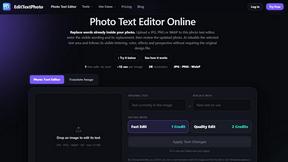
EditTextPhoto
AI-powered image text editor to edit, replace, fix, or translate text in images while preserving the original font, color, size, and style.

Genjutsu AI
Create cinematic AI videos, product ads, social shorts, and images from a prompt in minutes.

AI Album Cover Maker
Create release-ready album covers from a prompt or photo. Generate, refine, and export art for singles, EPs, mixtapes, and playlists.
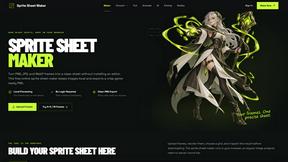
Sprite Sheet Maker
A free browser-based toolkit for creating, cutting, converting, and previewing sprite sheet animations.

FaceCoda
Free AI attractiveness test and face analysis with private, on-device photo processing.

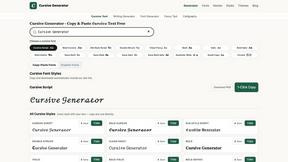
Cursive Text Generator
Cursive Text Generator is a free browser-based tool that converts regular text into beautiful cursive and stylish Unicode fonts. Users can instantly p



RunwayAI
Create videos from prompts and images with RunwayAI, featuring output controls, task tracking, previews, downloads, and API resources.

SdanceAI
SdanceAI is an AI video generator and editor for creating polished Seedance videos from text or images with synchronized audio and flexible creative c

WatermarkPilot
Private browser-based watermark tools for photos and PDFs, with eleven free workflows and local media processing.

TryKlingAI
Independent Kling AI video generator for Kling 3.0, Motion Control, Lip Sync, and API workflows.

Qwen Image Edit
Prompt-based image editing and generation for backgrounds, objects, text, products, posters, outpainting, styles, and Qwen Image workflows.

Seedream 5.0
Generate and edit production-ready images with Seedream 5.0 Pro and Lite for ecommerce, marketing, social media, infographics, and branded content.

Presentation Intelligence
AI-native presentation and visual content platform that turns prompts, documents, images, videos, and data into polished, shareable decks.


Lockimate - AI Live Wallpapers
Turn any photo into a real Apple Live Photo that animates when you wake your iPhone. Restyle it and choose the motion - customizable.

About ComicsMaker Alternatives
ComicsMaker is an AI-powered comic generation tool that falls within the broader categories of Content Creation, Design Tools, and Image Generation. It allows users to transform text prompts into comic strips, manga panels, storyboards, and character scenes, effectively bridging the gap between script-based ideation and visual output. As a specialized solution for rapid creative prototyping, it serves marketers, educators, and indie storytellers who need consistent comic-style visuals without managing a full production pipeline. Users commonly seek alternatives to ComicsMaker for a few key reasons. Pricing structures may not fit every budget, particularly for high-volume output or enterprise teams. Others may require deeper integration with existing tech stacks, such as specific API endpoints for automated workflow triggers, or need compatibility with particular export formats like SVG or layered PSD files. When evaluating an alternative, look for robust API documentation, support for standard image formats (PNG, JPEG, WebP), batch processing capabilities, and the ability to maintain character consistency across panels. Also consider the platform’s scalability for team collaboration and its adherence to data privacy standards if handling proprietary scripts or character designs.
FAQs about ComicsMaker Alternatives
What is ComicsMaker?
ComicsMaker is an AI comic maker that converts text prompts into comic strips, manga panels, storyboards, and export-ready visual drafts. It operates within the Content Creation and Image Generation categories, focusing on fast ideation and consistent comic-style output. The tool is designed to help users move from script or concept to visual storytelling without needing a full production pipeline.
Who is ComicsMaker for?
ComicsMaker is built for creators, marketers, educators, and indie storytellers who need to turn ideas into polished comic visuals quickly. It is particularly useful for AI comics, manga-style concepts, webtoon experiments, visual campaigns, classroom storytelling, and rapid creative prototyping. The tool serves both individual users and teams looking for a streamlined visual narrative workflow.
Is ComicsMaker free?
The provided content does not specify whether ComicsMaker offers a free tier or pricing model. Typically, AI image generation tools in this category offer limited free credits or a trial period, with paid subscriptions for higher usage limits and advanced features. For accurate and current pricing details, including any free options, users should consult the official ComicsMaker website or documentation.
What are the main features of ComicsMaker?
ComicsMaker focuses on fast ideation by generating comic strips, manga panels, storyboard sequences, and character scenes from text prompts. It provides consistent comic-style output and practical exports so teams can move from script to visual storytelling efficiently. The tool supports social-ready visual drafts and is designed for rapid prototyping, making it suitable for both creative projects and professional visual campaigns.