

Alternatives to EditTextImage
EditTextImage seamlessly edits text in images online while preserving font, color, lighting, and perspective without Photoshop or font installs.
Explore 20 alternatives to EditTextImage. Compare features, pricing, and find the best fit for your needs.
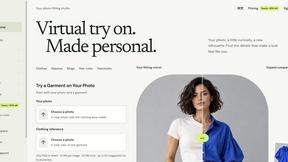
VirtualTryOn
Try on clothes, glasses, rings, hairstyles, and hair colors on your own photos with AI.
Uncensored AI Editor
Online AI image studio for creating and editing visuals from text and reference images, with control over style, format, resolution, and quality.
PavoAI
All-in-one AI video creation platform for text-to-video, image-to-video, editing, avatars, music, subtitles, and upscaling.
Rhinobird
AI video ads, UGC-style videos, and product visuals for cross-border sellers and e-commerce brands.

Promptclay
Free AI image prompt library: copy tested prompts for Gemini and ChatGPT, no account needed.
ImageAgent
Create and edit AI images through conversation, using text or reference images and refining results in chat.
GenX
All-in-one AI workspace to generate images, videos, and audio with multiple leading AI models.
AiAgeFilter
Free AI age filter: upload an adult portrait, add 10-40 years, meet your older self. No app needed.

AppIconGenerator
Generate iOS and Android app icons from any image and export all platform sizes for free.
FreeCreate
Create AI images from text or reference photos and turn prompts or still images into short videos with FreeCreate. Start free—no account needed.
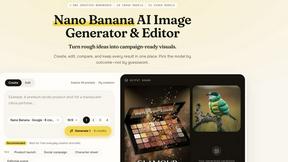
Nano AI
Create and edit AI images, generate videos, and compare models in one creative workbench.

RemoveObjectFromPhoto
Remove unwanted objects, people, and text from photos with AI for clean, natural-looking results in seconds.
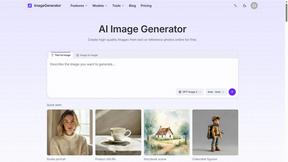
ImageGenerator
Create and edit AI images online with multiple models, text-to-image, image-to-image, background removal, and upscaling.
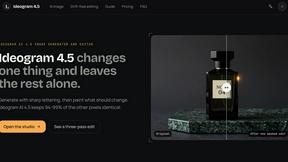
ideogram-45
AI image generation and editing with sharp typography, native 2K output, and localized edits.
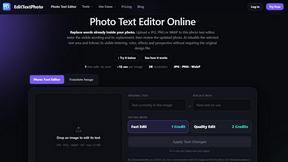
EditTextPhoto
AI-powered image text editor to edit, replace, fix, or translate text in images while preserving the original font, color, size, and style.
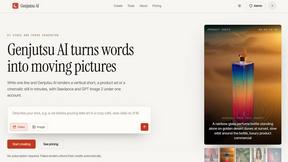
Genjutsu AI
Create cinematic AI videos, product ads, social shorts, and images from a prompt in minutes.
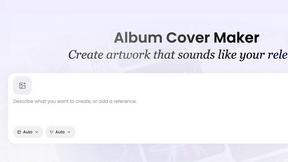
AI Album Cover Maker
Create release-ready album covers from a prompt or photo. Generate, refine, and export art for singles, EPs, mixtapes, and playlists.
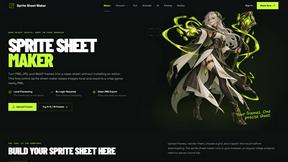
Sprite Sheet Maker
A free browser-based toolkit for creating, cutting, converting, and previewing sprite sheet animations.

About EditTextImage Alternatives
EditTextImage belongs to the rapidly expanding category of AI-powered image generation and editing tools, specifically designed for in-image text replacement without requiring the original design files. Users commonly seek alternatives due to concerns around per-edit pricing models, the need for batch processing capabilities, limited platform integrations, or the desire for a self-hosted solution that fits within a specific tech stack. When evaluating an alternative, you should prioritize accuracy of typography sampling from pixels, support for complex text effects like drop shadows and perspective transforms, output resolution quality, API availability for workflow automation, and whether the tool offers a predictable cost structure that aligns with your volume of edits. The core value proposition of EditTextImage is its ability to preserve the original font, color, and layout of text within an image by using AI to sample typefaces directly from pixel data, eliminating the need for font files or manual adjustments. This makes it a specialized solution within the broader image generation category, distinct from general-purpose design tools that require layered source files. When looking for a replacement, consider whether the alternative can handle paid fonts, hand-lettering, and non-standard typography without degradation, and verify that its integration capabilities—such as REST APIs, webhooks, or plugin support—match your existing development or content management infrastructure.
FAQs about EditTextImage Alternatives
What is EditTextImage?
EditTextImage is an online AI-powered tool that edits text within images by sampling the typeface directly from the pixels, allowing users to replace words or phrases while preserving the original font, color, drop shadow, and perspective. It eliminates the need for Photoshop, font installations, or source design files, processing edits in approximately 10 seconds and outputting at 2K resolution.
Who is EditTextImage for?
EditTextImage is designed for content creators, marketers, designers, and developers who need to quickly fix typos, swap dates, or A/B test headlines on finished images such as posters, screenshots, product photos, or social media graphics. It is particularly useful for anyone who has lost the original design file and needs a seamless text replacement without re-engineering the entire graphic.
Is EditTextImage free?
EditTextImage offers a free first edit with no credit card required, allowing users to test the service without commitment. After the free trial, it uses a one-time payment model of $9.90 for 30 edits, with no recurring subscriptions or hidden fees, making it a cost-effective alternative to monthly Canva or Adobe subscriptions for occasional text edits.
What are the main features of EditTextImage?
Key features include AI-powered font sampling from image pixels that handles paid fonts and hand-lettering without requiring the font files, preservation of original text effects like drop shadows and perspective transforms, a processing time of about 10 seconds per edit, and 2K output resolution. The tool works entirely online with no software installation, and the AI re-renders the replacement text to match the exact layout and color of the original.