
Explore 20 alternatives to Ray3. Compare features, pricing, and find the best fit for your needs.

AIPetGen
Turn a photo of your pet into new pictures or short animations with AI. Sign in for a free 1K image daily.
Bulin AI
Upload one portrait. Bulin AI puts you in the official Bulin 47 freestyle. The source video guides the moves and camera. No prompt.

Hotel Lobby AI
Two photos become one hotel lobby video. One person stands on each side of the hanging microphone. No prompt.
Genjutsu AI
Create cinematic AI videos, product ads, social shorts, and images from a prompt in minutes.

GetYouTubeTranscript
Free YouTube transcripts on the web, a Chrome extension, and an API + MCP server so AI assistants can read YouTube.
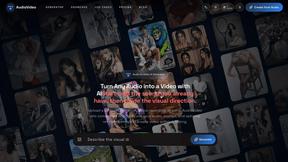


SdanceAI
SdanceAI is an AI video generator and editor for creating polished Seedance videos from text or images with synchronized audio and flexible creative c
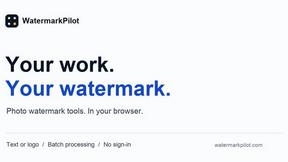
WatermarkPilot
Private browser-based watermark tools for photos and PDFs, with eleven free workflows and local media processing.

TryKlingAI
Independent Kling AI video generator for Kling 3.0, Motion Control, Lip Sync, and API workflows.

Qwen Image Edit
Prompt-based image editing and generation for backgrounds, objects, text, products, posters, outpainting, styles, and Qwen Image workflows.
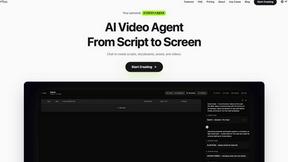
Pixo
Pixo is an AI video director that turns a prompt or script into a storyboard, consistent scenes, voiceover, and an edited final cut.


Seedance 2.5 Free
Create polished AI videos from text or images online with Seedance 2.5 Free.
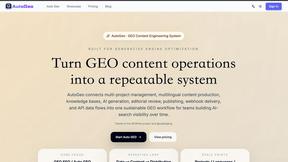




About Ray3 Alternatives
Ray3 is a professional-grade, reasoning-based AI video generator designed for filmmakers, agencies, and studios. It operates in the competitive AI video synthesis category, distinguished by its focus on high-bit-depth HDR output and logical scene consistency. Users often explore alternatives for various practical reasons. These can include budget constraints, specific feature requirements like different output formats or motion styles, or the need for integration with non-Adobe creative suites. Platform compatibility, such as operating system support or cloud versus desktop deployment, is another key driver for evaluating other tools. When assessing an alternative, prioritize your core technical and workflow needs. Key considerations include the supported video bit-depth and color space for professional grading, the AI's ability to maintain temporal and logical coherence, and how well the tool integrates into your existing post-production pipeline. The ideal solution should match your required fidelity while streamlining, not complicating, your creative process.
FAQs about Ray3 Alternatives
What is Ray3?
Ray3 is a pioneering reasoning-based AI video model that generates cinematic-quality 16-bit HDR videos with advanced temporal reasoning for logical consistency and physically accurate motion.
Who is Ray3 for?
Ray3 is designed for professional creators like filmmakers, creative agencies, and production studios who require high-fidelity, logically coherent video for projects like commercials and cinematic sequences.
What are the main features of Ray3?
Its core features include High-Fidelity HDR video output, an advanced Reasoning Intelligence engine for scene consistency, a fast Draft Mode for ideation, and seamless Adobe Premiere Pro workflow integration.
Why choose Ray3?
Choose Ray3 for its unique combination of professional 10/12/16-bit HDR output and advanced AI reasoning, which ensures unmatched visual fidelity and logical consistency in generated videos.