
AssetCenter
AssetCenter unifies asset, subscription, and person tracking with a customizable timeline for full lifecycle visibility across your tech stack.
Visit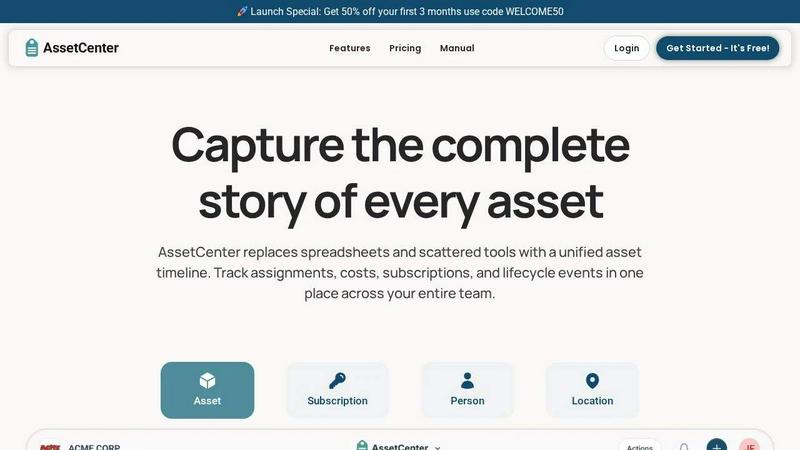
About AssetCenter
AssetCenter is a modern asset management platform engineered to provide organizations with complete visibility and granular control over every asset through a unified chronological timeline. From acquisition to end-of-life, every critical event including purchases, assignments, maintenance, transfers, subscriptions, and decommissioning is captured in one clear, chronological view. Instead of managing scattered data across multiple spreadsheets or disjointed systems, AssetCenter creates a single source of truth that is easy to understand, search, and act upon. Built for maximum flexibility, the platform supports any industry by offering fully customizable categories and fields, allowing teams to model real-world workflows without rigid constraints. Assets can be assigned to people, locations, or departments, with every change automatically recorded for full accountability and traceability. AssetCenter is purpose-built for IT managers, facility operators, healthcare administrators, construction firms, educational institutions, government agencies, nonprofits, and manufacturing teams that need to track hardware, software licenses, vehicles, machinery, or office equipment. The platform includes built-in lifecycle tracking, depreciation insights, and an intuitive interface that helps teams make smarter decisions, reduce operational inefficiencies, and maintain organization-wide control. With a strong emphasis on integration readiness and data portability, AssetCenter offers bulk import templates, custom event types, and a dashboard that consolidates costs, expirations, and recent activity across all resources. Whether you are managing 25 assets or thousands, AssetCenter delivers a tech-stack oriented solution that integrates seamlessly into existing workflows and scales with organizational growth.
Features of AssetCenter
Unified Timeline for All Events
Every asset, subscription, person, and location within AssetCenter has its own dedicated timeline that captures all events in chronological order. This feature eliminates data silos by consolidating acquisition records, assignment changes, maintenance logs, quick notes, to-do tasks, and decommission events into a single scrollable view. Teams can instantly see what happened, when it happened, and who was responsible without jumping between different systems or tabs. The timeline is fully interactive and supports custom event types, making it adaptable to any workflow from IT asset tracking to facility management.
Customizable Categories and Fields
AssetCenter provides unlimited, industry-specific categories that allow organizations to model their exact asset hierarchy without forced templates. Whether you are tracking vehicles, machinery, software licenses, medical equipment, or office furniture, you can create custom fields that match your real-world data requirements. Categories can be easily added or adjusted as your organization grows, ensuring the platform evolves with your needs. This flexibility extends to event types, where teams can define custom lifecycle stages and events to match internal processes.
Bulk Import and Export Capabilities
Getting started with AssetCenter is streamlined through pre-built Excel templates available on the bulk import page. Users can download templates for assets, subscriptions, people, and locations, fill them with existing data, and upload them to instantly populate the system. This feature is critical for organizations migrating from legacy spreadsheets or other asset management tools, as it minimizes manual data entry and reduces onboarding time. The platform also supports export functionality for reporting and integration with external analytics tools.
Dashboard with Full Organizational Visibility
The centralized dashboard in AssetCenter brings together all key metrics and activities across your entire asset portfolio. Teams can track total costs, monitor upcoming expirations for subscriptions and warranties, identify end-of-life assets that need replacement, and view recent activity logs without navigating between multiple pages. The dashboard provides a real-time snapshot of resource health, helping decision-makers prioritize maintenance, budget for replacements, and ensure compliance with organizational policies. This visibility is essential for reducing inefficiencies and avoiding unexpected downtime.
Use Cases of AssetCenter
IT Asset and Software License Management
IT departments can use AssetCenter to track every hardware device from laptops and servers to networking equipment, along with software licenses and cloud subscriptions. The timeline captures procurement details, user assignments, warranty expirations, firmware updates, and decommission events. Custom categories allow IT teams to model their exact inventory hierarchy, while the dashboard provides visibility into license counts, renewal dates, and total cost of ownership. This ensures compliance with software audits and optimizes hardware refresh cycles.
Healthcare Equipment and Maintenance Tracking
Hospitals and clinics can manage medical devices, diagnostic equipment, and facility assets with AssetCenter's event-driven timeline. Maintenance logs for repairs, calibrations, and inspections are automatically recorded with timestamps and assignee details. The platform supports tracking of regulatory compliance events, such as sterilization cycles or safety checks, ensuring that all equipment meets industry standards. Custom fields can capture serial numbers, manufacturer details, and service contract information, providing a complete audit trail for accreditation purposes.
Construction and Heavy Machinery Fleet Management
Construction firms can track heavy machinery, vehicles, tools, and temporary site equipment across multiple job locations. AssetCenter records each asset's assignment to specific projects or operators, along with maintenance events like oil changes, tire replacements, and safety inspections. The timeline provides visibility into equipment utilization and downtime, helping project managers allocate resources efficiently. Depreciation insights assist in budgeting for replacements, while the dashboard shows real-time location and status of all fleet assets.
Educational Institution Asset and Subscription Tracking
Schools and universities can manage everything from classroom technology and lab equipment to software subscriptions and library resources. The platform allows tracking of asset assignments to specific departments, faculty members, or student labs. Subscription management features ensure that software licenses are renewed on time and that costs are allocated correctly across budgets. Custom categories can differentiate between instructional technology, administrative equipment, and campus facilities. The timeline provides a clear history of transfers, maintenance, and disposals, supporting grant reporting and inventory audits.
Frequently Asked Questions
How does the unified timeline work for different asset types?
Every asset, subscription, person, and location in AssetCenter has its own dedicated timeline that records all events in chronological order. When you acquire a new asset, the timeline automatically logs the purchase date, cost, and vendor. Subsequent events like assignments, maintenance, notes, to-dos, and decommission are added as they occur. You can filter the timeline by event type or date range to quickly find specific records. This unified view eliminates the need to check multiple systems or spreadsheets for an asset's history.
Can I customize event types to match my organization's workflows?
Yes, AssetCenter is built for maximum flexibility. The platform includes prebuilt events for acquisition, lifecycle, and decommission stages, but you can fully customize these or create entirely new event types. For example, you can add events specific to your industry such as "oil change" for vehicles, "firmware update" for IT equipment, or "inspection" for medical devices. Each custom event can include its own fields, notes, and assignee details, ensuring the system mirrors your real-world processes.
What is included in the free trial and how long does it last?
The free trial includes full access to the entire AssetCenter platform with a limit of 25 assets, no time limit, and no credit card required. You can create custom categories, import data via Excel templates, manage timelines, use the dashboard, and invite team members. The trial is designed to let you fully evaluate how AssetCenter fits your organization's needs before committing to a paid plan. There is no automatic upgrade or hidden charges.
How does AssetCenter handle data import from existing systems?
AssetCenter provides pre-built Excel templates on the bulk import page that you can download and fill with your existing asset, subscription, person, and location data. The templates include column headers that map directly to the platform's fields, making it straightforward to transfer information from spreadsheets or other asset management tools. After filling out the template, you upload it to the application, and the system automatically processes and imports the data. This approach minimizes manual data entry and reduces the time needed to get started.
Explore more in this category:
Similar to AssetCenter

A notepad calculator that reads plain text and gives instant answers as you type, free on Mac, iOS, Windows, Linux, Android and Web.

AI Email Filter sorts incoming mail into folders using plain-language prompts you write. Works with any IMAP mailbox; bring your own LLM if you want.

No-code 2D game editor: visual node logic, drag-and-drop scenes, live preview. Exports to Windows, macOS, Linux, Android, iOS, Web.

Free collection of online developer utilities, code formatters, and digital converters designed to streamline your daily workflow.

Online tally counter for tracking attendance, workouts, inventory, visitors, sports scores, habits, and everyday counting tasks.

The #1 Native Form Builder Plugin for Framer - No Code, No Embeds, No External Platforms.

A free launch checklist for SaaS, apps, AI tools and more. Every step says why it matters and when you can skip it.
