

Alternatives to CodaOne AI
CodaOne AI offers a privacy-first suite of over 101 browser-based tools to humanize, detect, and process content directly in your tech stack.
Explore 20 alternatives to CodaOne AI. Compare features, pricing, and find the best fit for your needs.

VD6S
VD6S is a free online YouTube video downloader that supports HD, 4K and up to 8K downloads. Save videos in MP4 or audio in multiple formats.

Safe Outreach
AI-powered platform that evaluates the safety of LinkedIn automation tools and helps reduce the risk of account restrictions.

ButterShare
Realtime peer-to-peer file transfer in the browser. Send files directly between devices, no account and no upload to a server.

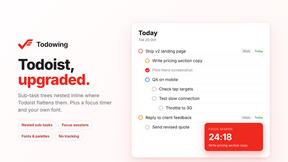
Todowing
Chrome extension for Todoist that nests sub-tasks under their parents in Today, Upcoming, Filter and Label views.
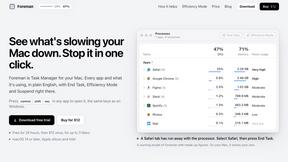
Foreman
See every app and what it's using in plain English, and end or slow down the one that's hogging your Mac.
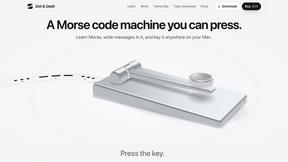
Dot & Dash
Learn Morse code on a machine you can press. Write and send messages, turn Morse into text and back, and key Morse in any app on your Mac.
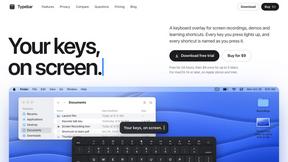
Typebar
Every key you press lights up on an on-screen keyboard, and each shortcut is named as you press it.
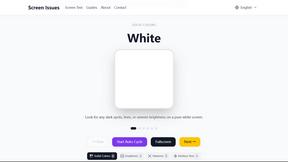
Screen Issues
Free Online Screen Test Tool - Instantly diagnose dead pixels, lines, color issues, and flickering. Multiple test modes, no download needed.

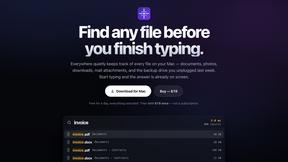
Everywhere
Fast file search for the Mac. Results as you type, files inside Mail and Photos, works with Wi-Fi off. $19 once.

Basalt
Eighteen PDF tools in one native Mac window: merge, split, compress, OCR, Bates numbering, forms, signing and redaction. Offline. $29 once.
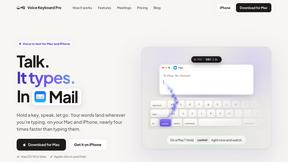
Voice Keyboard Pro
Hold a key, say what you mean, let go. Clean, punctuated text lands at the cursor in any app on your Mac or iPhone.

Mainspring
Mainspring turns the settings macOS hides into 90+ one-click, fully reversible power-ups for Finder, Dock, screenshots and more. $29 once.
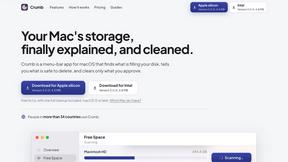
Crumb
A Mac menu bar app for a full disk. See what is using your space, read whether it comes back on its own, and remove only what you tick.
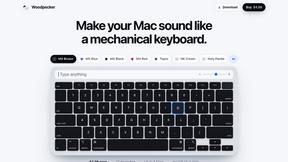
Woodpecker
Make your Mac sound like a real mechanical keyboard. Every key plays its own recording, 22 switches, quiet on calls. $4.99 once.

Inkling
Catch a thought without leaving what you are doing. Notes, checklists and a little companion in your Mac's notch. $12 once.



About CodaOne AI Alternatives
CodaOne AI is an all-in-one web-based toolkit that consolidates over 59 utilities for AI writing, PDF manipulation, image editing, and developer tasks into a single platform. It operates within the competitive landscape of integrated productivity and developer tool suites, where users often seek solutions that align precisely with their specific workflow, budget, and technical requirements. Users may explore alternatives for several reasons. Pricing structures and the limitations of free tiers, such as daily usage caps on AI features, can prompt a search for more generous or differently structured plans. Others might need deeper integration with existing tech stacks, specialized features not covered in the suite, or a preference for desktop applications over browser-based tools that rely on WebAssembly for local processing. When evaluating an alternative, key considerations include the breadth and depth of the toolset relative to your primary use cases. Assess the implementation of core functionalities like AI text processing and local file handling for security. Crucially, examine the platform's compatibility with your daily environment, including available APIs, browser extension support, and the ability to function within your established development or content creation pipeline without friction.
FAQs about CodaOne AI Alternatives
What is CodaOne AI?
CodaOne AI is an all-in-one web platform offering 59+ free tools for AI writing, PDF editing, image processing, and developer utilities, all accessible without signup.
Who is CodaOne AI for?
It's designed for content creators, students, professionals, and developers who need a consolidated toolkit for writing enhancement, document manipulation, and common coding tasks directly in their browser.
Is CodaOne AI free?
Yes, it offers a generous free tier with 3 AI uses per day and unlimited use of all local browser-based PDF, image, and developer tools at no cost.
Why choose CodaOne AI?
Its key advantages are the consolidated suite of 59+ tools, strong privacy via local in-browser processing for files, a useful Chrome extension, and support for seven languages.