

Alternatives to Picture Enhancer
Picture Enhancer uses AI to deblur, upscale, and restore photos in your browser with no software install and three free guest tries.
Explore 20 alternatives to Picture Enhancer. Compare features, pricing, and find the best fit for your needs.
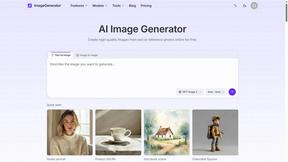
ImageGenerator
Create and edit AI images online with multiple models, text-to-image, image-to-image, background removal, and upscaling.
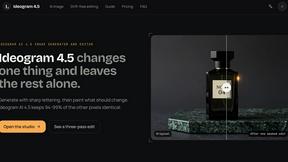
ideogram-45
AI image generation and editing with sharp typography, native 2K output, and localized edits.
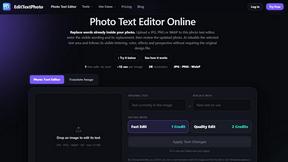
EditTextPhoto
AI-powered image text editor to edit, replace, fix, or translate text in images while preserving the original font, color, size, and style.

Genjutsu AI
Create cinematic AI videos, product ads, social shorts, and images from a prompt in minutes.

AI Album Cover Maker
Create release-ready album covers from a prompt or photo. Generate, refine, and export art for singles, EPs, mixtapes, and playlists.

Sprite Sheet Maker
A free browser-based toolkit for creating, cutting, converting, and previewing sprite sheet animations.



RunwayAI
Create videos from prompts and images with RunwayAI, featuring output controls, task tracking, previews, downloads, and API resources.

Qwen Image Edit
Prompt-based image editing and generation for backgrounds, objects, text, products, posters, outpainting, styles, and Qwen Image workflows.

Seedream 5.0
Generate and edit production-ready images with Seedream 5.0 Pro and Lite for ecommerce, marketing, social media, infographics, and branded content.

Lockimate - AI Live Wallpapers
Turn any photo into a real Apple Live Photo that animates when you wake your iPhone. Restyle it and choose the motion - customizable.

Vismuse
Create polished AI images and videos from prompts or references for social posts, ads, flyers, album covers, and campaigns.
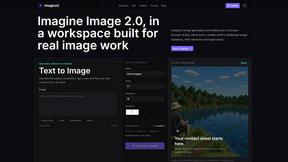
Imagine2
Private browser-based AI image generation and editing with text-to-image, targeted edits, and multi-image references.

Kogashitsuka AI
An online AI image tool that enhances photos and illustrations at their original size or upscales them by 2x or 4x.

UGCad AI
AI UGC video ad Generator which Turn a URL, prompt, or template into a ready video ads.

StopScroll
StopScroll is an AI thumbnail maker that generates YouTube thumbnail concepts from a URL, title, or prompt.

HubVanta AI
HubVanta AI helps creators generate images and videos with advanced AI tools for visual content workflows.

VideoAny
VideoAny is an AI studio for generating uncensored videos, images, and audio from text or photos with models like Seedance and Wan.
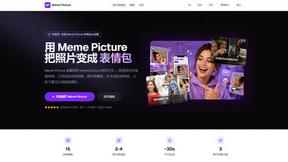
Meme Picture
Meme Picture uses AI to turn your selfies and pet photos into shareable memes with classic templates, free daily generations, and instant downloads.
About Picture Enhancer Alternatives
Picture Enhancer is a browser-based AI image enhancement tool that sits within the image generation and restoration category, specifically targeting deblurring, upscaling, and photo restoration workflows. Unlike traditional desktop software or cloud-heavy suites, it operates entirely in-browser with no local installation, making it a lightweight solution for quick image fixes. Users often seek alternatives due to the credit-based pricing model, which charges per successful enhancement at varying intensities (Standard, Strong, Super), or because they need higher batch processing limits than the 10-image cap, or require integration with specific API pipelines, DAM systems, or e-commerce platforms that the tool does not natively support. Additionally, the guest trial limitation of three lifetime tries per IP drives users to explore other options for unlimited free testing or different pricing structures. When evaluating an alternative, focus on the tech stack compatibility with your existing workflow, such as REST API availability for automation, SDK support for custom integrations, or direct plugin compatibility with platforms like Shopify, WordPress, or Adobe Creative Cloud. Consider the pricing model—whether it operates on a subscription, pay-per-use, or perpetual license basis—and how that aligns with your volume needs. Also examine the supported file formats, maximum resolution output, and whether the tool offers batch processing, adjustable intensity levels, or raw file handling. For enterprise or high-frequency use, prioritize solutions with on-premise deployment options, SSO authentication, and data residency controls to ensure compliance and performance.
FAQs about Picture Enhancer Alternatives
What is Picture Enhancer?
Picture Enhancer is a free online AI photo enhancer that operates entirely in your browser, requiring no software installation. It allows users to upload JPG, PNG, or WebP images and apply deblurring, upscaling, or restoration effects at three intensity levels: Standard, Strong, and Super. The tool provides a preview before and after processing, and downloads are watermark-free only when the enhancement succeeds. Credits are charged per successful job, and guests receive three free lifetime tries per IP without signing up.
Who is Picture Enhancer for?
Picture Enhancer is designed for creators, sellers, and everyday users who need sharper images quickly without complex software. It is ideal for social media posts, e-commerce product listings, screenshots, and restoring family photos. The tool caters to both casual users who can rely on the free guest tries and power users who sign in for credits to access Super intensity and batch enhancement of up to 10 images. Its browser-based nature makes it accessible on any device with an internet connection.
Is Picture Enhancer free?
Picture Enhancer offers a free tier where guests get three lifetime tries per IP address with no signup required, and each try includes a full preview and watermark-free download upon success. For continued use, signing in provides starter credits, and additional credits can be purchased through monthly plans or permanent packs that never expire. Credits are only deducted when the enhancement job succeeds, so failed attempts do not consume credits. Paid users unlock Super intensity and batch processing capabilities.
What are the main features of Picture Enhancer?
The main features include three enhancement modes: Deblur to sharpen blurry images, Upscale to increase resolution, and Restore to repair damaged or low-quality photos. Each mode offers three intensity levels—Standard (2 credits), Strong (4 credits), and Super (6 credits)—with Super tier reserved for paid users. The tool supports JPG, PNG, and WebP uploads, provides a side-by-side before/after preview, and allows batch enhancement of up to 10 images for paid accounts. All processing happens in-browser with no software install, and downloads are watermark-free on successful jobs.