

Alternatives to QuickTextTools
QuickTextTools provides 76+ browser-based text utilities for writers and creators to instantly process, format, and optimize content with no sign-up.
Explore 20 alternatives to QuickTextTools. Compare features, pricing, and find the best fit for your needs.

JevModel
Jev turns text or JSON into Choice, Score and Noul answers with probabilities. Build decision flows and call the API.

Notes Calculator
A notepad calculator that reads plain text and gives instant answers as you type, free on Mac, iOS, Windows, Linux, Android and Web.

AI Email Filter
AI Email Filter sorts incoming mail into folders using plain-language prompts you write. Works with any IMAP mailbox; bring your own LLM if you want.

Egmatic
No-code 2D game editor: visual node logic, drag-and-drop scenes, live preview. Exports to Windows, macOS, Linux, Android, iOS, Web.

Kody Tools
Free collection of online developer utilities, code formatters, and digital converters designed to streamline your daily workflow.

tallycounterweb.com
Online tally counter for tracking attendance, workouts, inventory, visitors, sports scores, habits, and everyday counting tasks.
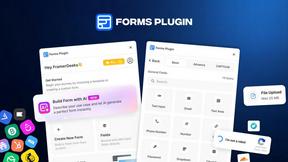
Forms Plugin
The #1 Native Form Builder Plugin for Framer - No Code, No Embeds, No External Platforms.

Product Launch Checklist
A free launch checklist for SaaS, apps, AI tools and more. Every step says why it matters and when you can skip it.




PerPageFax
PerPageFax lets you send a fax online from any browser for a flat $0.50 per page — no account, no subscription, no fax machine.


Makemb
Your files are processed entirely in your browser. Nothing is sent to a server — the server only handles your account and credits.


Glanced
Follow news, blogs, newsletters, and podcasts in a free RSS reader, with AI summaries, top stories, full-text search, saved searches, and a catalog.

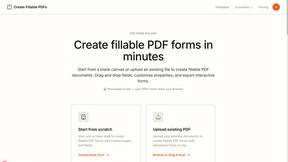
Create Fillable PDFs
The service processes documents locally in your browser, ensuring your files are never uploaded or stored, prioritizing your privacy and security.

About QuickTextTools Alternatives
QuickTextTools operates in the productivity and management category, functioning as a browser-based utility suite designed to streamline text manipulation and content optimization workflows. While the platform offers 76+ tools at no cost, users often seek alternatives due to specific integration requirements with existing tech stacks, such as native API access for automated pipelines, compatibility with proprietary content management systems, or the need for collaborative features that extend beyond single-user browser sessions. Additionally, some teams require tools that offer headless execution for server-side processing, granular control over data residency, or support for advanced formats like Markdown-to-HTML conversion with custom schemas, which may not be fully covered by a general-purpose toolkit. When evaluating alternatives to QuickTextTools, prioritize platforms that align with your existing technology infrastructure, focusing on API-first architectures that enable seamless integration with tools like Zapier, Make, or custom scripts. Look for solutions that offer robust data handling capabilities, including batch processing for large datasets, support for multiple input/output formats (JSON, CSV, XML), and compliance with security standards such as SOC 2 or GDPR if handling sensitive content. Consider whether the alternative provides version control for text transformations, real-time collaboration for distributed teams, or extensibility through plugins and webhooks. The ideal solution should complement your stack without requiring significant workflow redesign, offering both the specific utilities you need and the flexibility to scale with your technical requirements.
FAQs about QuickTextTools Alternatives
What is QuickTextTools?
QuickTextTools is a free, browser-based online platform that offers over 76 utilities designed to enhance productivity for writers, marketers, developers, and content creators. It operates directly in your browser without requiring software downloads or complicated setups, making it a convenient tool for text formatting, SEO analysis, keyword management, and writing assistance.
Who is QuickTextTools for?
QuickTextTools is built for a broad range of users including writers, marketers, SEO professionals, developers, students, and content creators who need quick access to text manipulation and optimization tools. It is particularly useful for anyone who works with text content regularly and wants to streamline repetitive tasks like case conversion, keyword cleaning, or meta tag analysis without switching between multiple applications.
Is QuickTextTools free?
Yes, QuickTextTools is completely free to use with no subscription fees or hidden charges. All 76+ utilities are accessible directly through the browser, and there is no requirement to create an account or provide payment information. The platform maintains its free model while focusing on user privacy and a hassle-free experience.
What are the main features of QuickTextTools?
QuickTextTools provides a comprehensive suite of utilities including text formatting tools (such as case converters and whitespace removers), SEO analysis utilities (like meta tag checkers and keyword density analyzers), writing assistants (including word counters and readability checkers), keyword management tools, and developer utilities. All tools operate within the browser, ensuring fast execution and no data transmission to external servers for enhanced privacy.