

Alternatives to UseSkill
UseSkill runs pre-built AI workflows across your tech stack in 30 seconds.
Explore 20 alternatives to UseSkill. Compare features, pricing, and find the best fit for your needs.

Notes Calculator
A notepad calculator that reads plain text and gives instant answers as you type, free on Mac, iOS, Windows, Linux, Android and Web.
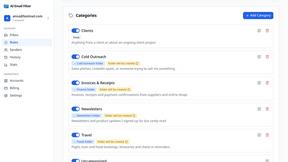
AI Email Filter
AI Email Filter sorts incoming mail into folders using plain-language prompts you write. Works with any IMAP mailbox; bring your own LLM if you want.
Egmatic
No-code 2D game editor: visual node logic, drag-and-drop scenes, live preview. Exports to Windows, macOS, Linux, Android, iOS, Web.
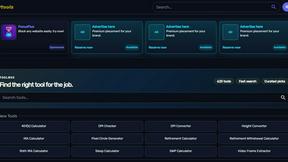
Kody Tools
Free collection of online developer utilities, code formatters, and digital converters designed to streamline your daily workflow.
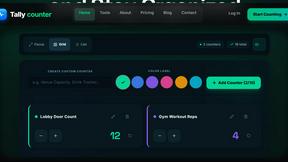
tallycounterweb.com
Online tally counter for tracking attendance, workouts, inventory, visitors, sports scores, habits, and everyday counting tasks.
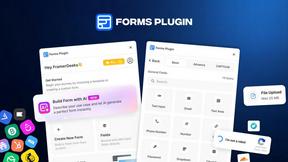
Forms Plugin
The #1 Native Form Builder Plugin for Framer - No Code, No Embeds, No External Platforms.

Product Launch Checklist
A free launch checklist for SaaS, apps, AI tools and more. Every step says why it matters and when you can skip it.




PerPageFax
PerPageFax lets you send a fax online from any browser for a flat $0.50 per page — no account, no subscription, no fax machine.


Makemb
Your files are processed entirely in your browser. Nothing is sent to a server — the server only handles your account and credits.


Glanced
Follow news, blogs, newsletters, and podcasts in a free RSS reader, with AI summaries, top stories, full-text search, saved searches, and a catalog.

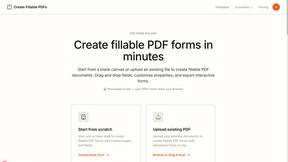
Create Fillable PDFs
The service processes documents locally in your browser, ensuring your files are never uploaded or stored, prioritizing your privacy and security.


About UseSkill Alternatives
UseSkill is a browser-based AI automation platform in the productivity and management category. It specializes in running pre-built AI workflows, or "skills," that connect directly to your existing software stack to automate complex, cross-application tasks in about 30 seconds. Users may explore alternatives for various reasons, including specific budget constraints, the need for different feature sets, or unique platform compatibility requirements. Some teams might require deeper customization, alternative integration methods, or a different deployment model that better aligns with their existing tech stack and operational protocols. When evaluating an alternative, key considerations should include the breadth and depth of native integrations with your critical tools, the security model for data handling, the quality and maintainability of the pre-built automations, and the overall efficiency gain for your team's specific workflows. The goal is to find a solution that seamlessly embeds into your environment to deliver consistent, reliable automation.
FAQs about UseSkill Alternatives
What is UseSkill?
UseSkill is a browser-based AI skills library that runs pre-built, tested AI workflows across your connected software applications to automate tasks in about 30 seconds, eliminating manual prompting and data copying.
Who is UseSkill for?
UseSkill is built for technical and operational teams seeking to automate complex, cross-application workflows, with deep integrations for CRM, Productivity, DevOps, Data, and Support tools.
Is UseSkill secure?
Yes, UseSkill uses the Model Context Protocol (MCP) with OAuth 2.0 for secure connections. User data is processed transiently and never stored, ensuring enterprise-ready security and privacy.
What are the main features of UseSkill?
The core features are an extensive library of pre-built AI skills and one-click native integrations with over 100 business applications via secure, OAuth-based connections.