

Alternatives to Symbol combos
Symbol Combos provides a copy-ready library of aesthetic symbols, kaomoji, and text dividers for decorating social bios, names, and captions.
Explore 20 alternatives to Symbol combos. Compare features, pricing, and find the best fit for your needs.
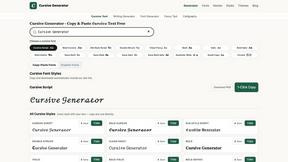
Cursive Text Generator
Cursive Text Generator is a free browser-based tool that converts regular text into beautiful cursive and stylish Unicode fonts. Users can instantly p

SdanceAI
SdanceAI is an AI video generator and editor for creating polished Seedance videos from text or images with synchronized audio and flexible creative c
WatermarkPilot
Private browser-based watermark tools for photos and PDFs, with eleven free workflows and local media processing.

TryKlingAI
Independent Kling AI video generator for Kling 3.0, Motion Control, Lip Sync, and API workflows.

Qwen Image Edit
Prompt-based image editing and generation for backgrounds, objects, text, products, posters, outpainting, styles, and Qwen Image workflows.

Seedream 5.0
Generate and edit production-ready images with Seedream 5.0 Pro and Lite for ecommerce, marketing, social media, infographics, and branded content.

Presentation Intelligence
AI-native presentation and visual content platform that turns prompts, documents, images, videos, and data into polished, shareable decks.


Lockimate - AI Live Wallpapers
Turn any photo into a real Apple Live Photo that animates when you wake your iPhone. Restyle it and choose the motion - customizable.

SnapMerge
SnapMerge combines the best expressions from similar group photos into one natural final image.

Seedance 2.5 Free
Create polished AI videos from text or images online with Seedance 2.5 Free.




Postqued
Schedule and publish social content across 10 platforms with one dashboard, API, and MCP built for teams and AI agents.


Poised
Poised writes and schedules LinkedIn posts so you’re known for something — without living on LinkedIn.

About Symbol combos Alternatives
Symbol combos is a specialized utility within the content creation and social media tooling stack, designed to provide a centralized, copy-paste library for aesthetic symbols, cute text symbols, dividers, kaomoji, hearts, stars, and decorative text combinations. It operates as a free, browser-based resource that streamlines the workflow of generating visually distinct text elements for bios, captions, usernames, and social posts, effectively eliminating the need for manual Unicode searches or custom character mapping. As a lightweight design tool, it integrates directly into the user’s existing workflow without requiring software installation, making it a high-efficiency component for creators focused on profile aesthetics and engagement. Users commonly seek alternatives to Symbol combos when their specific platform integration requirements exceed the tool’s current scope, such as needing native API support for automated posting, advanced sorting algorithms for large symbol libraries, or mobile-optimized interfaces that function offline. Additionally, some users may require more granular categorization or the ability to create and save custom symbol combinations beyond the predefined library. When evaluating an alternative, the primary technical considerations should include the availability of a robust search or filtering system for rapid symbol retrieval, compatibility across major operating systems and social platforms, the absence of hidden paywalls or usage limits, and the tool’s ability to output clean, unformatted text that renders correctly in all target environments without breaking character encoding.
FAQs about Symbol combos Alternatives
What is Symbol combos?
Symbol combos is a free, web-based copy-paste symbol library that provides users with a curated collection of aesthetic symbols, cute text symbols, dividers, kaomoji, hearts, stars, and decorative text combinations. It is designed to be a direct utility for content creators and social media users who need ready-made symbol combos for bios, captions, usernames, and messages. The tool requires no account creation or software download, operating purely as a browser resource for instant symbol access.
Who is Symbol combos for?
Symbol combos is built for content creators, social media managers, designers, and anyone who needs to enhance text-based profiles or posts with visual flair. It specifically serves users who want to quickly add aesthetic elements to platforms like Instagram, TikTok, Twitter, or Discord without manually searching for Unicode characters. The tool is also ideal for gamers, streamers, and creative professionals who require unique symbol combinations for usernames and display names.
Is Symbol combos free?
Yes, Symbol combos is completely free to use. There are no subscription fees, paywalls, or premium tiers required to access the full library of symbols and combinations. Users can browse, copy, and paste as many symbol combos as they need without any usage limitations or account registration.
What are the main features of Symbol combos?
The main features of Symbol combos include a categorized library of aesthetic symbols, cute text symbols, dividers, kaomoji, hearts, and stars, all available for instant one-click copying. It offers ready-made decorative text combinations that users can paste directly into bios, captions, usernames, social posts, and messages. The tool is optimized for quick browsing and selection, ensuring minimal friction in the content creation workflow.