

Alternatives to Easymotion - AI Motion Graphic Generator
Easymotion is an AI motion graphic generator that turns static images, data, and maps into polished videos for any platform.
Explore 20 alternatives to Easymotion - AI Motion Graphic Generator. Compare features, pricing, and find the best fit for your needs.


GenX
All-in-one AI workspace to generate images, videos, and audio with multiple leading AI models.

Typebar
Every key you press lights up on an on-screen keyboard, and each shortcut is named as you press it.

Bloom
An adaptive AI tutor that turns topics or your materials into courses, lessons, and answers tailored to how you learn.
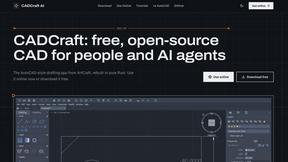
CADCraft
Free open-source 2D CAD built in Rust. AutoCAD-style CLI drafting, layers, dimensions, DWG/DXF support, and AI-agent automation via MCP.

Nano AI
Create and edit AI images, generate videos, and compare models in one creative workbench.

Mainspring
Mainspring turns the settings macOS hides into 90+ one-click, fully reversible power-ups for Finder, Dock, screenshots and more. $29 once.

Crumb
A Mac menu bar app for a full disk. See what is using your space, read whether it comes back on its own, and remove only what you tick.

ogimagegenerator.dev
Paste a URL and AI designs on-brand Open Graph images from your page's colours, fonts and logo. Free, no sign-up.

RemoveObjectFromPhoto
Remove unwanted objects, people, and text from photos with AI for clean, natural-looking results in seconds.


ChatterAPI
One API key and one credit balance for Reddit and X data. REST endpoints and a hosted MCP server, so your code and your agents call the same tools.

BacklinkBot
AI SEO agent that finds pages ranking for your keywords, pitches the people behind them from your inbox, and follows up. You approve every send.

HearBuyers
AI social listening agent: finds people on Reddit and X describing your problem, scores buying intent and drafts a reply you approve.

HookAds
Free ad creative hub: 1,750+ prompts behind viral AI ads, 118 hook frameworks, teardowns, swipe files and 27 free AI tools.

Vim.is
Vim.is is a simple online tool that helps you learn and practice Vim keyboard shortcuts quickly.


Leadeon
AI growth tool for X and LinkedIn: write posts in your voice, schedule at your best times, find leads on X and see what works.

Verla AI
Verla is an AI academic assistant for university and college students, combining AI essay writing, academic research, AI detection, AI humanization

Ecommerce Data API
Amazon research data APIs for developers, sellers and AI agents. Integrate product, keyword and market research through REST APIs and MCP.
About Easymotion - AI Motion Graphic Generator Alternatives
Easymotion - AI Motion Graphic Generator is a browser-based platform that operates within the AI Assistants, Content Creation, Video, and Dev Tools categories. It is designed to automate the generation of motion graphics and map animations, allowing users to convert static assets like images, spreadsheets, and PDFs into animated videos without traditional timeline editing. While it offers a robust set of features including chat-based editing and a premium template library, users often seek alternatives due to specific constraints such as pricing tiers, the need for deeper integration with existing video editing stacks, or a requirement for more granular control over animation physics and keyframes that a fully automated tool may not provide. When evaluating a replacement for a tool like Easymotion, the technical stack should be the primary consideration. Look for solutions that offer API-level access for automated workflows, support for standard codecs like ProRes or H.264 natively, and compatibility with your current content management system or video rendering pipeline. Additionally, assess the platform’s support for custom scripting or expression-driven animation, as this is critical for developers who need to programmatically control motion graphics. Finally, verify the export flexibility, ensuring the alternative supports all required aspect ratios (16:9, 9:16, 1:1, 4:5) and formats like MP4 and MOV with alpha channels, while also offering a scalable pricing model that aligns with your project volume.
FAQs about Easymotion - AI Motion Graphic Generator Alternatives
What is Easymotion - AI Motion Graphic Generator?
Easymotion is an AI-powered platform that serves as a motion graphics generator and map animation maker. It allows users to transform static visuals, prompts, and data files like spreadsheets and PDFs into polished animated videos directly in the browser, bypassing the need for complex timeline editing. The platform specializes in creating content for SaaS product promos, flowcharts, animated charts, UI explainers, and geographic storytelling with flight routes and location pins.
Who is Easymotion - AI Motion Graphic Generator for?
Easymotion is built for content creators, video editors, startup founders, and marketing professionals who need to produce motion graphics and map animations quickly. It is particularly suited for users who lack advanced video editing skills but require professional-grade animated assets for social media, product marketing, presentations, and client deliverables. The platform also serves developers and tech teams looking for a browser-based solution to automate repetitive animation tasks without complex software installations.
What are the main features of Easymotion - AI Motion Graphic Generator?
Key features include AI-driven generation from prompts or static files, a chat-based editing interface for adjusting colors, pacing, and layout, and a premium template library for starting from proven motion graphics layouts. The platform supports multiple export formats including MP4 and MOV with transparent backgrounds, and offers aspect ratio options for 16:9, 9:16, 1:1, and 4:5. It also functions as a dedicated map animation maker for flight routes, flag fill highlights, and geographic visuals.
Is Easymotion - AI Motion Graphic Generator secure?
As a browser-based platform handling user-uploaded files and generated video assets, Easymotion likely employs standard encryption protocols for data in transit and at rest, though specific security certifications are not detailed in the provided content. Users should review the platform's privacy policy regarding data retention and sharing of uploaded content, especially when dealing with proprietary or client-sensitive materials. For enterprise use, it is advisable to verify if the platform offers compliance with standards such as SOC 2 or GDPR before integrating it into a production workflow.