

Explore 20 alternatives to Opal. Compare features, pricing, and find the best fit for your needs.

Notes Calculator
A notepad calculator that reads plain text and gives instant answers as you type, free on Mac, iOS, Windows, Linux, Android and Web.
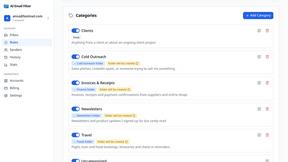
AI Email Filter
AI Email Filter sorts incoming mail into folders using plain-language prompts you write. Works with any IMAP mailbox; bring your own LLM if you want.
Egmatic
No-code 2D game editor: visual node logic, drag-and-drop scenes, live preview. Exports to Windows, macOS, Linux, Android, iOS, Web.
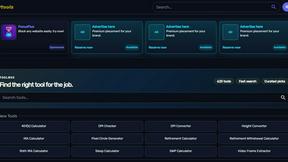
Kody Tools
Free collection of online developer utilities, code formatters, and digital converters designed to streamline your daily workflow.
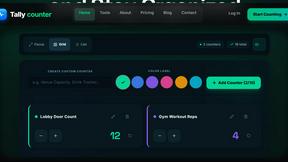
tallycounterweb.com
Online tally counter for tracking attendance, workouts, inventory, visitors, sports scores, habits, and everyday counting tasks.
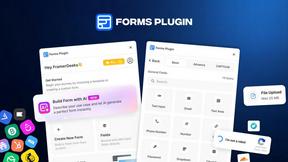
Forms Plugin
The #1 Native Form Builder Plugin for Framer - No Code, No Embeds, No External Platforms.

Product Launch Checklist
A free launch checklist for SaaS, apps, AI tools and more. Every step says why it matters and when you can skip it.




PerPageFax
PerPageFax lets you send a fax online from any browser for a flat $0.50 per page — no account, no subscription, no fax machine.


Makemb
Your files are processed entirely in your browser. Nothing is sent to a server — the server only handles your account and credits.


Glanced
Follow news, blogs, newsletters, and podcasts in a free RSS reader, with AI summaries, top stories, full-text search, saved searches, and a catalog.

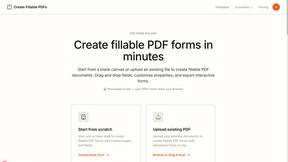
Create Fillable PDFs
The service processes documents locally in your browser, ensuring your files are never uploaded or stored, prioritizing your privacy and security.



About Opal Alternatives
Opal is a visual knowledge and project management workspace that falls into the productivity and project management software category. It distinguishes itself by offering an infinite digital canvas, leveraging spatial memory to help users organize notes, documents, and projects visually. This approach is designed for individuals who think spatially and find traditional, linear folder structures limiting for creative and complex workflows. Users often explore alternatives to Opal for several practical reasons. These can include budget constraints, specific feature requirements like advanced automation or native integrations with their existing tech stack, or platform compatibility needs such as a dedicated mobile app or offline functionality. When evaluating other solutions, it's crucial to assess core functionality against your primary use case, scrutinize the depth and reliability of API connections to your essential tools, and consider the overall user experience to ensure it complements, rather than disrupts, your established workflow patterns.
FAQs about Opal Alternatives
What is Opal?
Opal is a visual knowledge and project management workspace built around an infinite digital canvas. It allows users to drag and drop notes, documents, files, and links to organize information spatially, similar to a physical desk. This design leverages spatial memory, helping you remember where items are placed for faster retrieval. It is fundamentally a tool to make project details and creative ideas visible and top-of-mind.
Who is Opal designed for?
Opal is built for solopreneurs, consultants, agency owners, writers, and professionals whose work relies on managing conversations, details, and multiple active projects. It is particularly suited for individuals who think spatially and feel constrained by traditional, nested folder structures in other apps. The platform helps these users keep their entire world of client details and creative projects organized visually to maintain flow and reduce time spent searching for information.
What are the main features of Opal?
Opal's core feature is its infinite visual canvas, which serves as a spatial workspace for all project elements. It supports the direct dragging and dropping of various assets like notes, documents, and web links onto this canvas. The platform is designed to utilize spatial memory for intuitive organization and instant retrieval of information. This approach keeps all active work visible to prevent ideas and critical details from being buried.
Why choose a visual workspace like Opal?
You would choose Opal if your cognitive process benefits from visual and spatial organization over linear lists and deep folder hierarchies. It reduces the friction of searching for information by allowing you to remember the location of items on your canvas. This method is ideal for managing interconnected ideas and complex projects where context and visibility are crucial. It ultimately aims to stop workflow interruption by making all relevant data immediately accessible.